Watch Quick Video
Alternative Product Management in Odoo
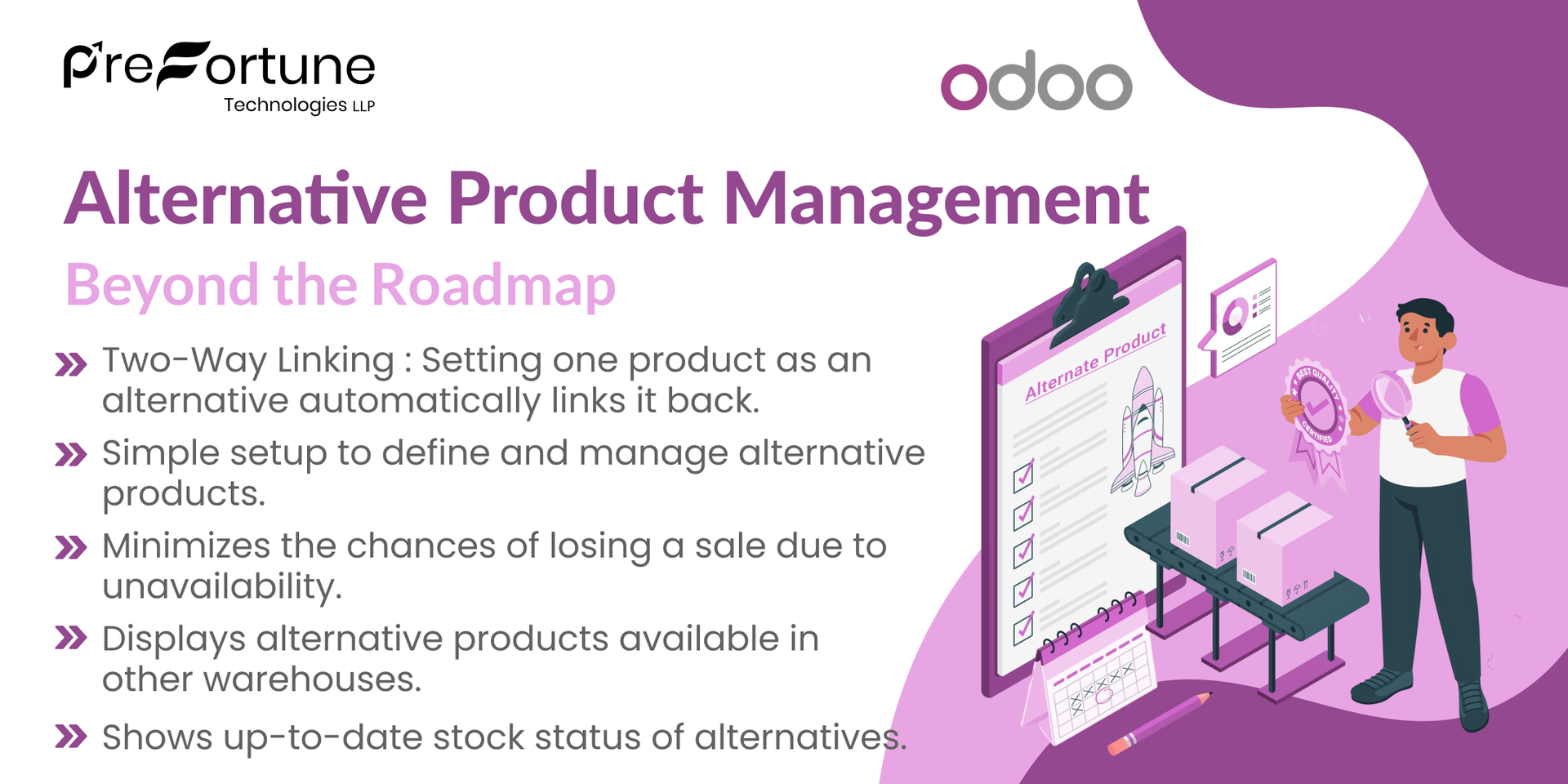
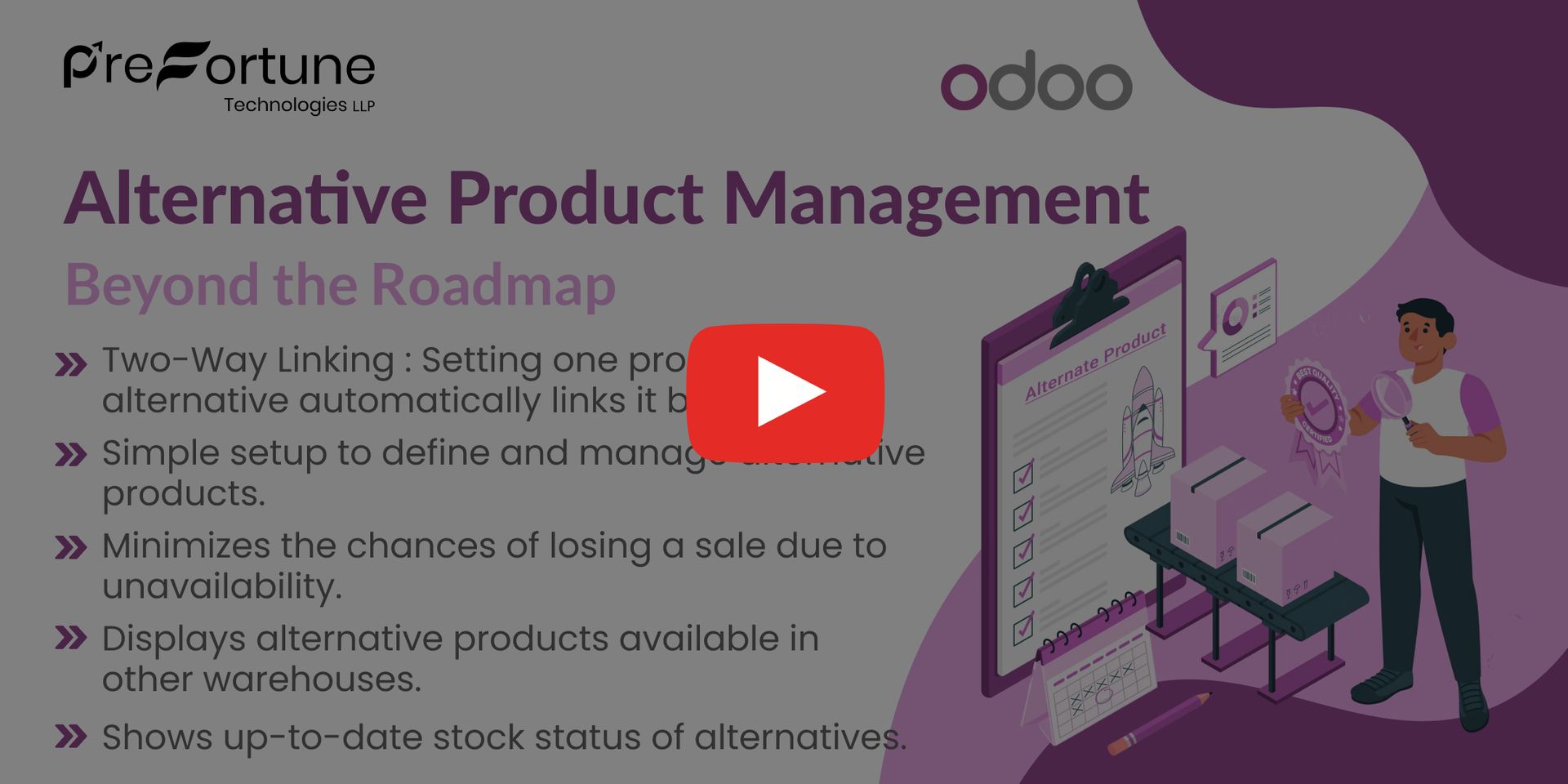
Our all-inclusive Odoo – Alternative Product Management enhances the sales process by intelligently suggesting alternative products when the requested item is out of stock. Designed to minimize lost sales and improve customer retention, it allows businesses to define and manage alternative products with ease. The system supports two-way linking of alternatives, real-time stock visibility across multiple warehouses, and seamless integration with Odoo’s Sales and Inventory modules. By displaying available substitutes directly within the product and sales views, it empowers sales teams to offer immediate solutions, boost revenue, and ensure customer satisfaction.
Alternative Product Management in Odoo
- Promotes related or substitute products to increase average order value.
- Real-Time Sync with Inventory.
- Control who can define or view alternative products.
- Two-Way Linking
- Fully functional in multi-company environments with separate inventory.
Complete Workflow for Alternative Product Management in odoo
Define Alternatives – Set alternative products on the product form.Two-way linking is automatic. Real-Time Stock Check – View stock availability of main and alternative products, including across multiple warehouses.
Alternative Product Management Setting
1. Enable 'Manage Alternative Products' from the users settings

2. Set an alternative product in product variants.

3. All products automatically set in each other alternative products.

4. Just click here, and after that one popup will pop out where you can select alternative products.

5. You can see the stock of the product from the 'View Stock' button.

6. It shows product stock in different warehouses.

7.You can select the alternative product to replace

8. Add the product in Replacing Product field and select Replace button to replace the product.

9. If you change products from the alternative products wizard then it also changes in the sale order line.

Our solutions focus on your problems
- Odoo Implementation
- Odoo Customization
- ERP Development and Implementation
- Odoo Ipass Cloud
- AI for Odoo
- Odoo Apps
- Aws Marketplace Products
- Business Engines
Our Pricing includes User Manual, 90 Days Support (Monday-Friday 10am to 7pm IST) and One time Setup
• Works & tested on standard installations of Odoo with no third party apps,
• Free support only for odoo installations with no third party apps,
• Paid support availaible for Odoo installations with third party apps.

Prefortune Technologies LLP.
Prefortune is a Odoo Official Partner, Odoo Development company. Our philosophy is to use Open Source tools and technologies to provide cost effective and green solutions for our customers.
Prefortune Technologies LLP is Working on web development, Mobile development, and Odoo ERP. It is the top outsourcing software company based on the creation of e-Commerce applications and Odoo.
If you need any help or want more additional features, you may contact us through:
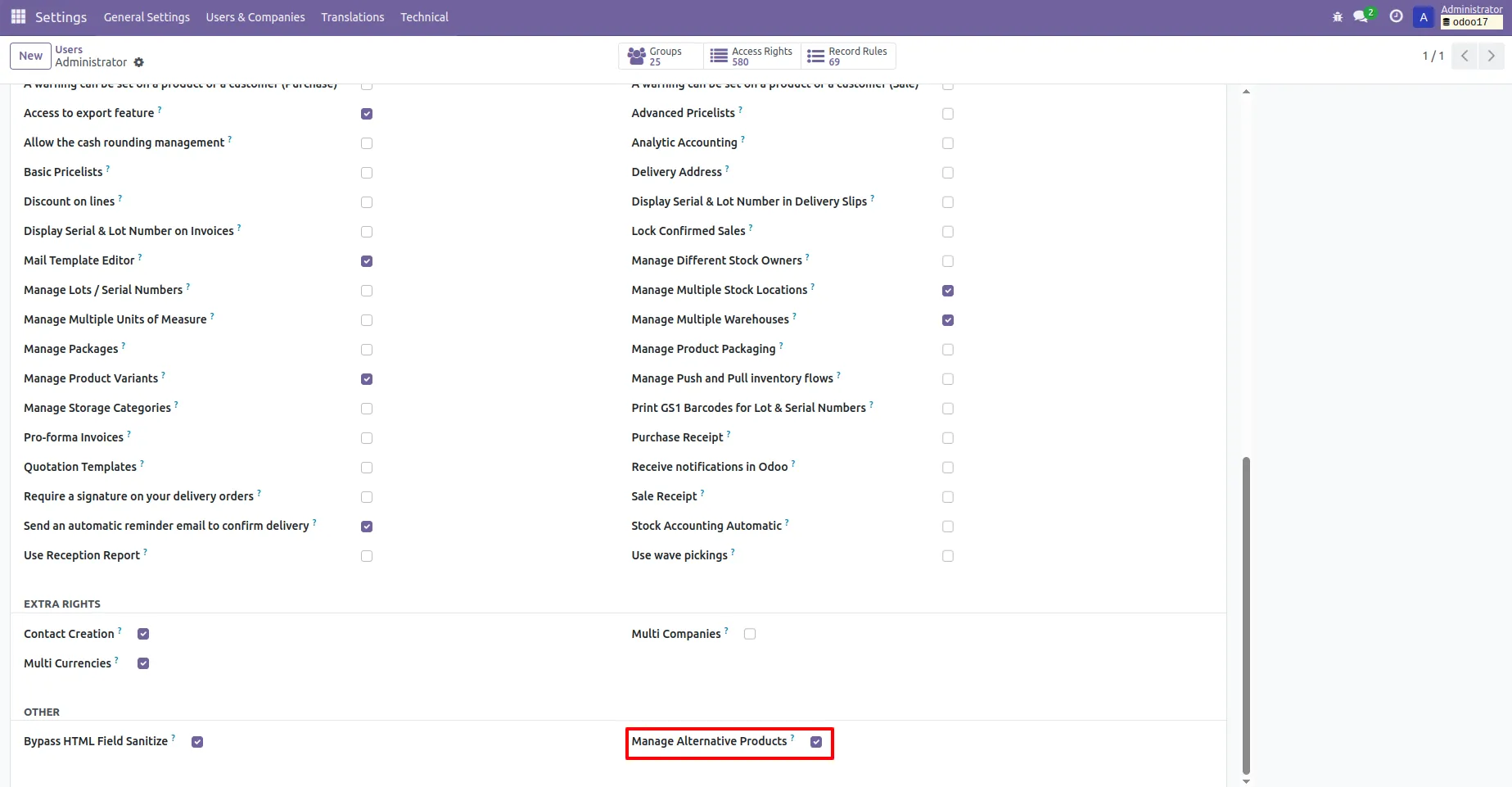
1. Enable 'Manage Alternative Products' from the users settings
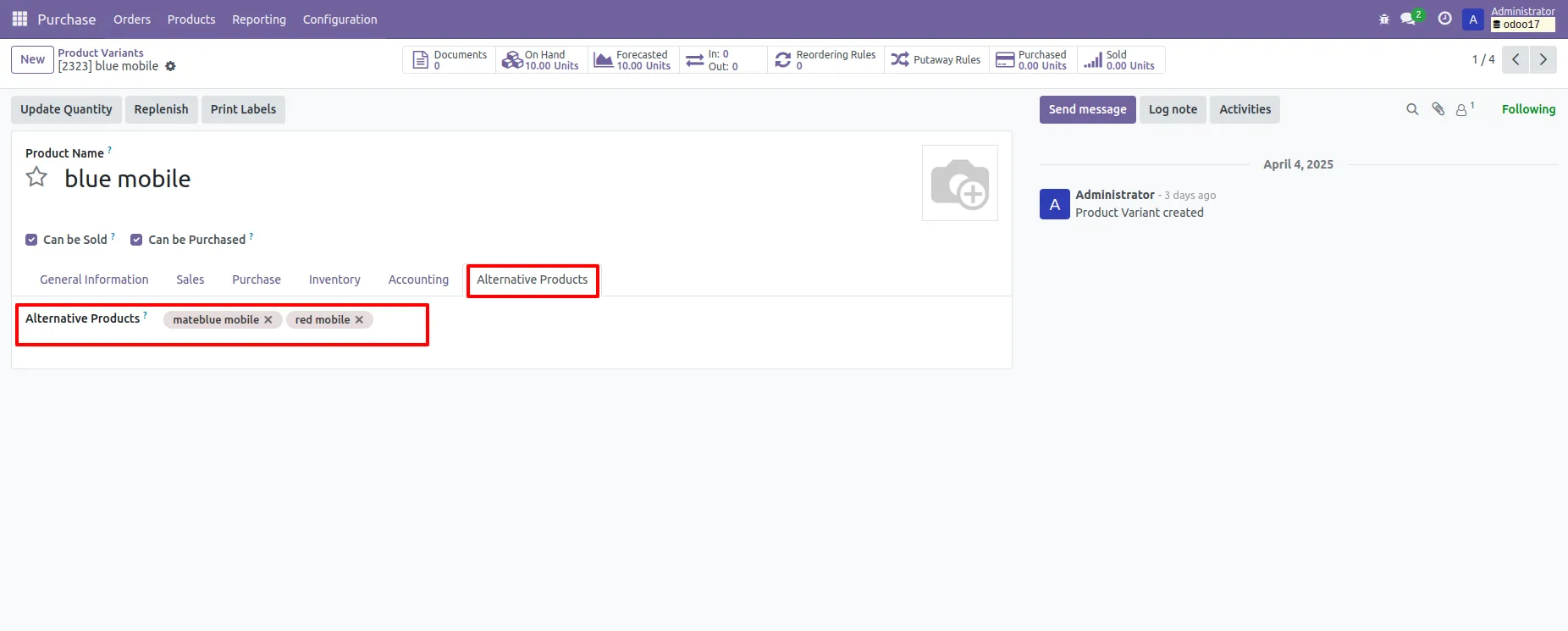
2. Set an alternative product in product variants.
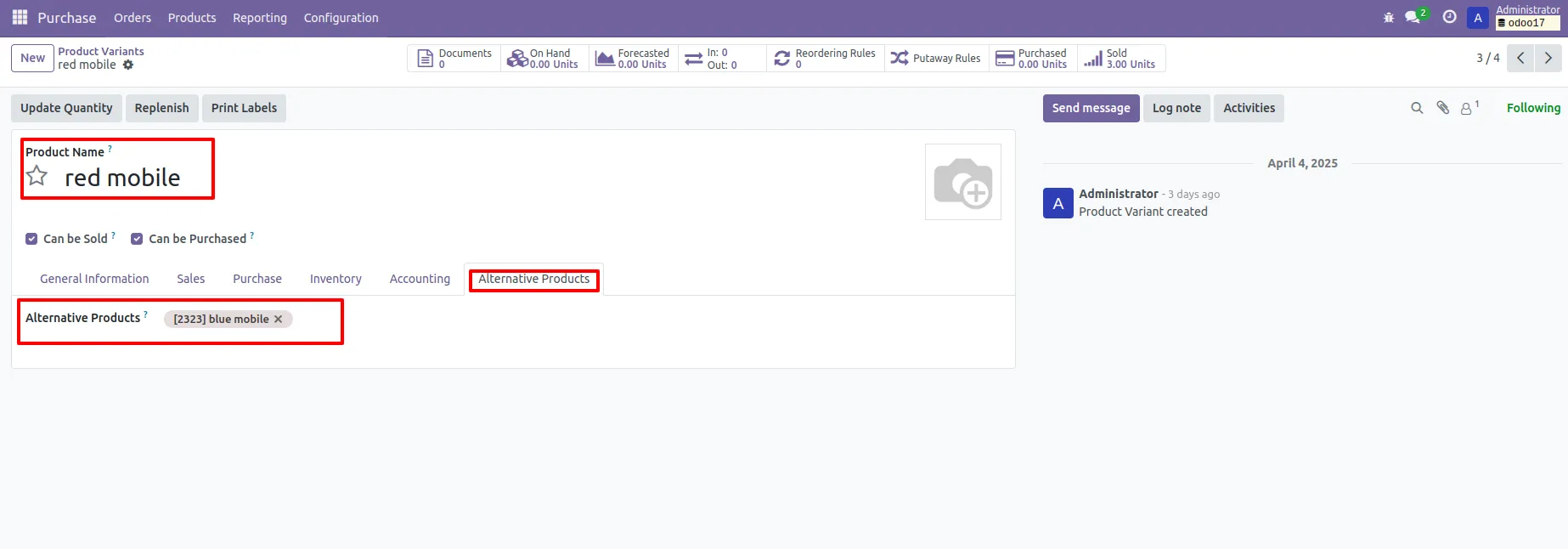
3. All products automatically set in each other alternative products.
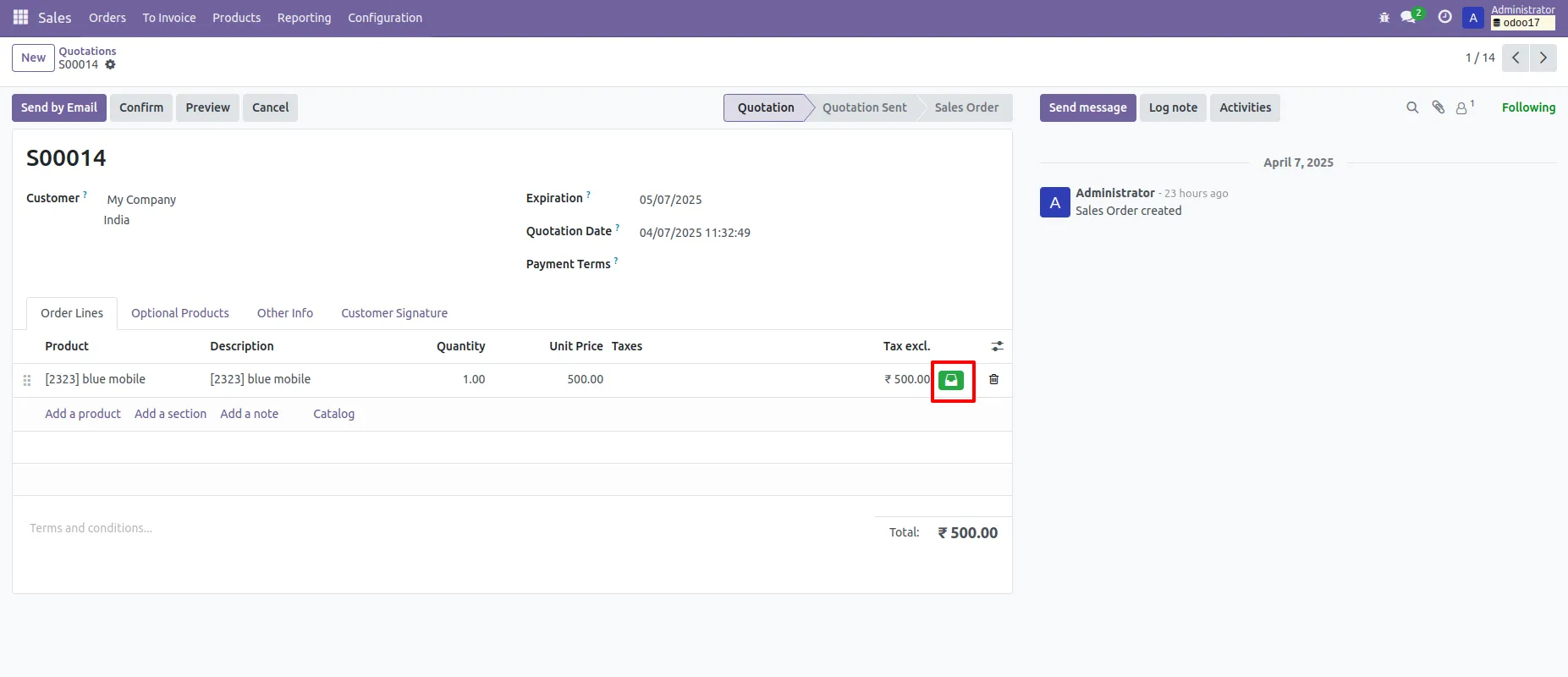
4. Just click here, and after that one popup will pop out where you can select alternative products.
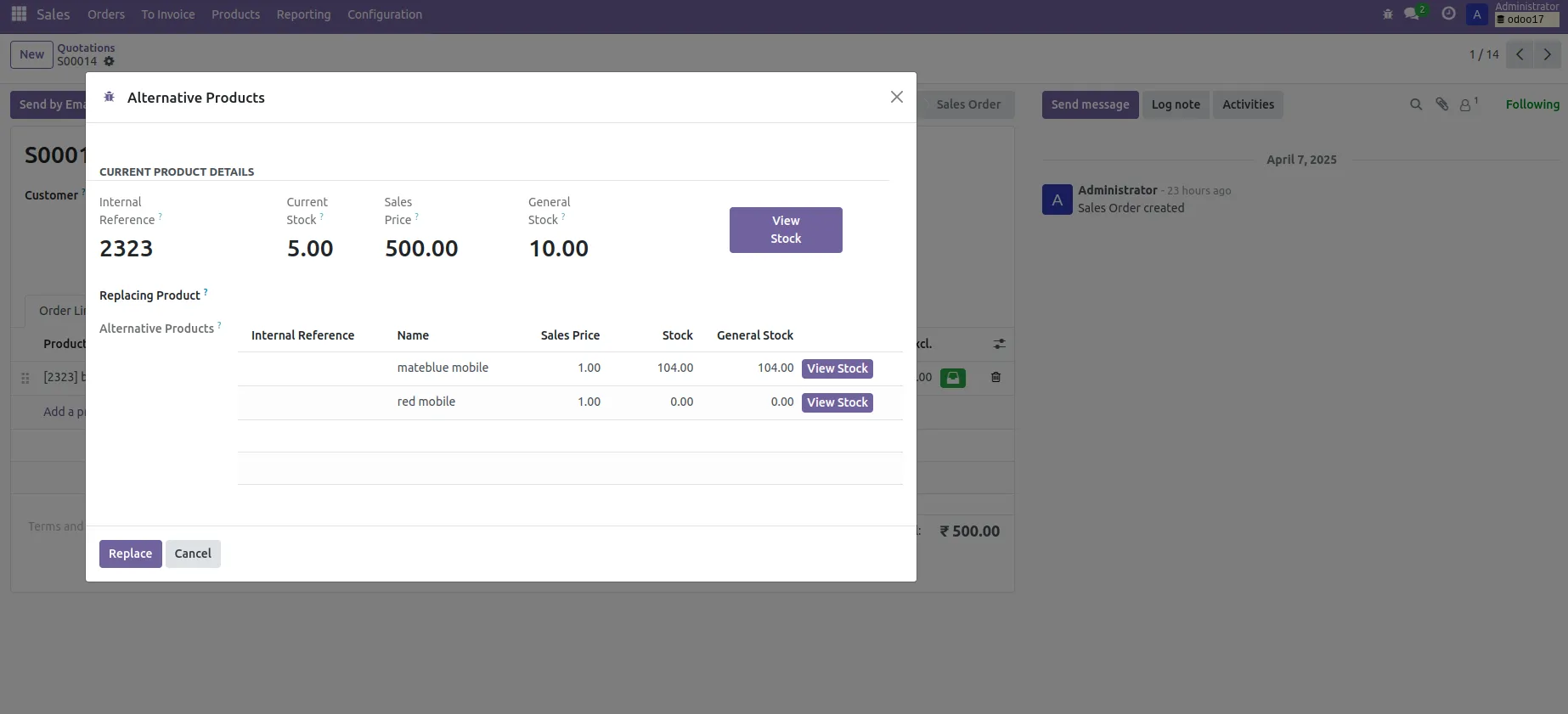
5. You can see the stock of the product from the 'View Stock' button.
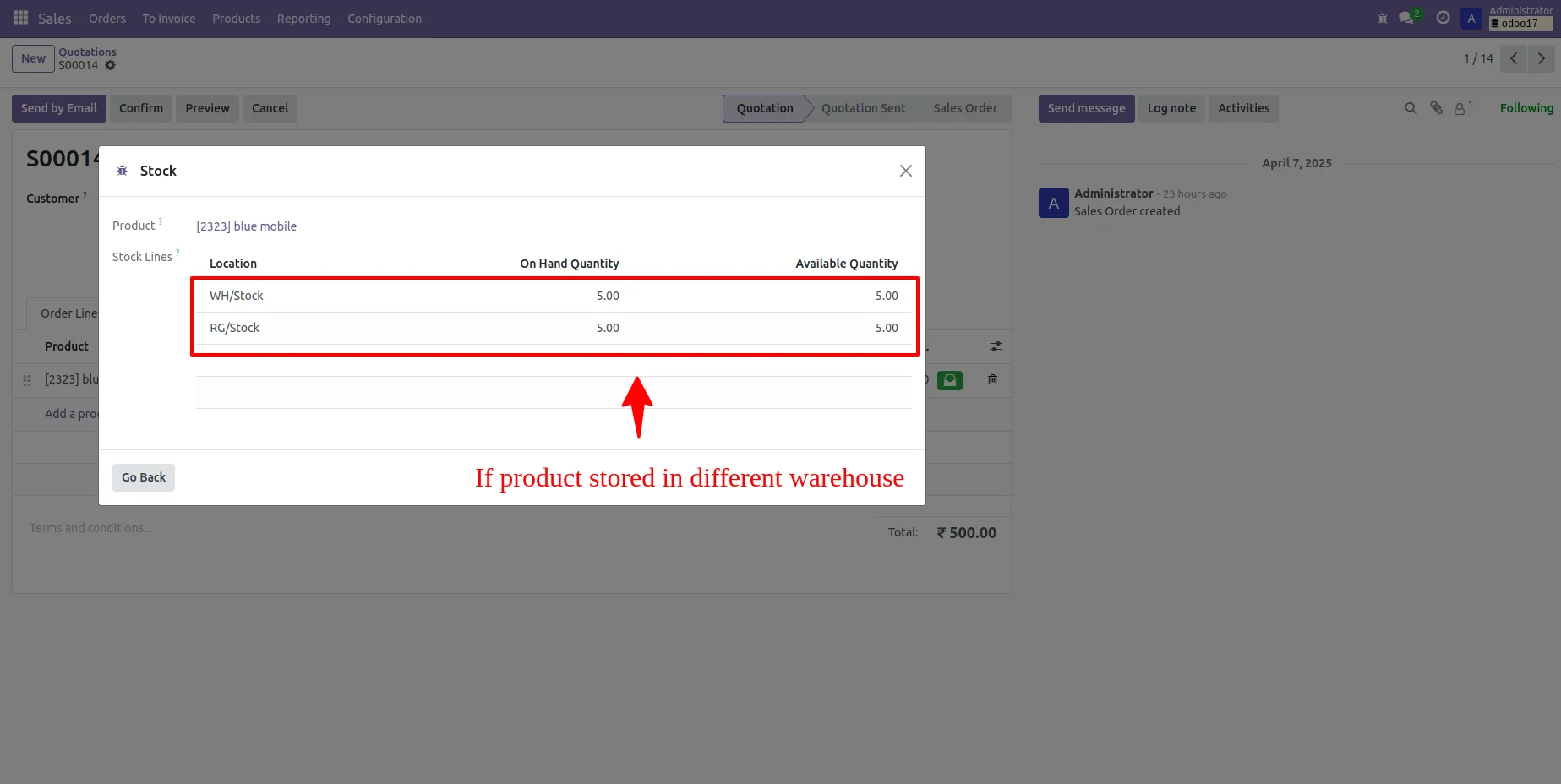
6. It shows product stock in different warehouses.
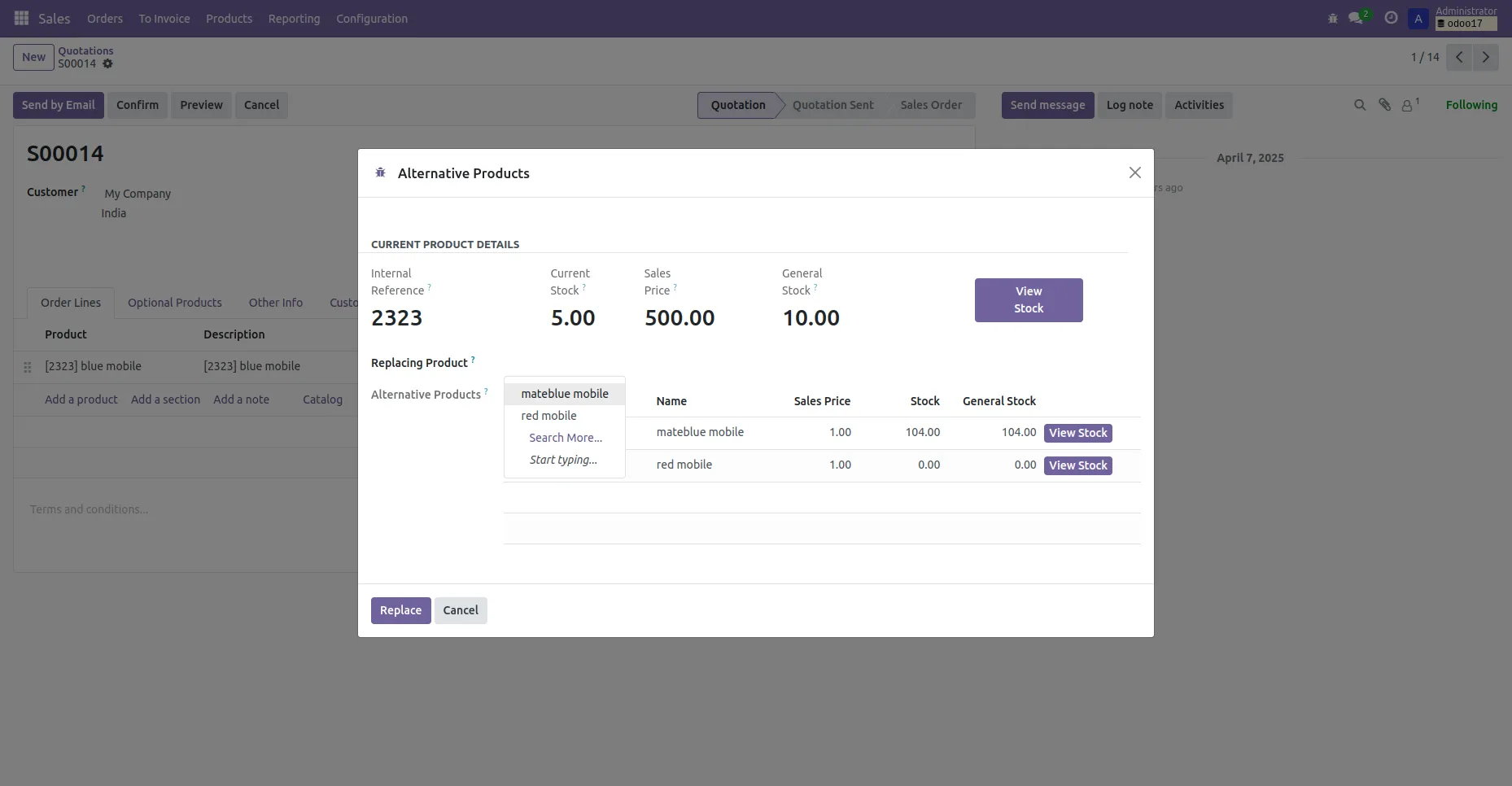
7.You can select the alternative product to replace
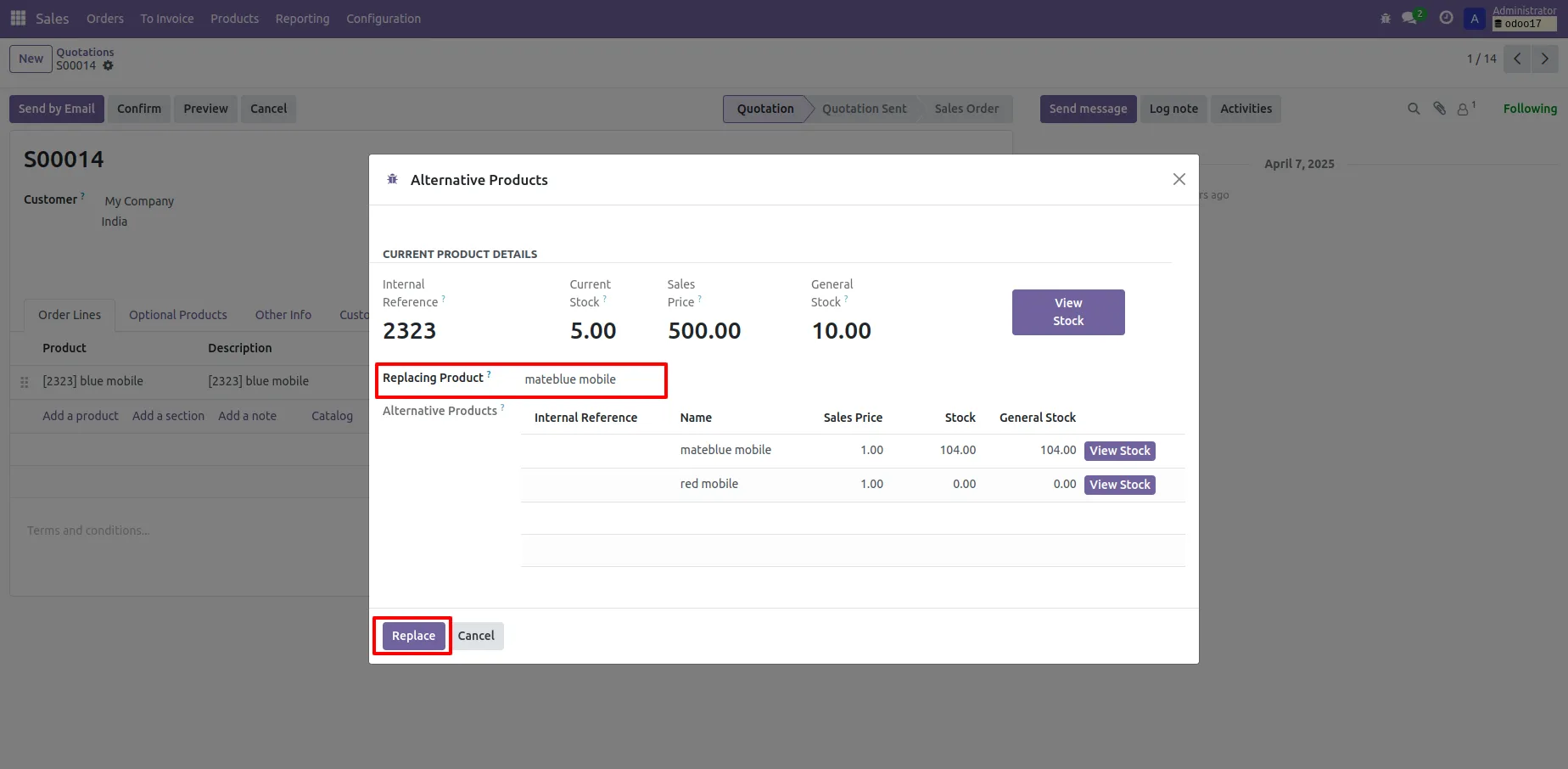
8. Add the product in Replacing Product field and select Replace button to replace the product.
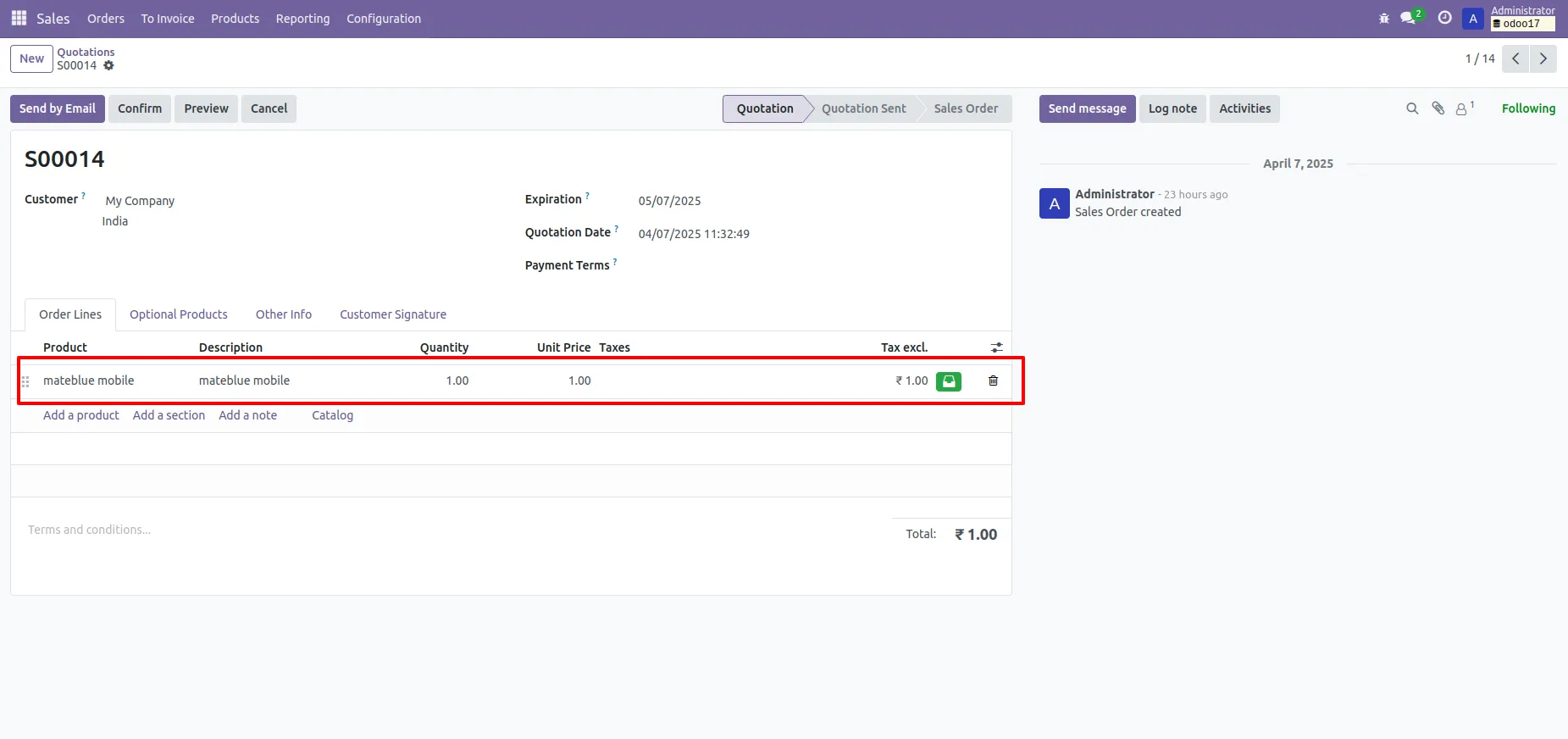
9. If you change products from the alternative products wizard then it also changes in the sale order line.
Our solutions focus on your problems
- Odoo Implementation
- Odoo Customization
- ERP Development and Implementation
- Odoo Ipass Cloud
- AI for Odoo
- Odoo Apps
- Aws Marketplace Products
- Business Engines
Our Pricing includes User Manual, 90 Days Support (Monday-Friday 10am to 7pm IST) and One time Setup
• Works & tested on standard installations of Odoo with no third party apps,
• Free support only for odoo installations with no third party apps,
• Paid support available for Odoo installations with third party apps.

Prefortune is a Odoo Official Partner, Odoo Development company. Our philosophy is to use Open Source tools and technologies to provide cost effective and green solutions for our customers.
Prefortune Technologies LLP is working on web development, Mobile development, and Odoo ERP.
If you need any help or want more additional features, you may contact us through:
Alternative Products
These other products might interest you
Specifications
| Version | 19.0, 18.0, 17.0, 16.0, 15.0, 14.0, 13.0 |