Watch Quick Video
Single and Bulk Order Delete in Odoo
Our all-inclusive Odoo – Single and Bulk Order Delete Smart and Safe Sale Order Deletion Tool. This module enables single or bulk deletion of sale orders with full cleanup of related records, such as invoices and deliveries, while preserving data integrity in both accounting and inventory systems.
Single and Bulk Order Delete in Odoo
- Automatically cancels and deletes invoices linked to a sale order. Handles all related journal entries and account move lines to maintain accurate financial records.
- Cancels and deletes all related stock pickings (deliveries/returns) when a sale order is removed. Reverses reserved quantities and restores stock availability correctly.
- Checks for related records (invoices, deliveries, payments) and only deletes if it's safe. Prevents data corruption by handling dependencies in the right order (invoice → stock → sale order).
- Works with confirmed, partially delivered, or invoiced sale orders. Automatically adjusts state transitions and dependencies before deletion (e.g., cancelling a delivery before removing).
- Ensures that every deletion (invoices, deliveries, orders) leaves no broken links or orphan records in the database. Automatically reverts related stock reservations and accounting entries safely, preserving system consistency.
Complete Workflow for Single and Bulk Order Delete in odoo
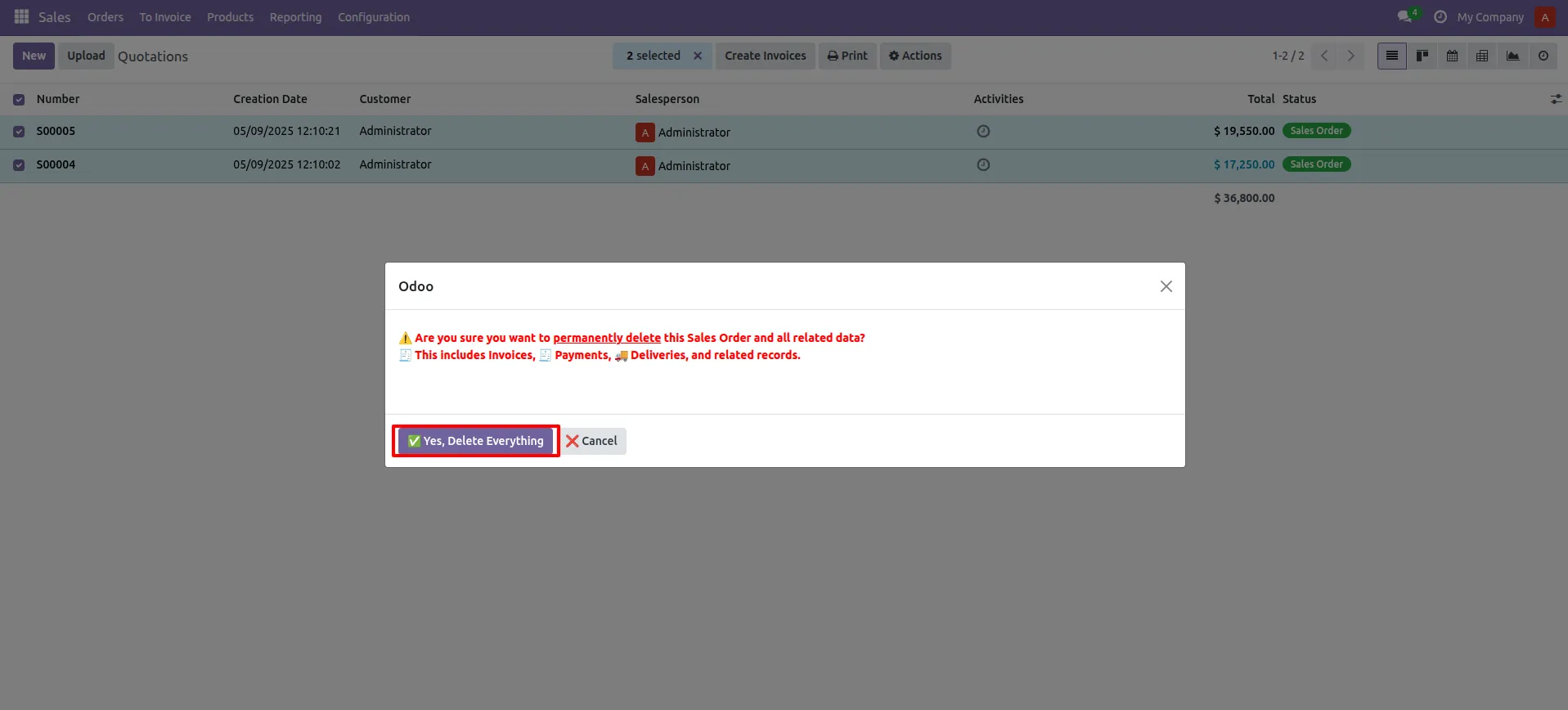
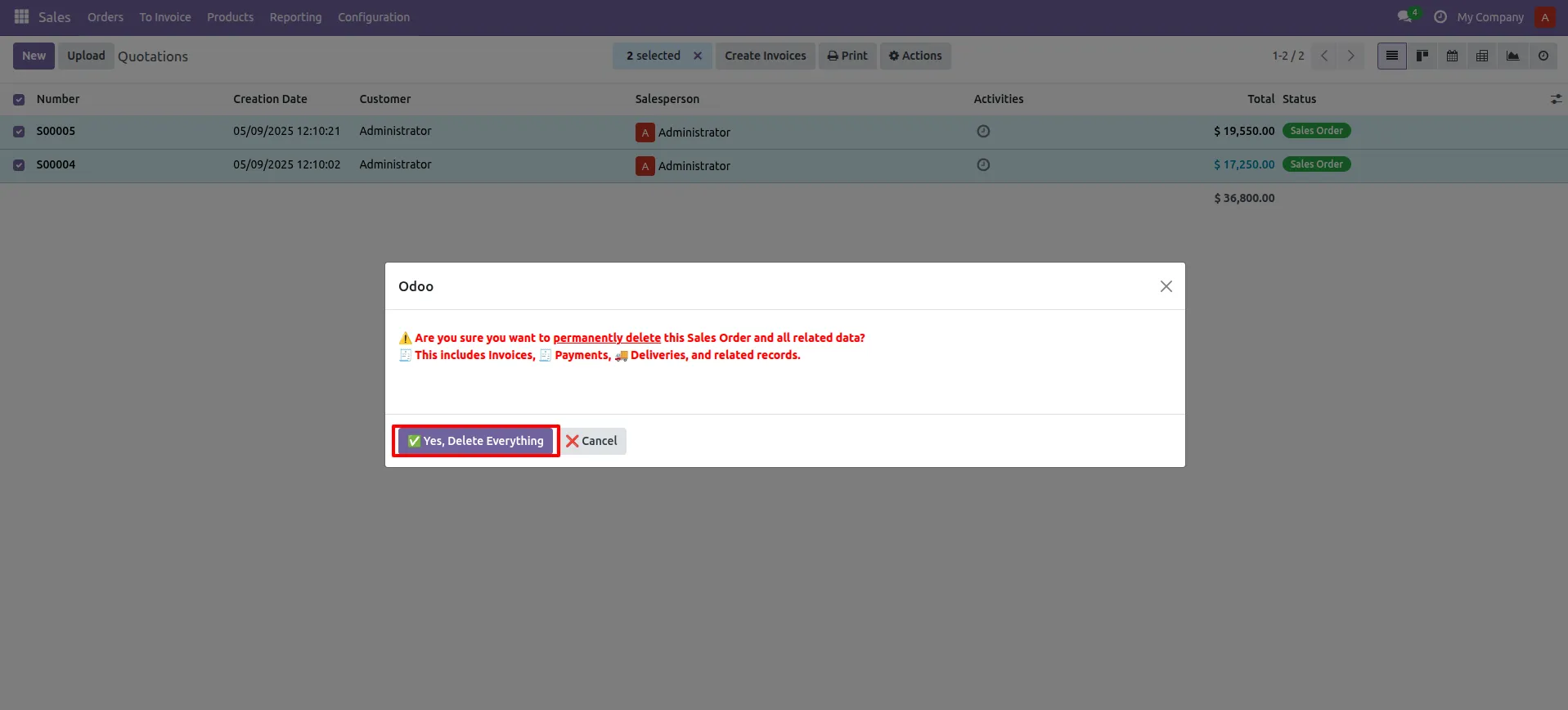
Open Sales Order App – Go to the Tree View, select the desired Sales Order(s), then click the settings icon at the top. In the dropdown, Click Remove Sale Order and confirm the wizard to delete the selected order(s).
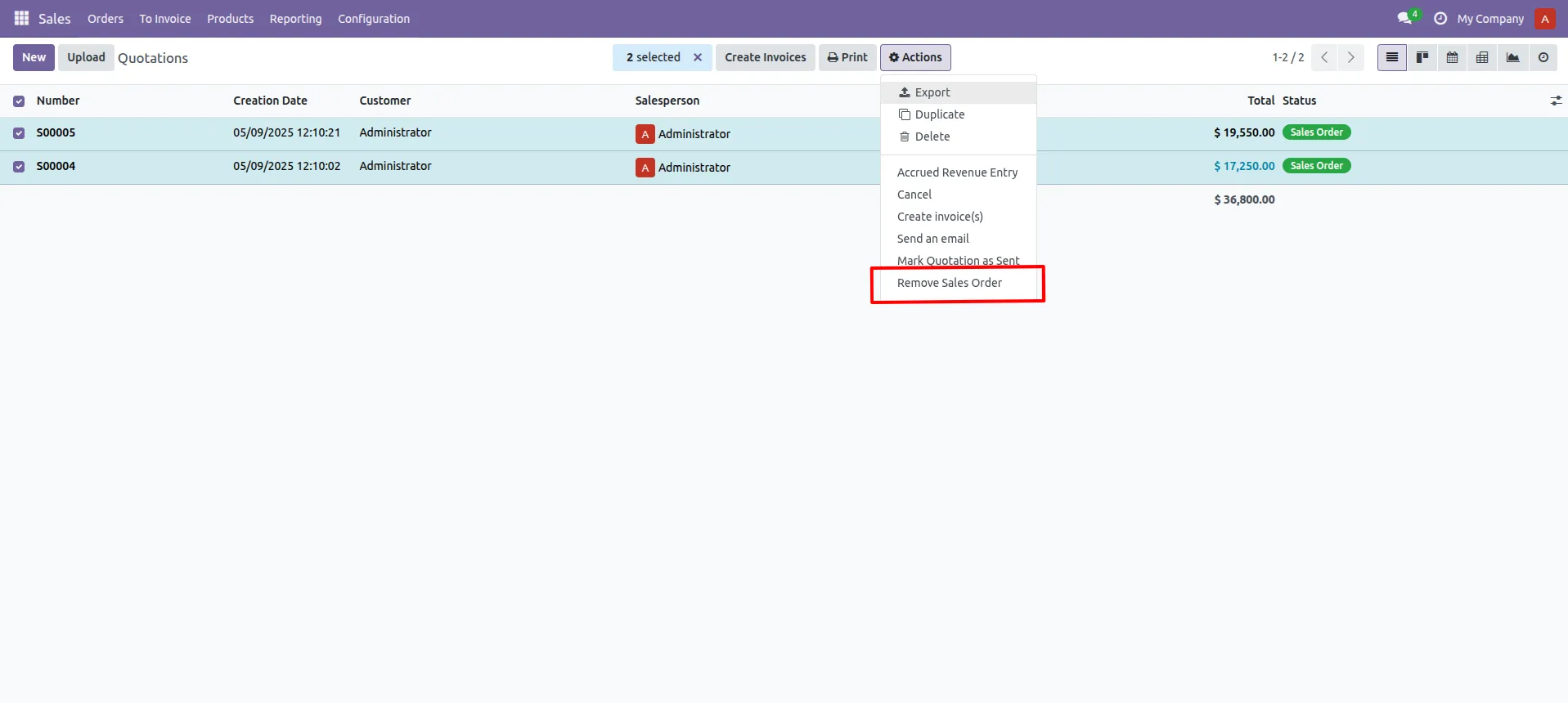
1. Navigate to Sales → Tree View, select the desired Sales Order(s), then click the settings icon at the top.
Our solutions focus on your problems
- Odoo Implementation
- Odoo Customization
- ERP Development and Implementation
- Odoo Ipass Cloud
- AI for Odoo
- Odoo Apps
- Aws Marketplace Products
- Business Engines
Our Pricing includes User Manual, 90 Days Support (Monday-Friday 10am to 7pm IST) and One time Setup
• Works & tested on standard installations of Odoo with no third party apps,
• Free support only for odoo installations with no third party apps,
• Paid support available for Odoo installations with third party apps.

Prefortune is a Odoo Official Partner, Odoo Development company. Our philosophy is to use Open Source tools and technologies to provide cost effective and green solutions for our customers.
Prefortune Technologies LLP is working on web development, Mobile development, and Odoo ERP.
If you need any help or want more additional features, you may contact us through:
Alternative Products
These other products might interest you
Specifications
| Version | 18.0, 17.0, 16.0, 15.0, 14.0, 13.0 |