Watch Quick Video
Advanced Task Timer with Timesheet Automation
Our all-inclusive Advanced Task Timer with Timesheet Automation This module improves task time tracking with a smart project task timer directly integrated into design operation workflows. Users can start, pause, renew, and stop timers from Kanban, List, and Form views without interrupting their work.
With real time task tracking and accurate task duration calculation, working hours are recorded easily and linked automatically for better reporting. A centralized interface helps cover active work, switch between records fluently, and help multiple timers through smart confirmation. Built for teams and businesses,
it supports employee task time tracking, improves productivity, and simplifies daily workflow operation.
Key Features
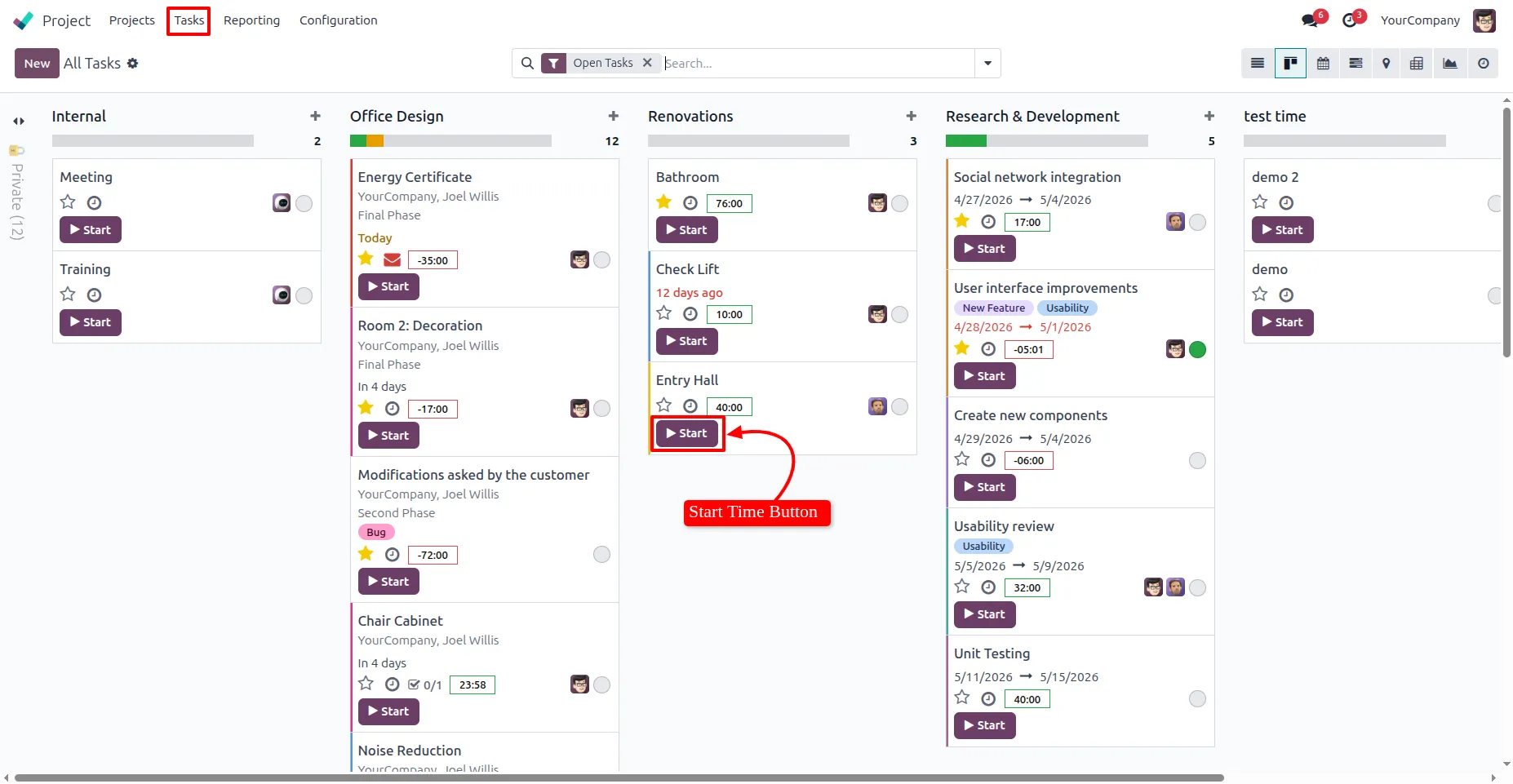
1. After installing the module, navigate to Project → Task → All Tasks. Start tracking time instantly by clicking the "Start" button on any task in the "Kanban view".
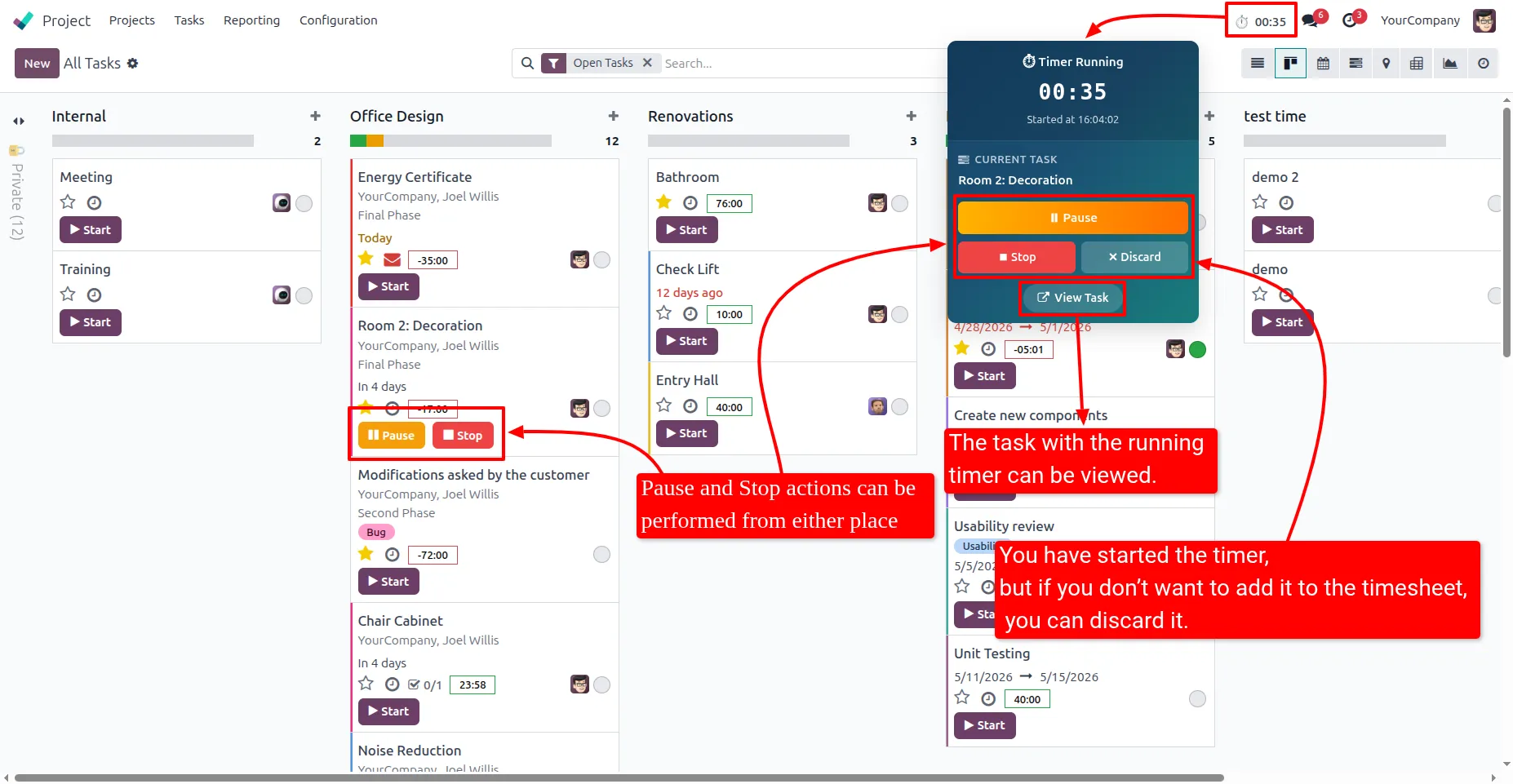
2. The timer will start counting the time you spend on the task. You can manage it from the top panel by pausing or stopping the timer. You can also view the current task by clicking on "View Task" and discard it if you don’t want to add it to the timesheet click on "Discard".
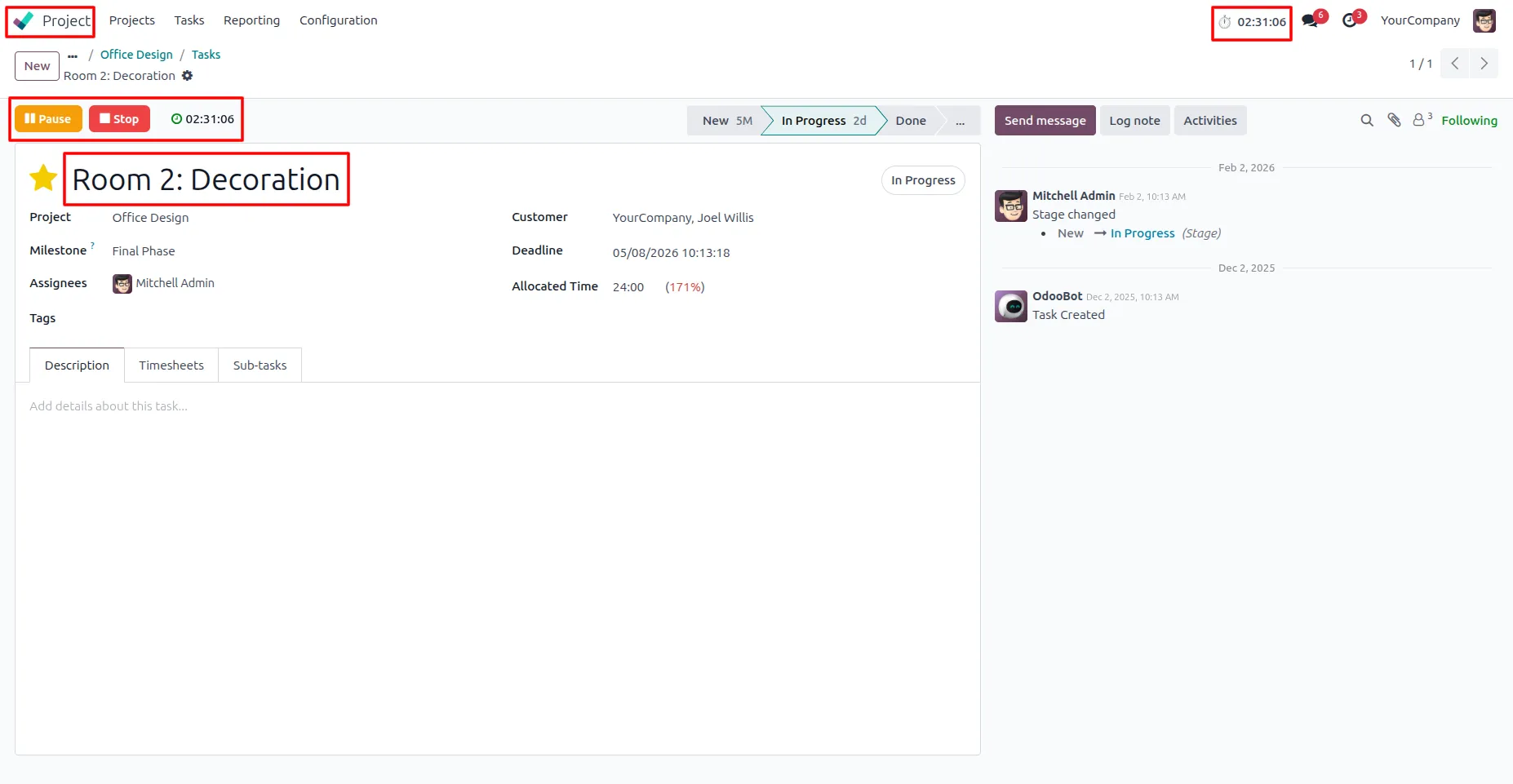
3. You can pause or stop the timer directly from the form view while working on the task.
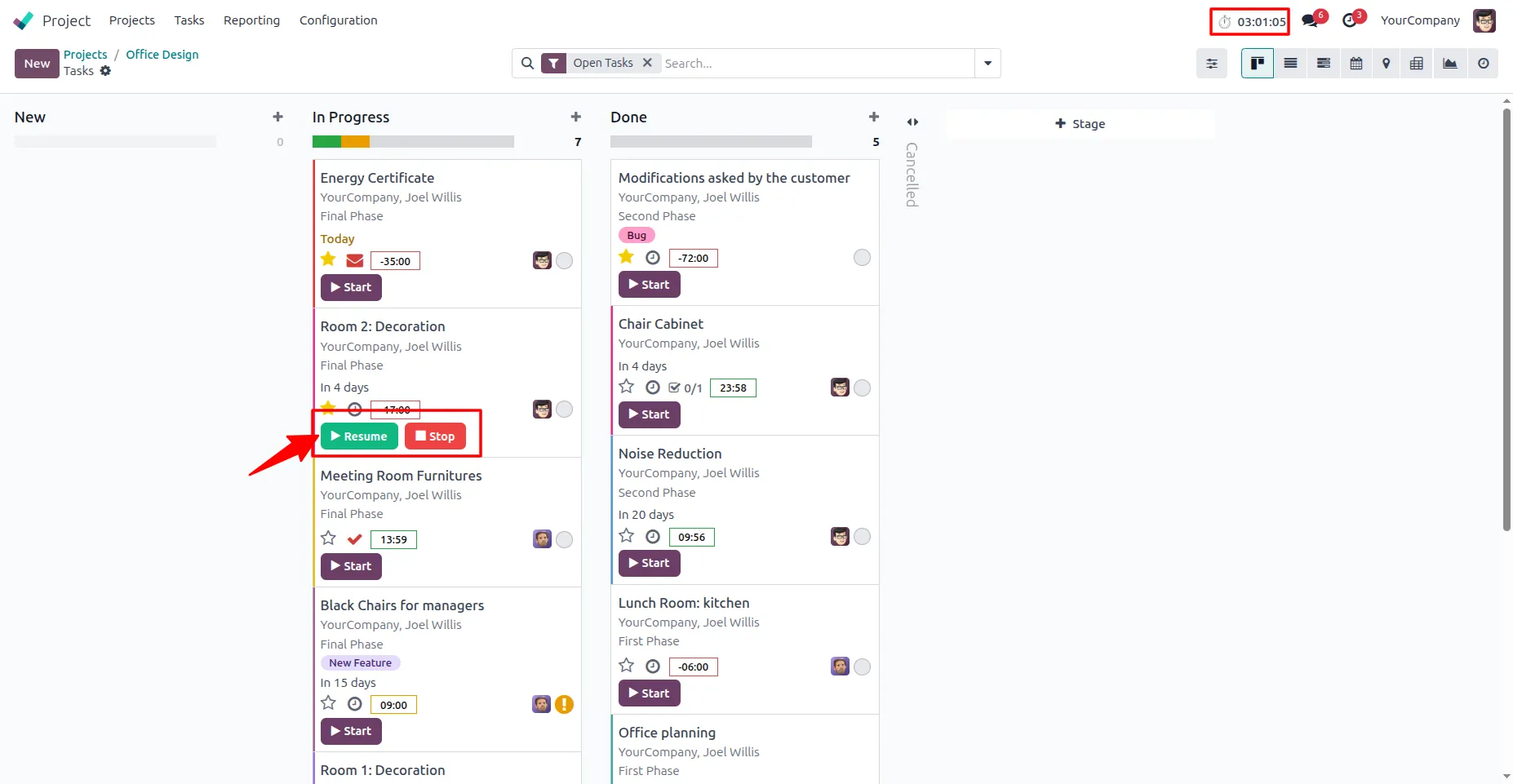
4. When the timer is paused, you can resume or stop it directly from the Kanban view.
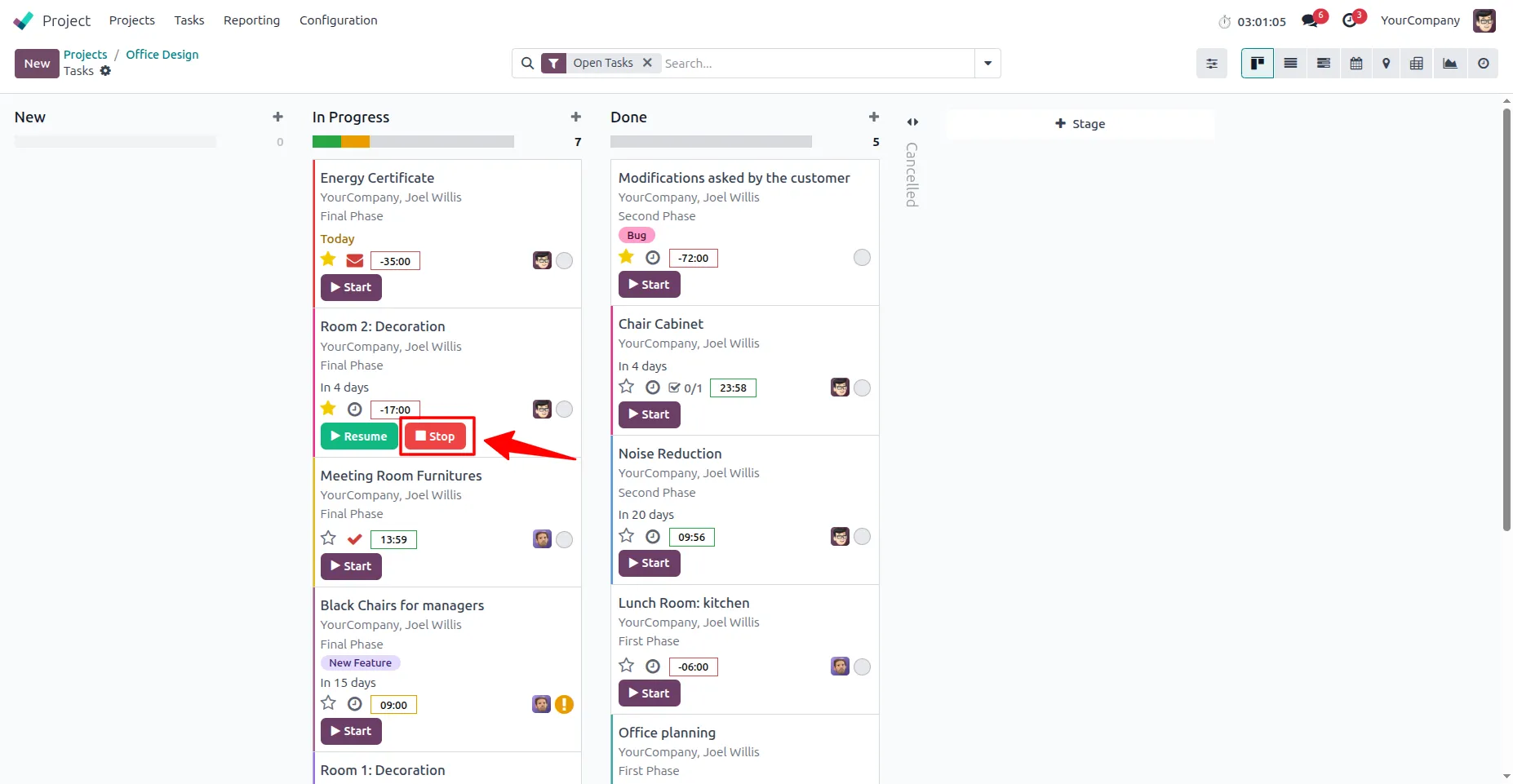
5. You can stop the timer directly from the Kanban view to completely end time tracking for the task.
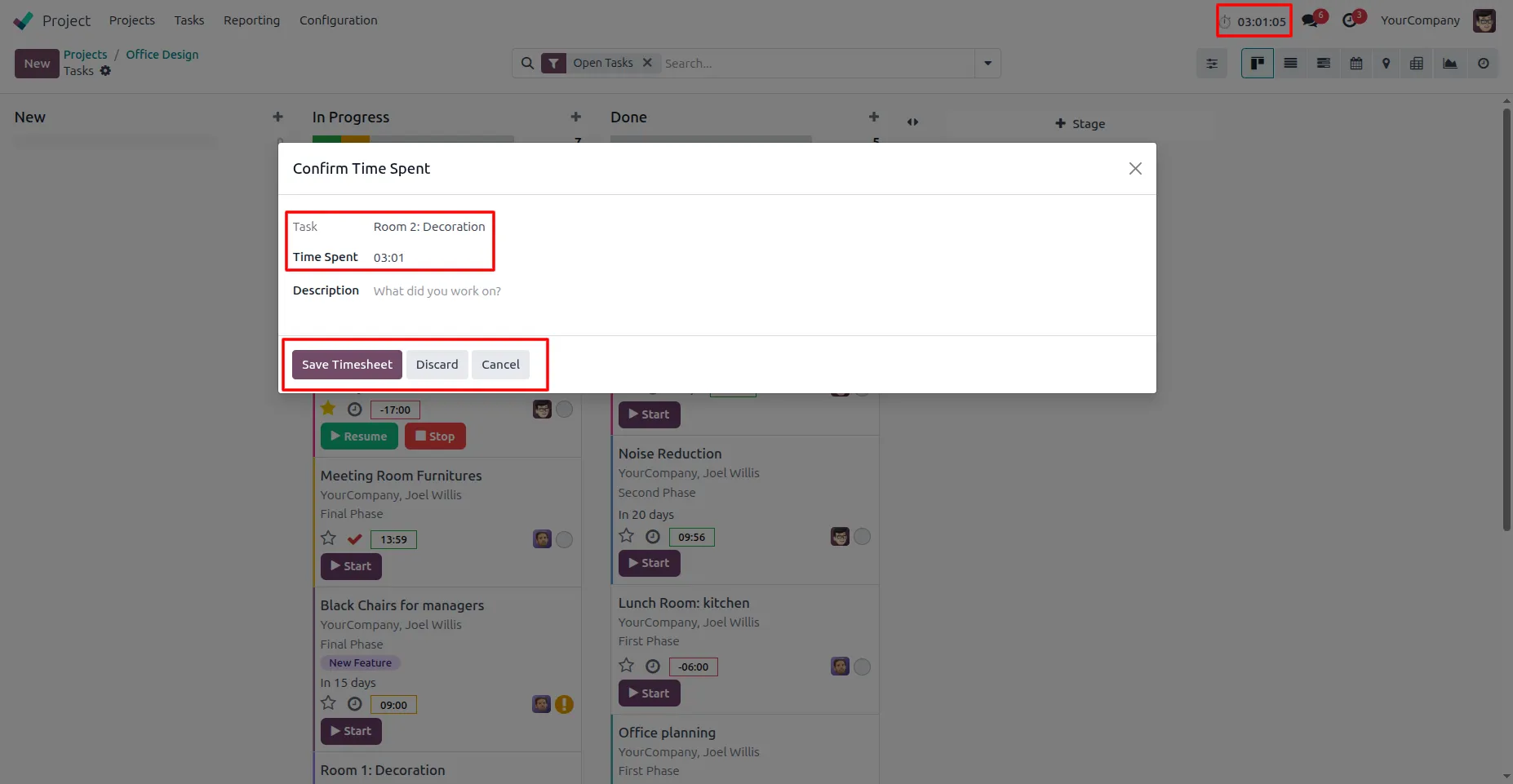
6. After clicking the Stop button, a popup will open showing the task name along with its duration. and clicking on the "Discard": You can discard the timer if you don’t want to add it to the timesheet.
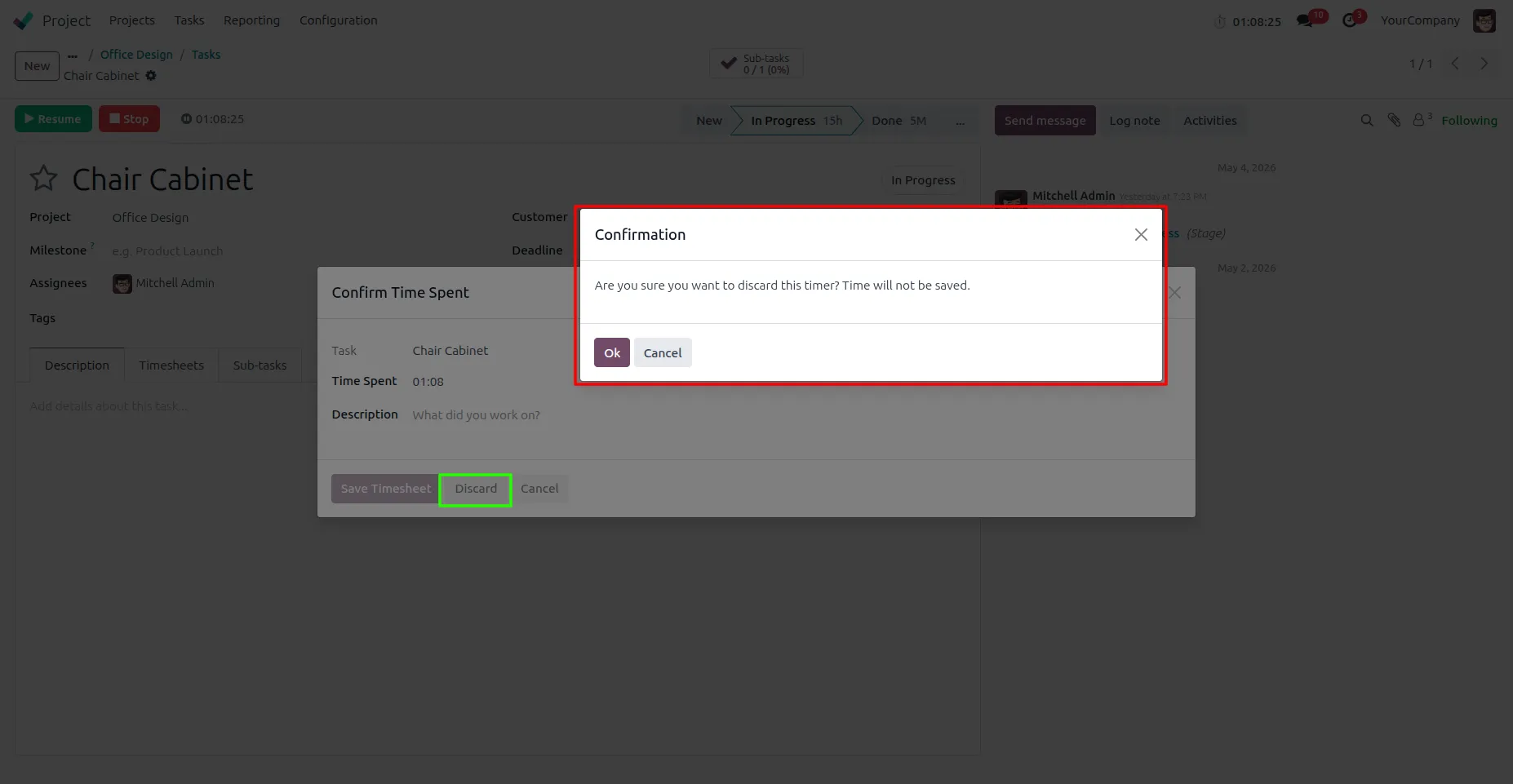
7. If you click the Discard button, a confirmation popup will appear. By clicking OK, the timer will be discarded and the recorded time will not be saved to the timesheet.
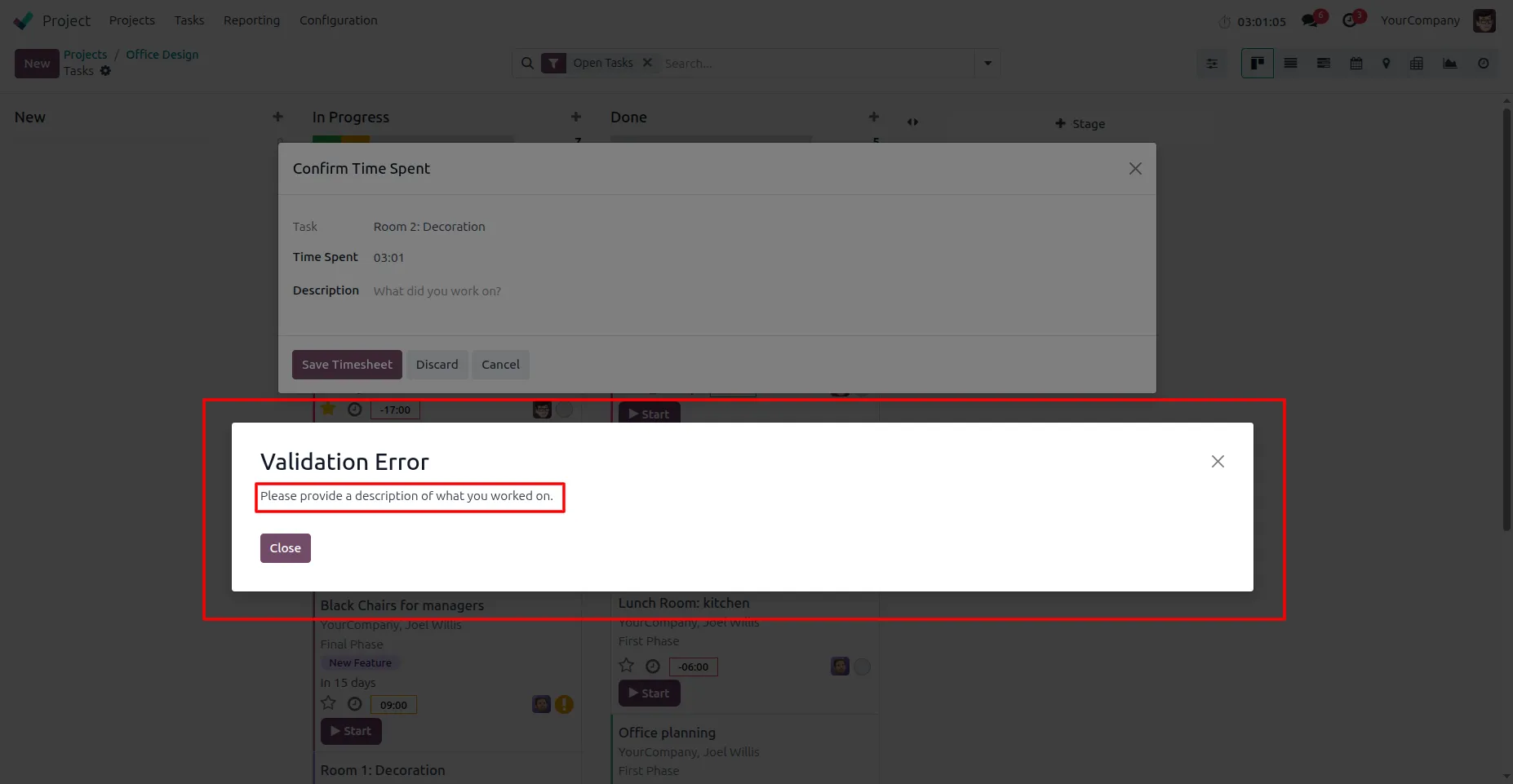
8. "Save Timesheet": A description is required before saving. Without a description, the timesheet cannot be saved, and a validation message will be displayed.
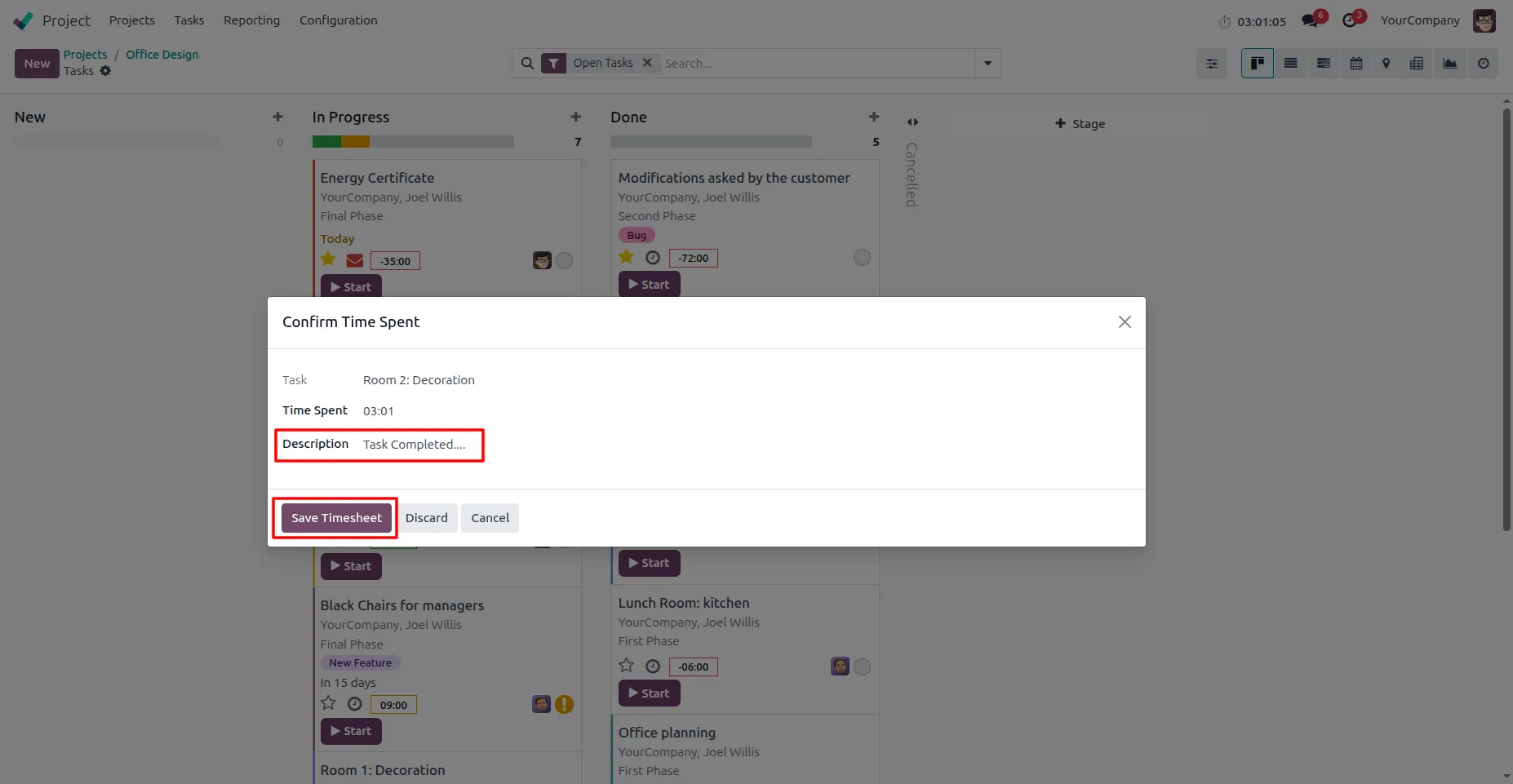
9. Once you enter the description, you can save the task and its duration to the timesheet by clicking the Save Timesheet button.
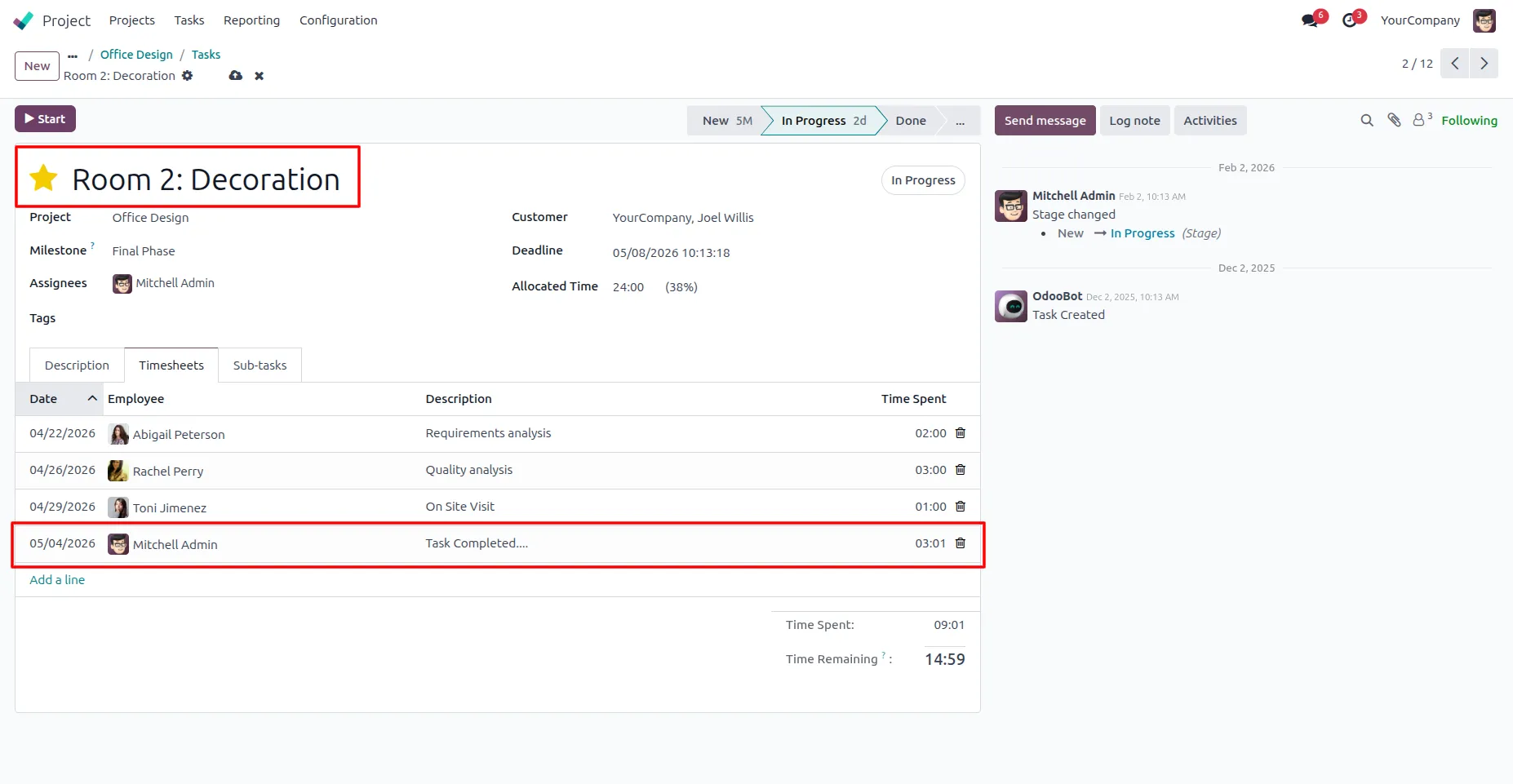
10. The description and total duration of the task will be added to the timesheet.
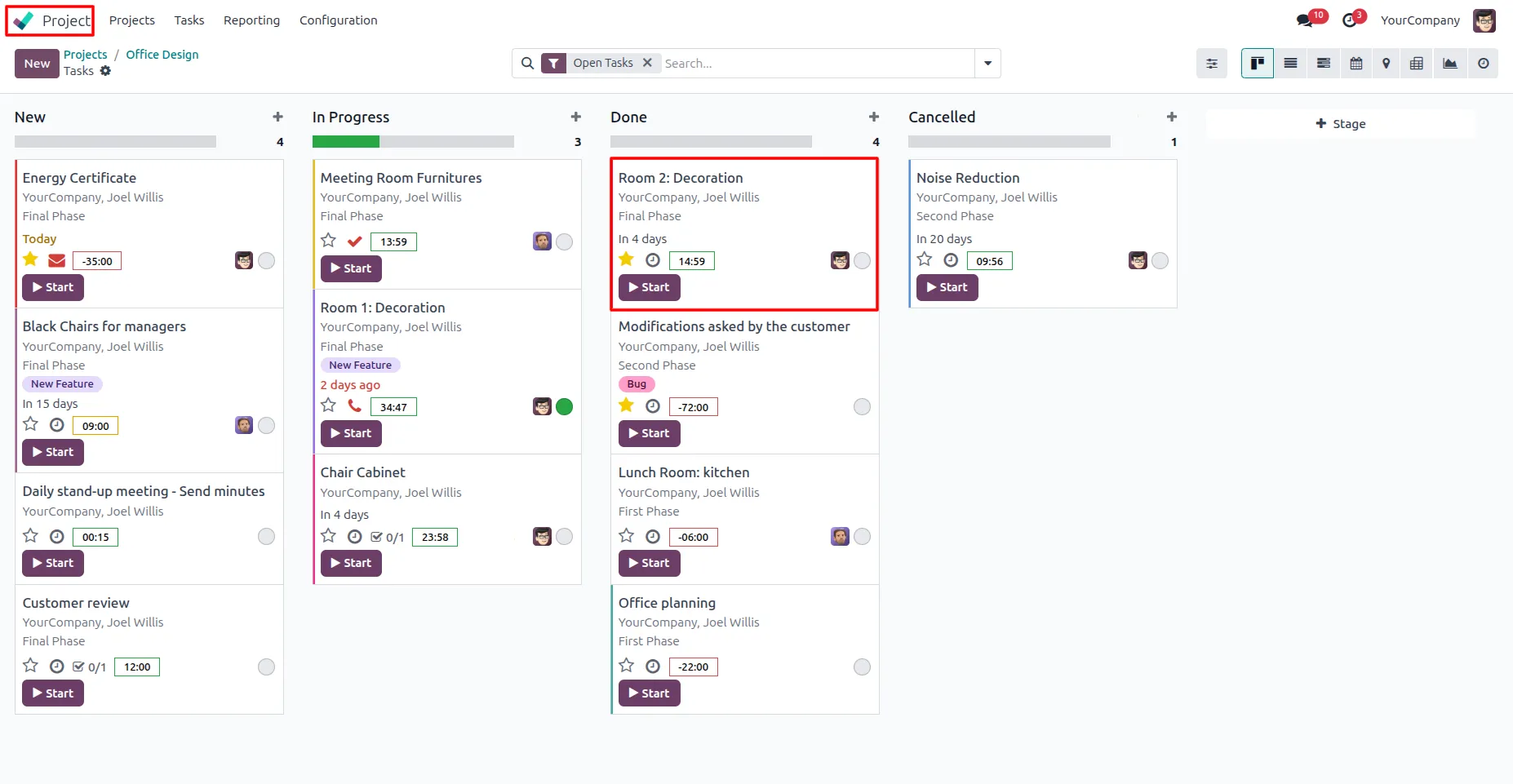
11. After stopping the timer, you can start it again for the same task using the Start button.
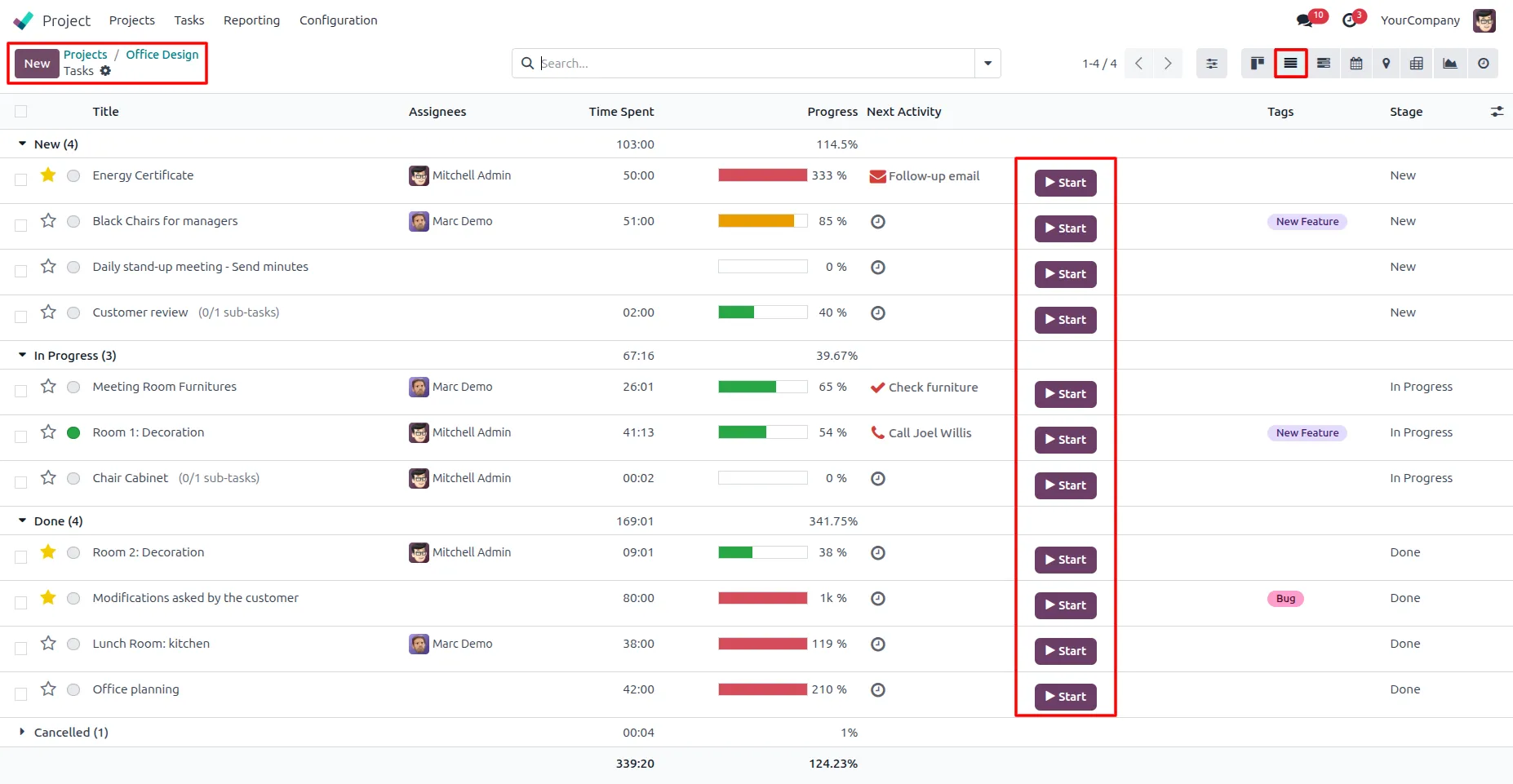
12. Click the Start button to begin tracking time for a task directly from the list view.
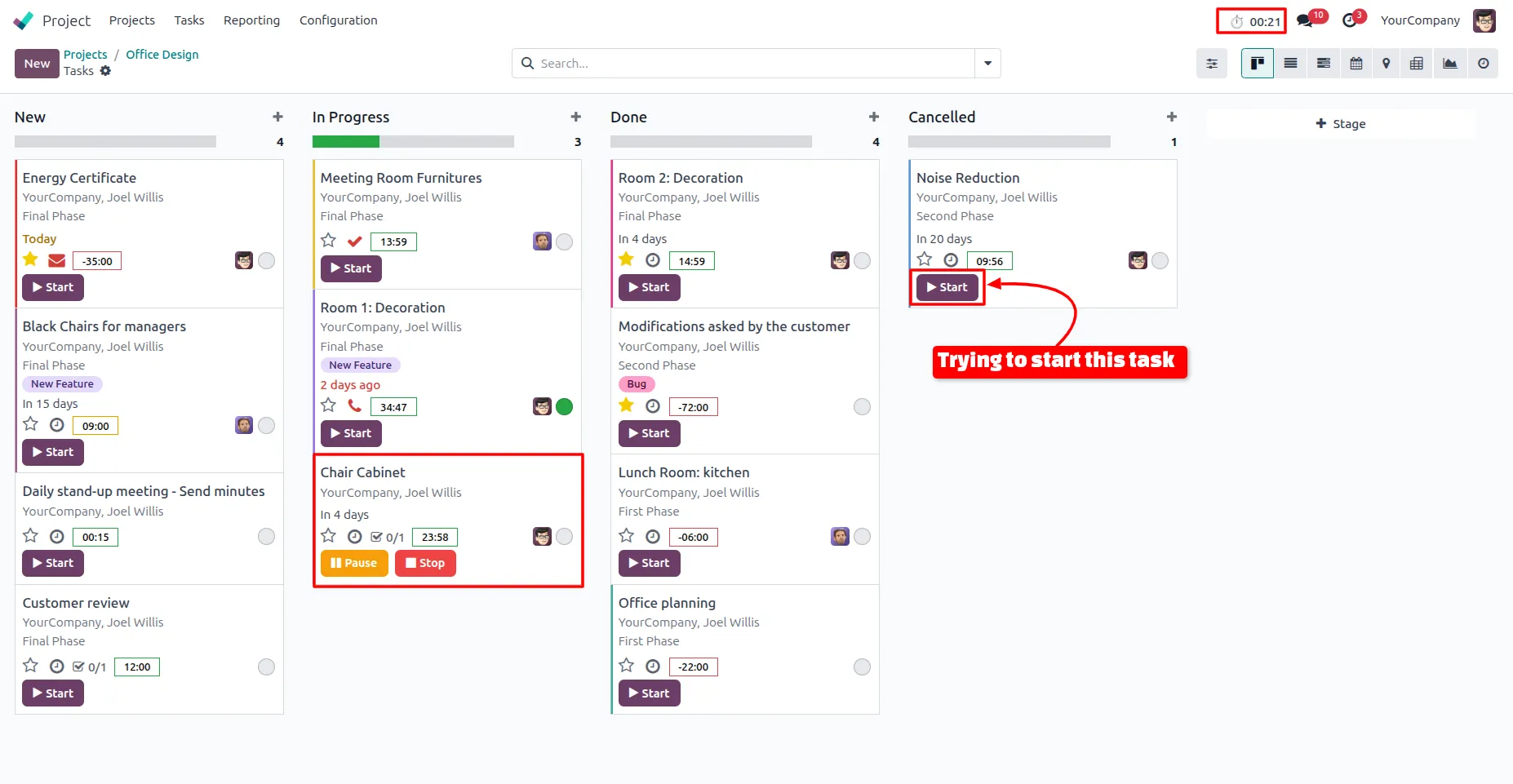
13. If a user is already working on one task and tries to start another task.
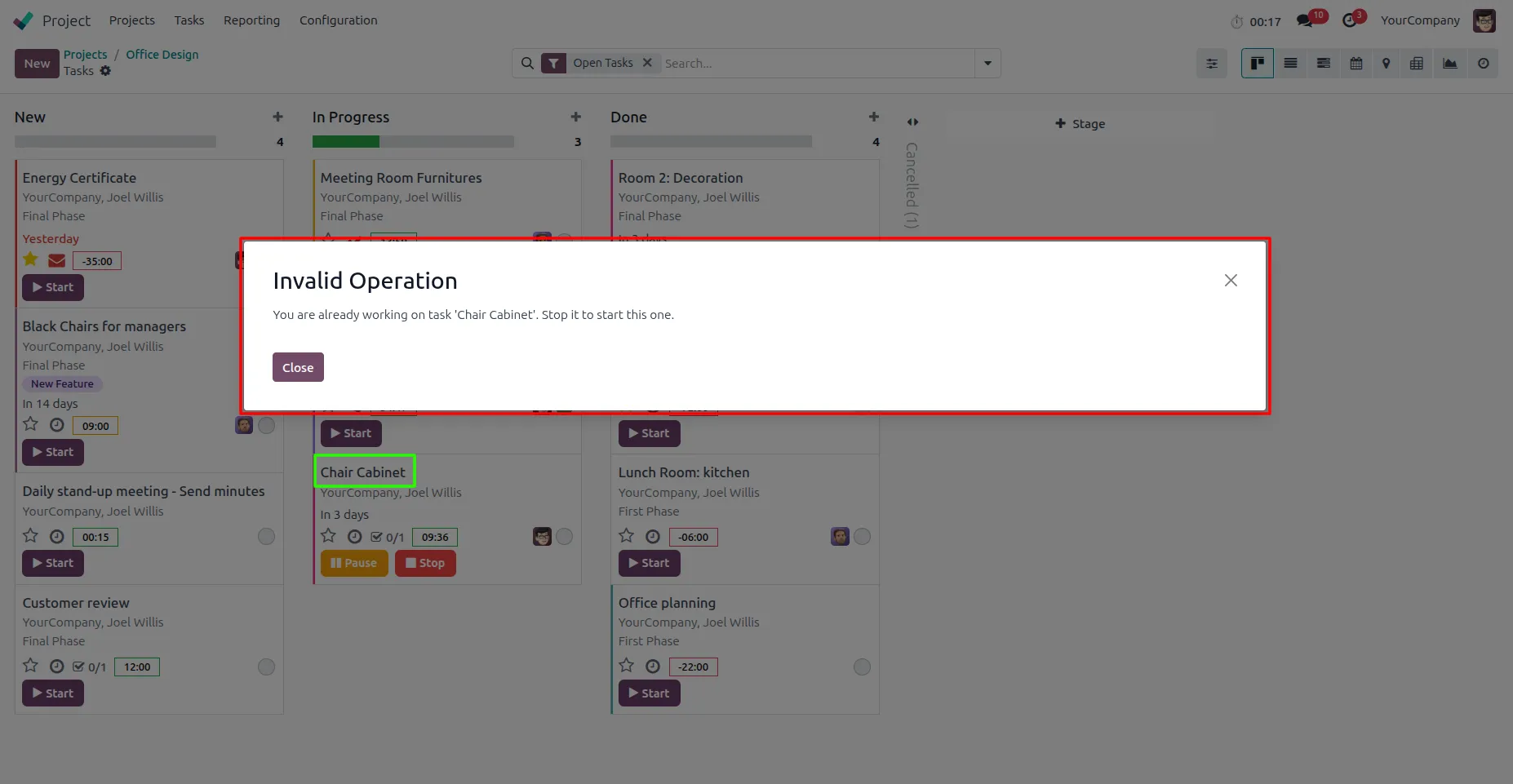
14. Warning message will be displayed. The system prevents multiple timers from running at the same time and requires the user to stop the current task before starting a new one.
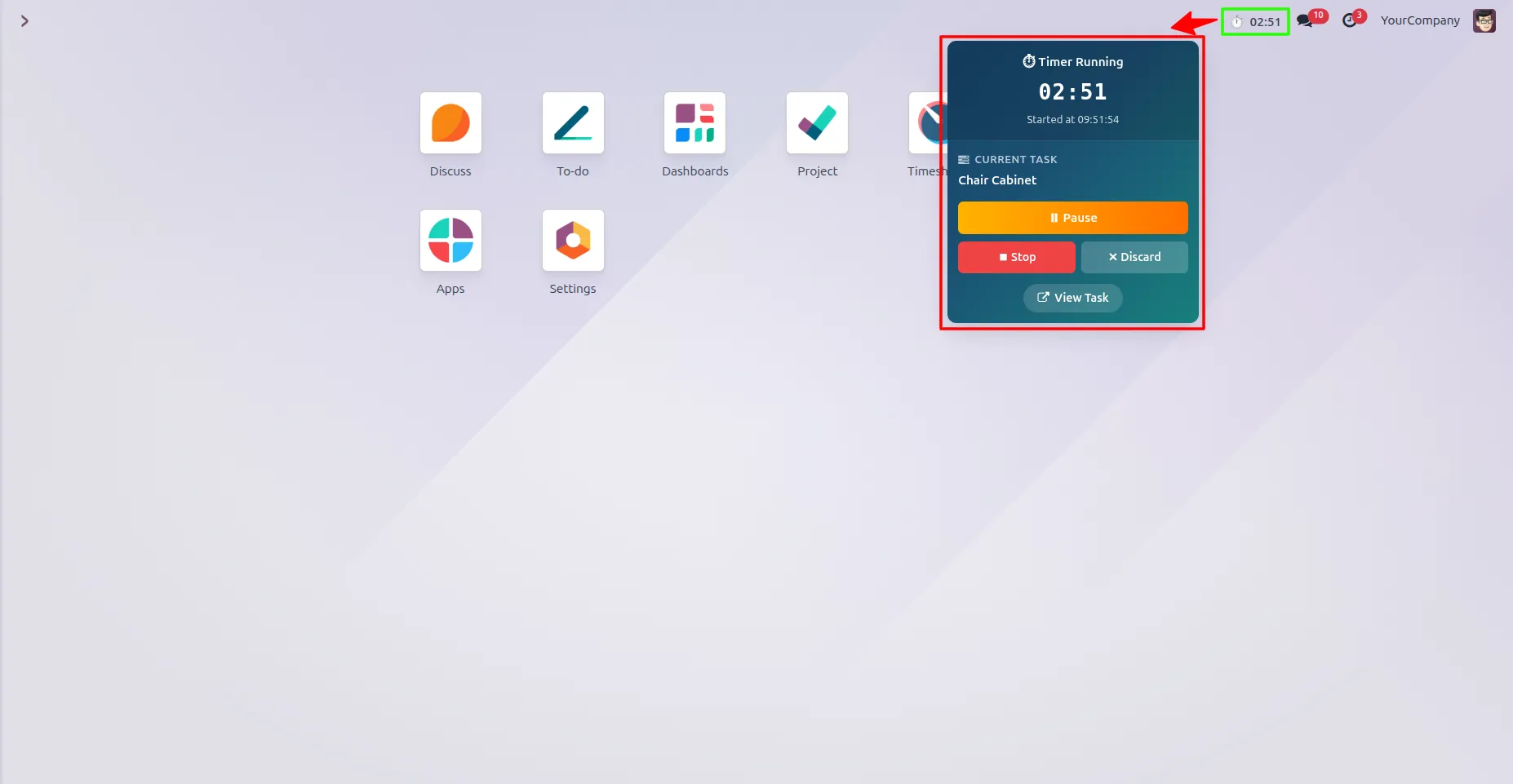
15. The running task can be viewed from anywhere using the global timer in the top panel. By clicking on it, a popup opens where you can view the current task and perform actions like Pause, Stop, or Discard.
Our solutions focus on your problems
- Odoo Implementation
- Odoo Customization
- ERP Development and Implementation
- Odoo Ipass Cloud
- AI for Odoo
- Odoo Apps
- Aws Marketplace Products
- Business Engines
Our Pricing includes User Manual, 90 Days Support (Monday-Friday 10am to 7pm IST) and One time Setup
• Works & tested on standard installations of Odoo with no third party apps,
• Free support only for odoo installations with no third party apps,
• Paid support available for Odoo installations with third party apps.

Prefortune is a Odoo Official Partner, Odoo Development company. Our philosophy is to use Open Source tools and technologies to provide cost effective and green solutions for our customers.
Prefortune Technologies LLP is working on web development, Mobile development, and Odoo ERP.
If you need any help or want more additional features, you may contact us through:
Alternative Products
These other products might interest you
Specifications
| Version | 19.0, 18.0, 17.0, 16.0, 15.0, 14.0 |