Watch Quick Video

Advanced Search Filter App for Odoo
Our odoo module all-in-one Advanced Search Filter App
improves Odoo search functionality and allows you to create complex filters and custom groups on the fly. It provides you with a flexible and efficient way to search, sort and analyze data from various Odoo modules.
This component works seamlessly with Odoo List Views and other compatible views where users can mix multiple filter conditions, make their own Group By options and analyze data more efficiently. An intuitive interface and dynamic field selection makes it easy to find the information you need to boost productivity.
Advanced Search Filter App for Odoo
- Create advanced filters with ease.
- Combine multiple conditions in a single search.
- Find and analyze records more efficiently.
- Group records using custom criteria.
- Filter and group records using any available field.
Complete Workflow for Manage Advanced Search Filter App for Odoo
Install and activate the Advanced Search Filter App for Odoo module. After installing the module, enable Developer Mode and navigate to Settings → Technical → Smart Filters. Open the Smart Filters menu to create and manage custom filters and Group By configurations. Define the required fields, conditions, and grouping options based on your business requirements. Once configured, the filters and groupings become available in the corresponding Odoo views, allowing users to quickly search, organize, and analyze records with dynamic filtering and grouping options.
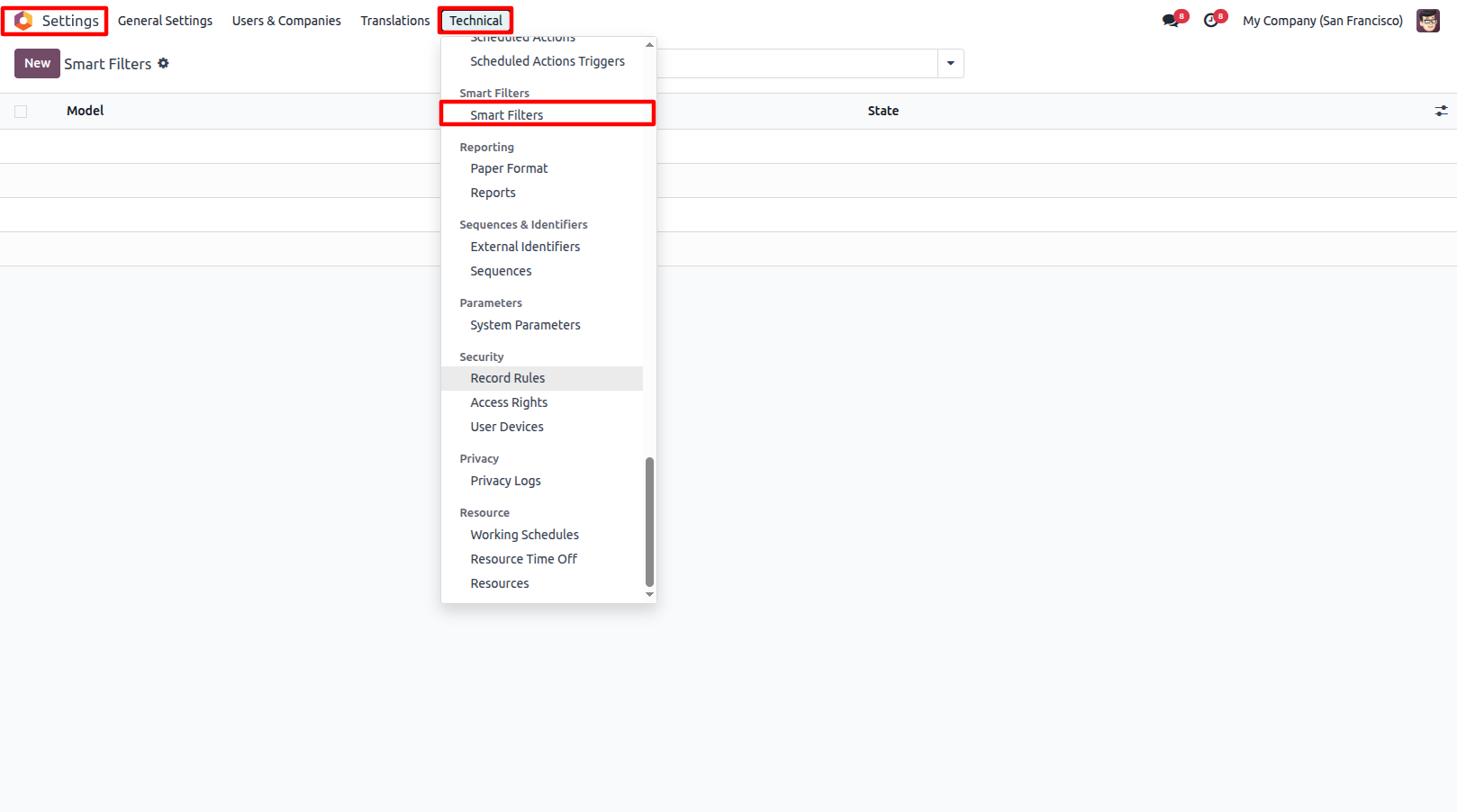
1.Enable Developer Mode and go to Settings → Technical → Smart Filters.
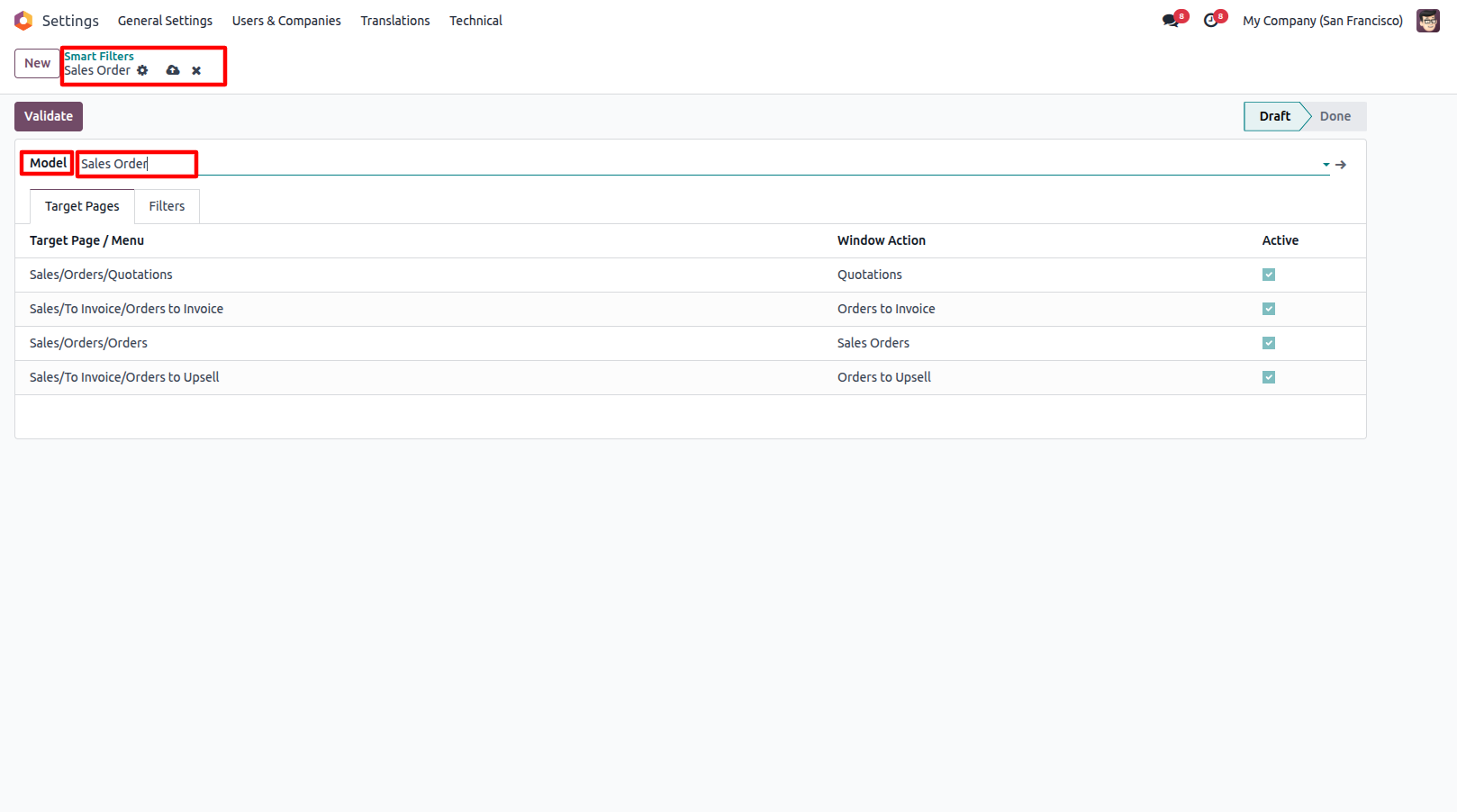
2.Create a new Smart Filter and select the Model where you want to add filters.
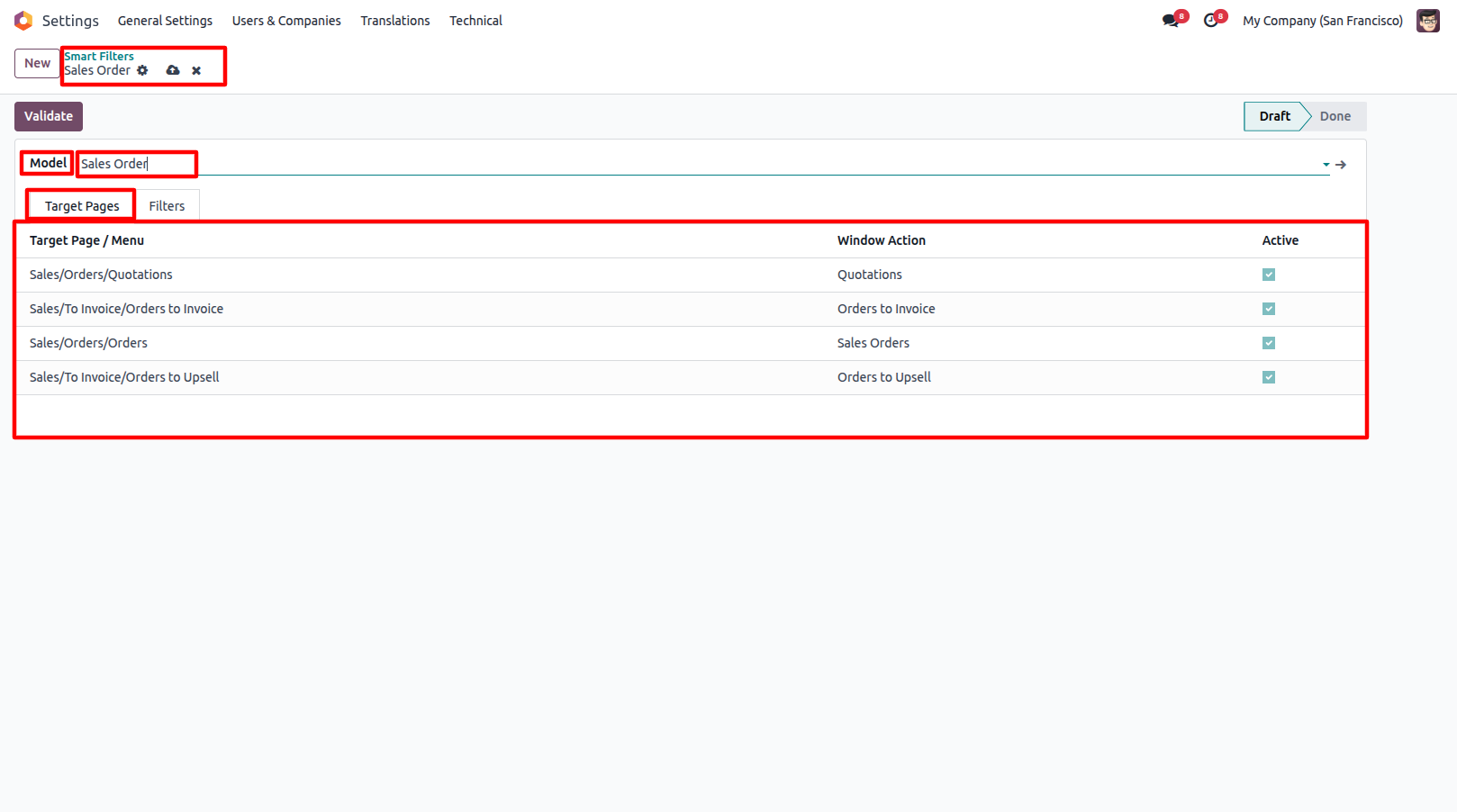
3.Configure the Target Pages where the smart filters will be available.
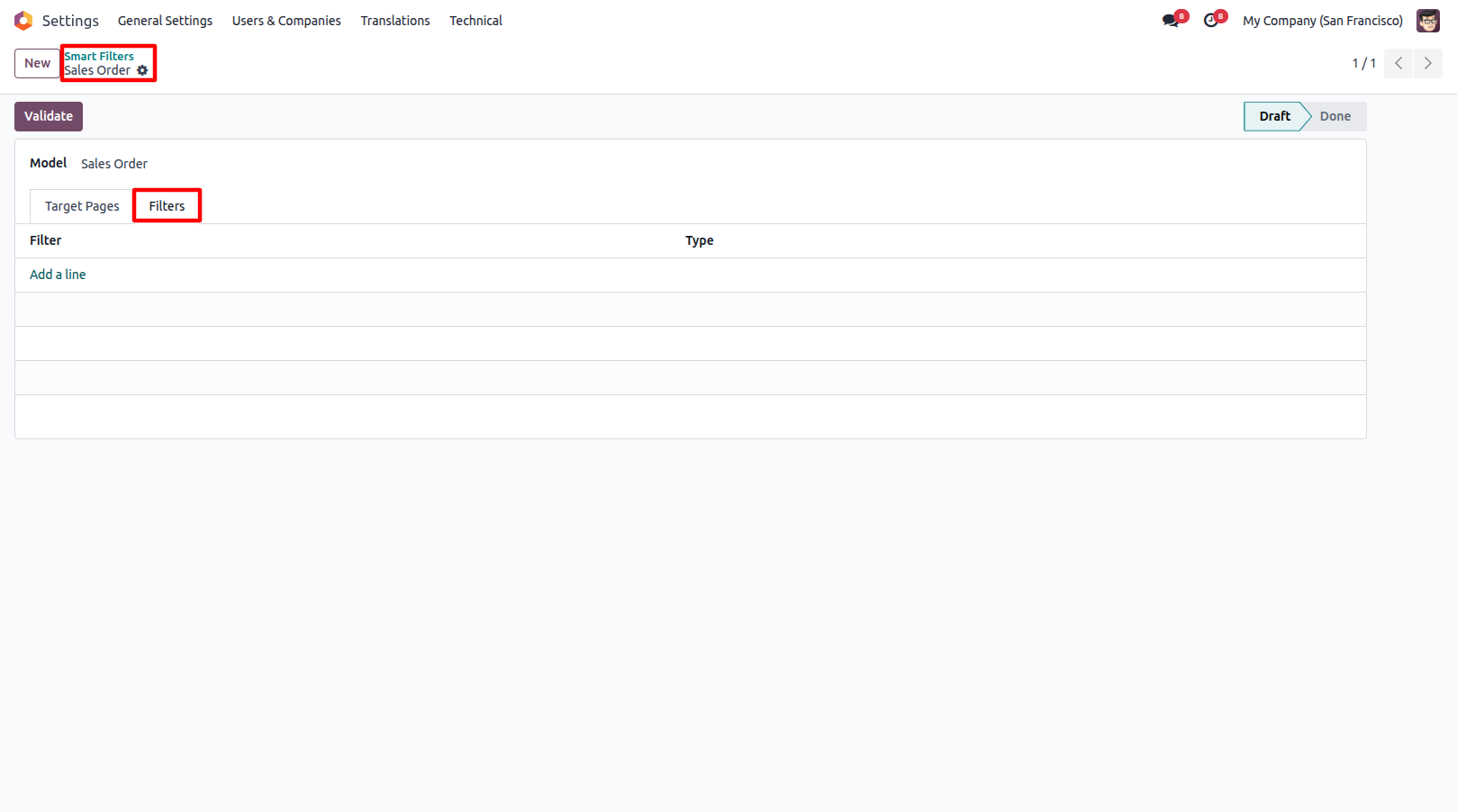
4.Create Filter or Group By from the Filters tab.
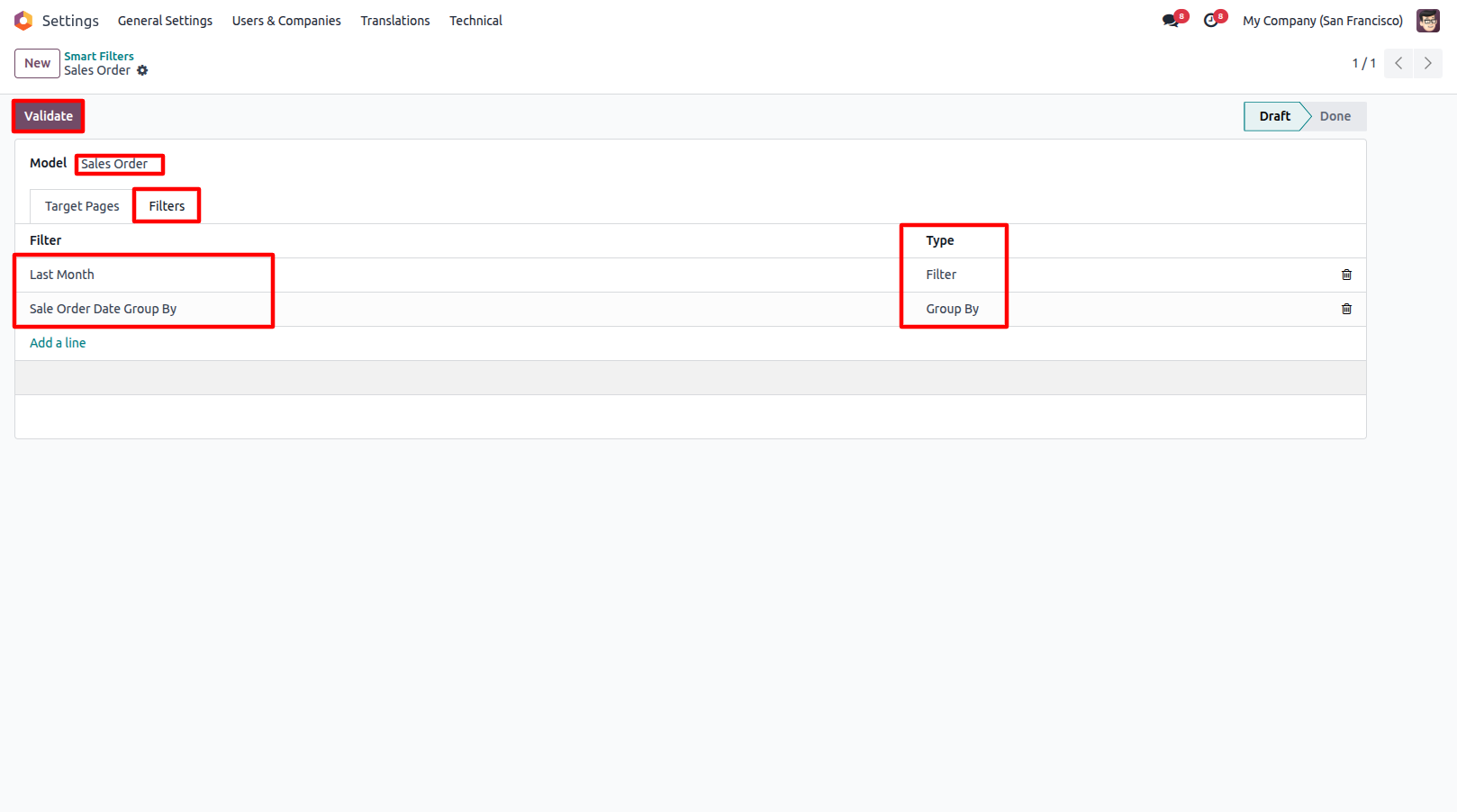
5.Save the Smart Filter and click Validate to make the configured Filters and Group By available in the selected model.
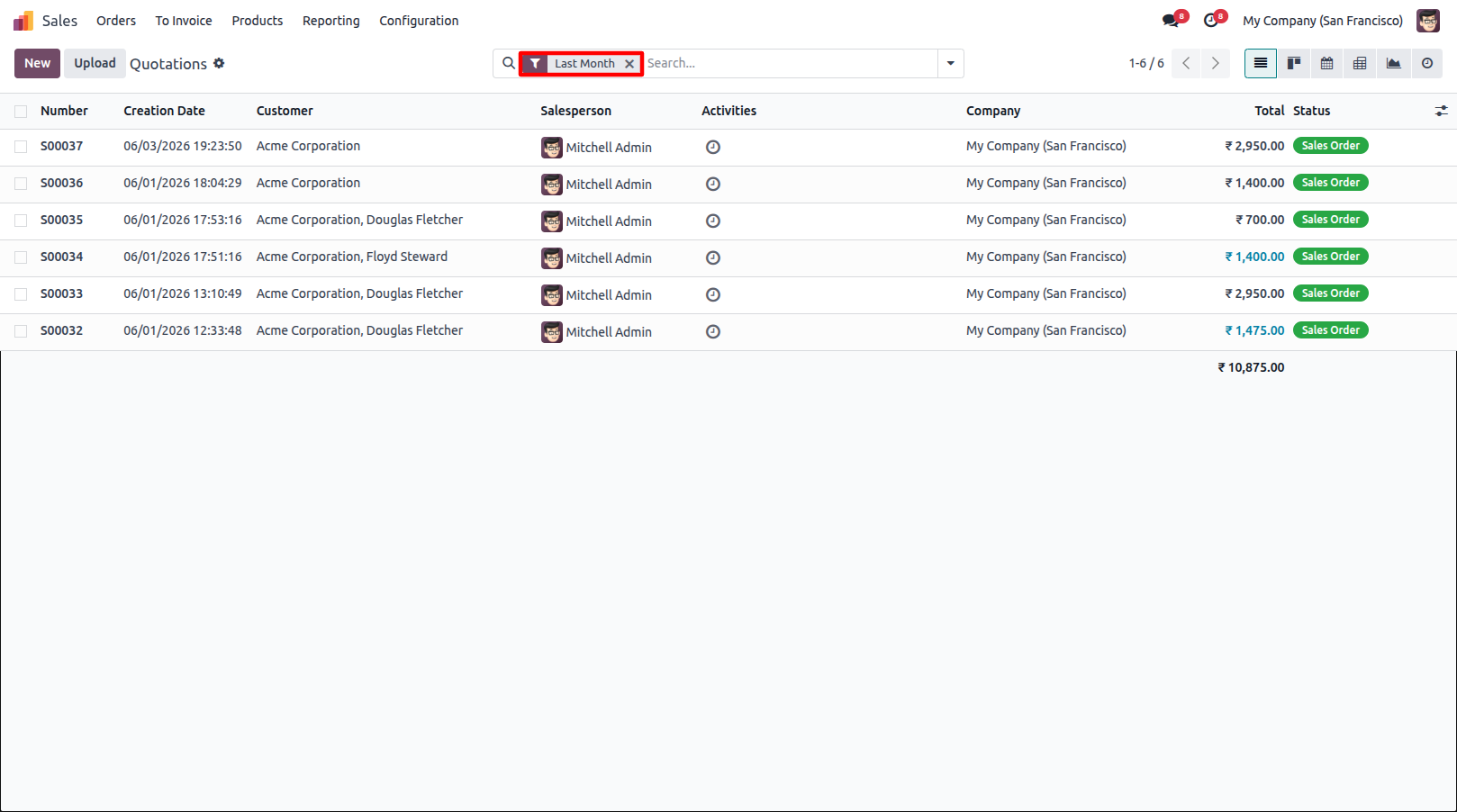
6.Apply the configured Smart Filters and Smart Group By from the search bar in the selected model.
Our solutions focus on your problems
- Odoo Implementation
- Odoo Customization
- ERP Development and Implementation
- Odoo Ipass Cloud
- AI for Odoo
- Odoo Apps
- Aws Marketplace Products
- Business Engines
Our Pricing includes User Manual, 90 Days Support (Monday-Friday 10am to 7pm IST) and One time Setup
• Works & tested on standard installations of Odoo with no third party apps,
• Free support only for odoo installations with no third party apps,
• Paid support available for Odoo installations with third party apps.

Prefortune is a Odoo Official Partner, Odoo Development company. Our philosophy is to use Open Source tools and technologies to provide cost effective and green solutions for our customers.
Prefortune Technologies LLP is working on web development, Mobile development, and Odoo ERP.
If you need any help or want more additional features, you may contact us through:
Alternative Products
These other products might interest you
Specifications
| Version | 19.0, 18.0, 17.0, 16.0, 15.0, 14.0 |