Watch Quick Video
Advanced Sale, Delivery & Invoice Backdate Odoo App
Our all-inclusive
Odoo – Advanced Sale, Delivery & Invoice Backdate Odoo App
For Odoo simplifies and enforces backdating controls across Sales, Delivery, and Invoicing processes
by allowing organizations to define configurable backdate rules directly within the Sales settings.
Administrators can control critical business scenarios—such as audits, financial closures, or correction periods—during
which backdated entries are allowed, restricted, or require mandatory remarks according to company policies.
Backdated actions are validated in real time, ensuring full compliance while reducing manual corrections and accounting errors.
All settings are easily managed from the Odoo backend without any technical expertise.
By improving date consistency and preventing unauthorized changes, this app helps organizations maintain accurate records and
deliver a transparent, well-controlled backdating experience across business documents.
Advanced Sale, Delivery & Invoice Backdate Odoo App
- Apply a single backdate across Sale Orders, Delivery Orders, Invoices, and Stock Moves for consistent records.
- Enforce mandatory remarks on backdated Sale Orders to ensure traceability and audit compliance.
- Assign backdates to multiple Sale Orders at once using a simple mass-action wizard.
- Configure backdating rules, remark visibility, and date synchronization directly from settings.
- Display backdated dates and remarks in delivery orders, invoices, and stock analysis reports.
Complete Workflow for Manage Advanced Sale, Delivery & Invoice Backdate Odoo App
First, go to Sales → Configuration → Settings and enable the Backdate for Sale Order option. Next, enable Remark for Sale Order and Remark Mandatory if remarks should be enforced during backdating. While creating or editing a Sale Order, select the required backdate and enter remarks if mandatory. If enabled, the system automatically applies the same backdate and remarks to Delivery Orders and Invoices. For bulk operations, select multiple Sale Orders from the list view and use Mass Assign Backdate to update dates efficiently.
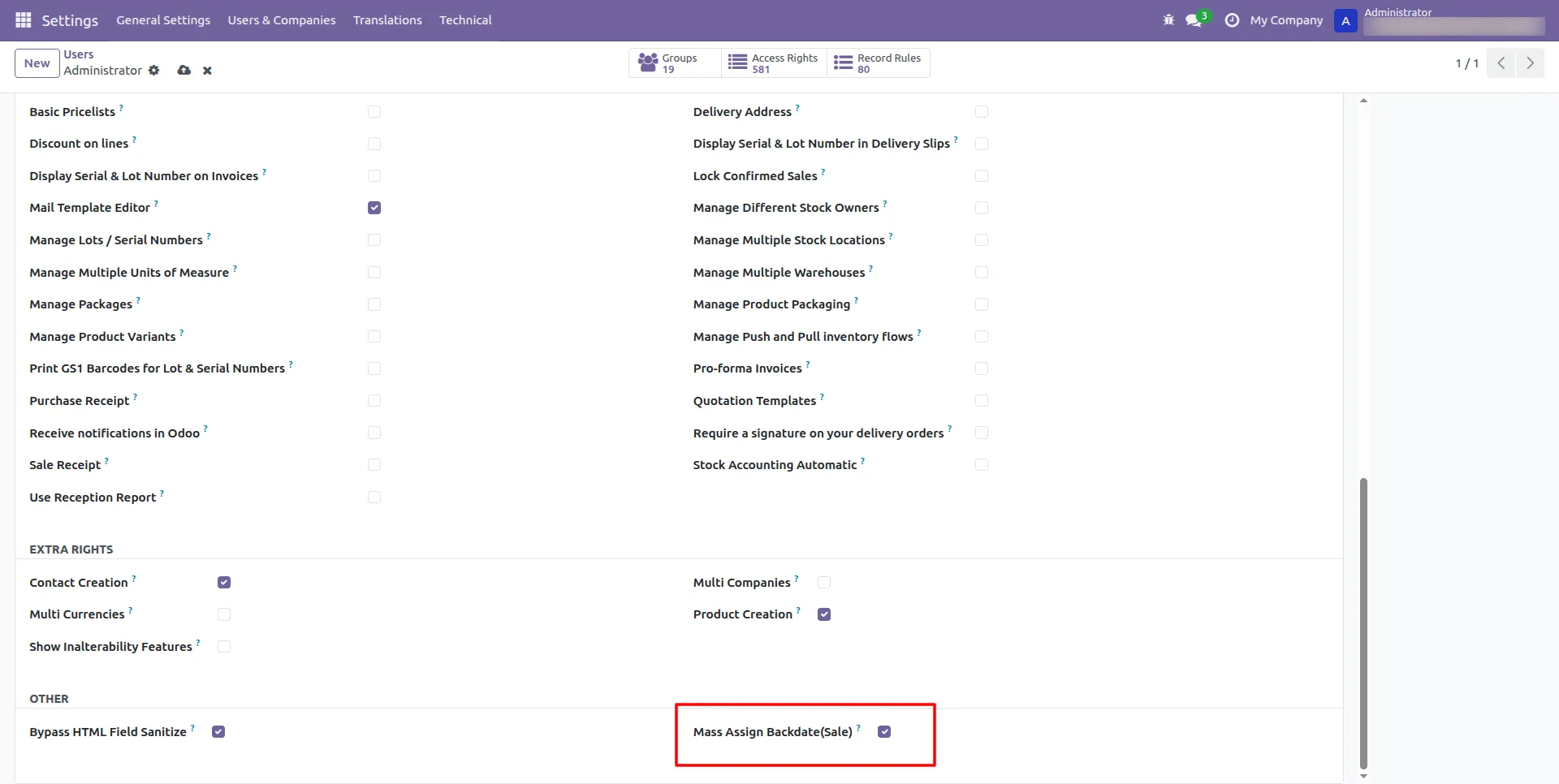
1.Admin can grant Mass Assign Backdate(Sale) rights to specific users under User Access Rights.
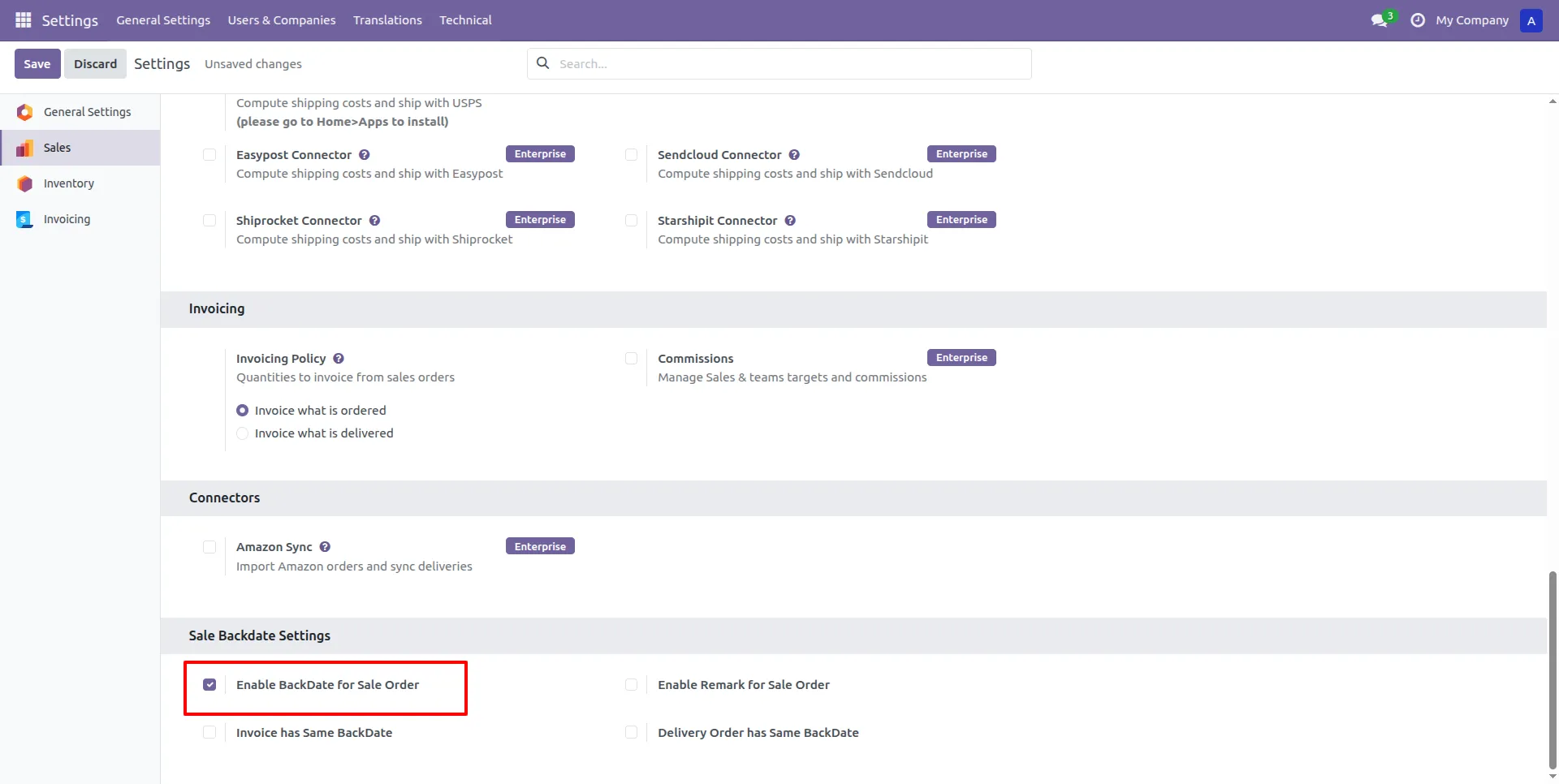
2.Admin can Enable BackDate for Sale Order from the Sales Settings to allow historical dating.
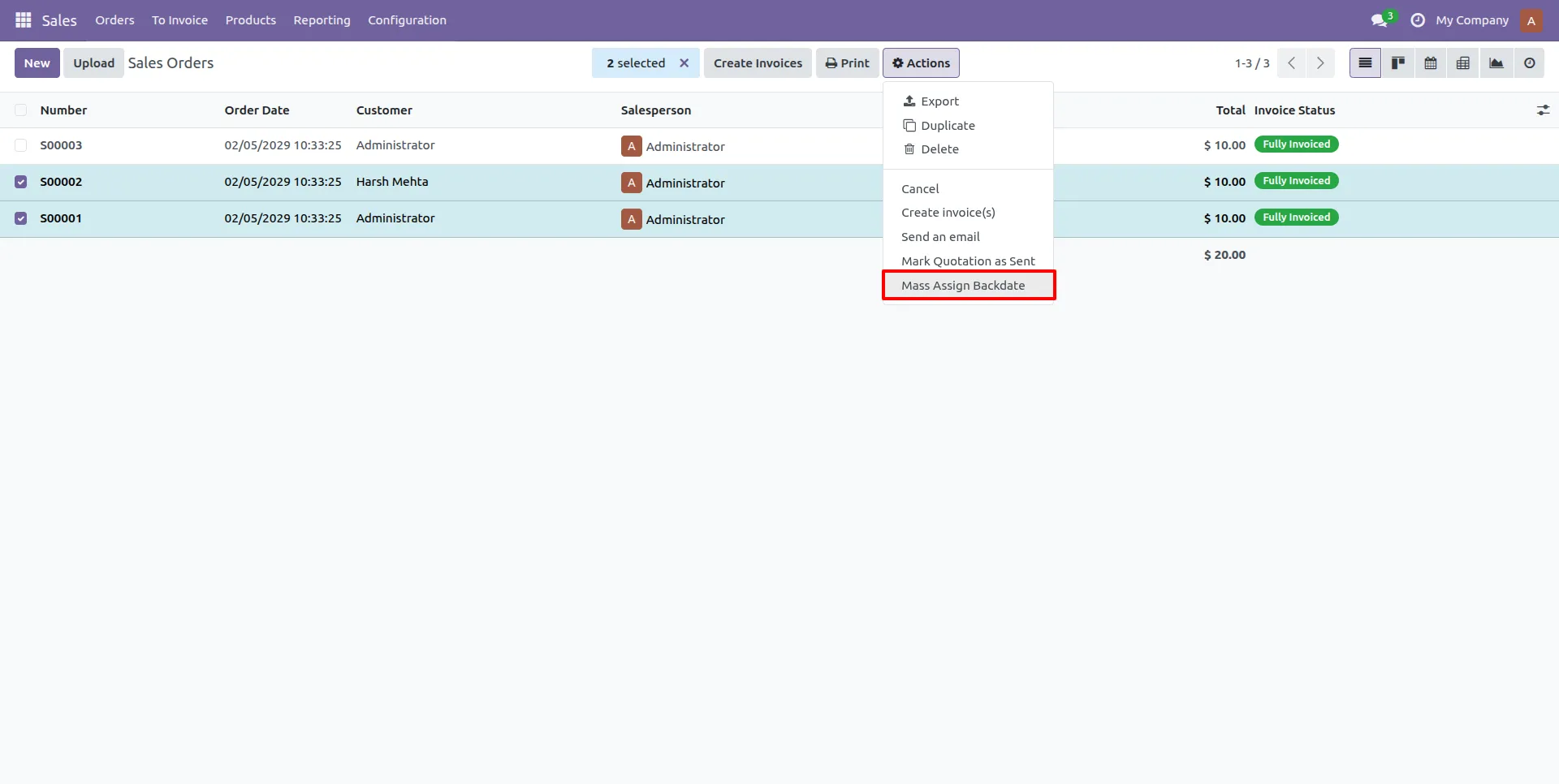
3.Select multiple orders and use the Mass Assign Backdate action to update several records at once.
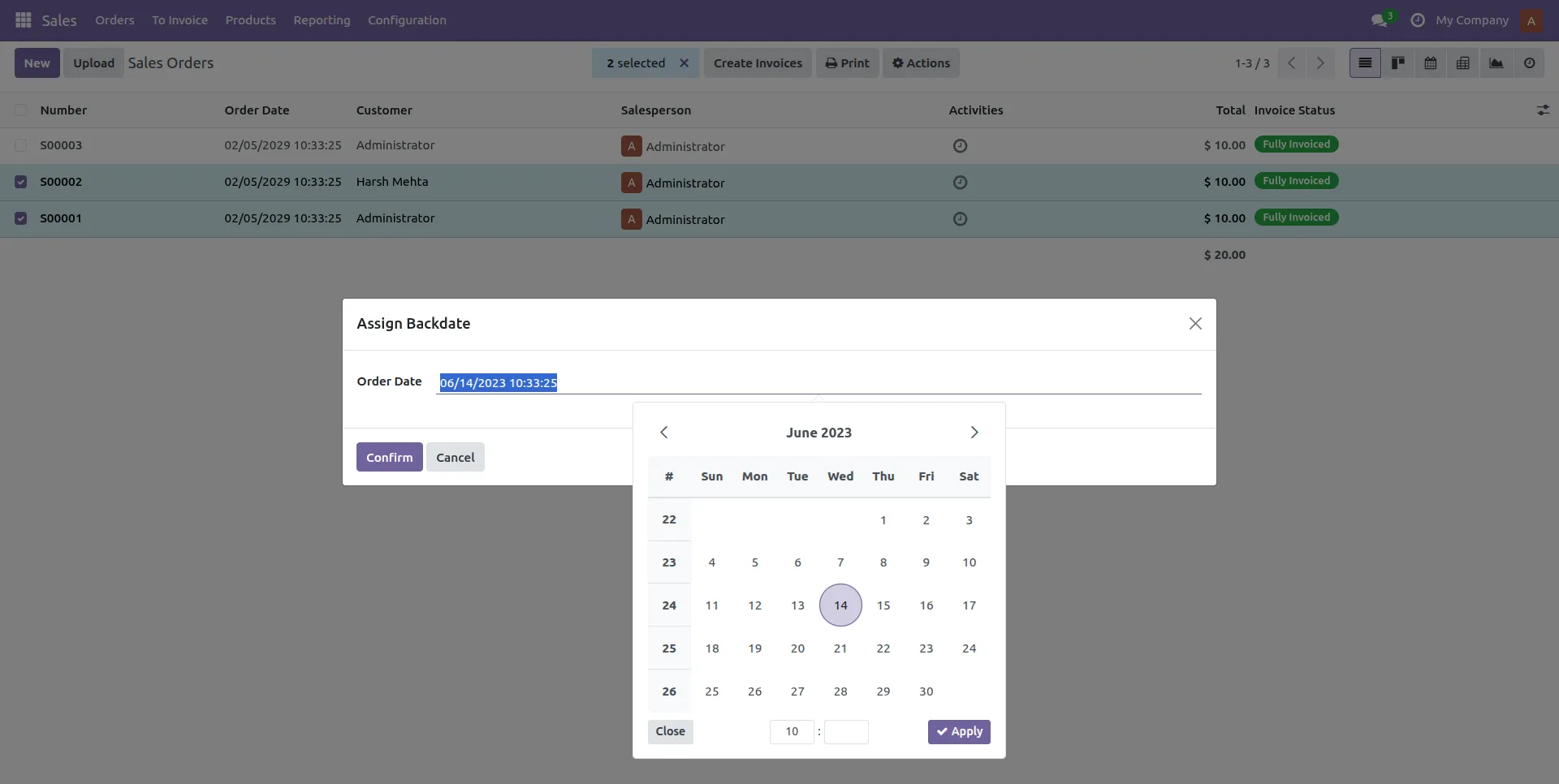
4.The Order Date can now be manually adjusted to a past date.
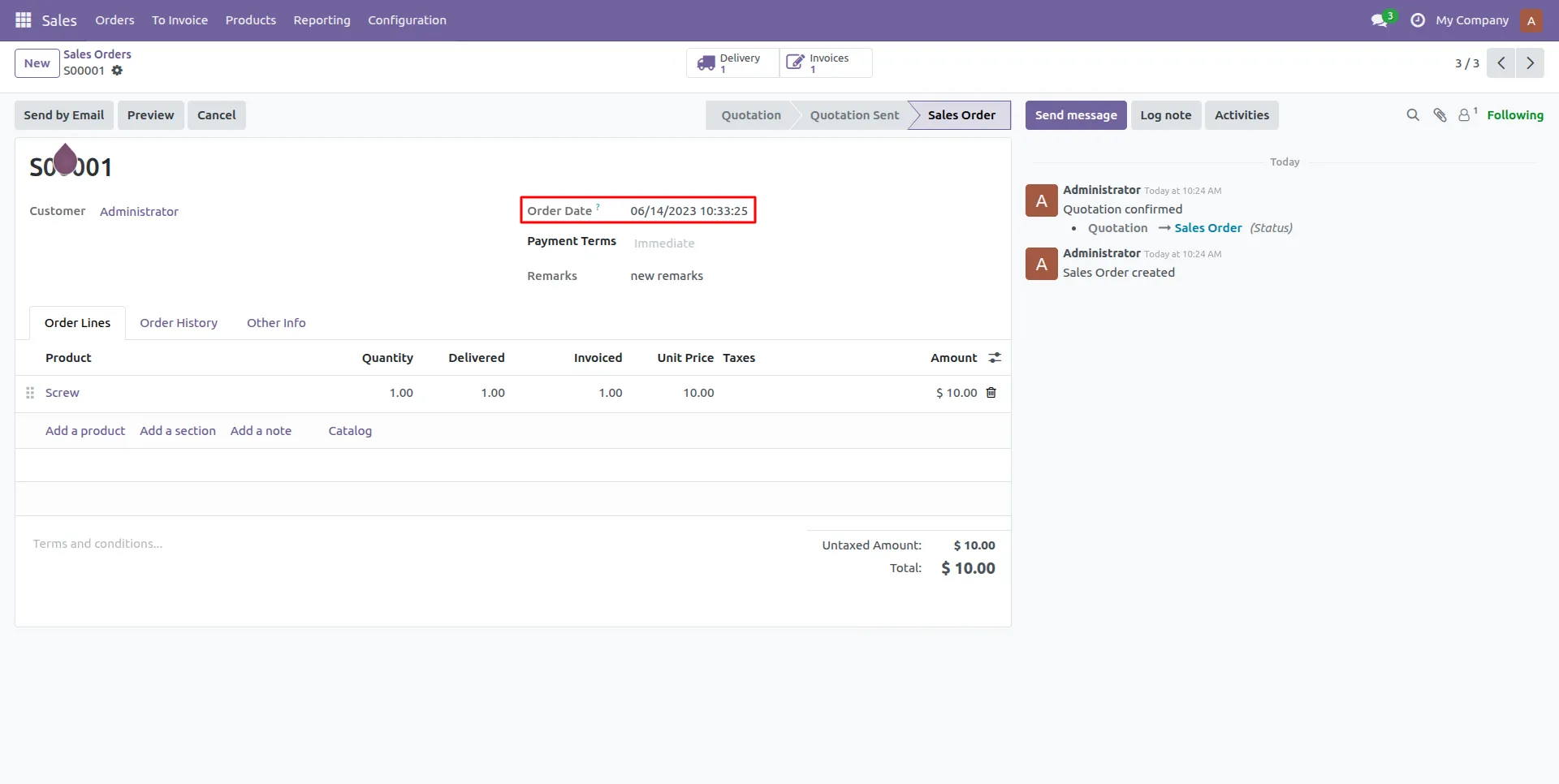
5.The Order Date is set based on the date selected by the user via the wizard.
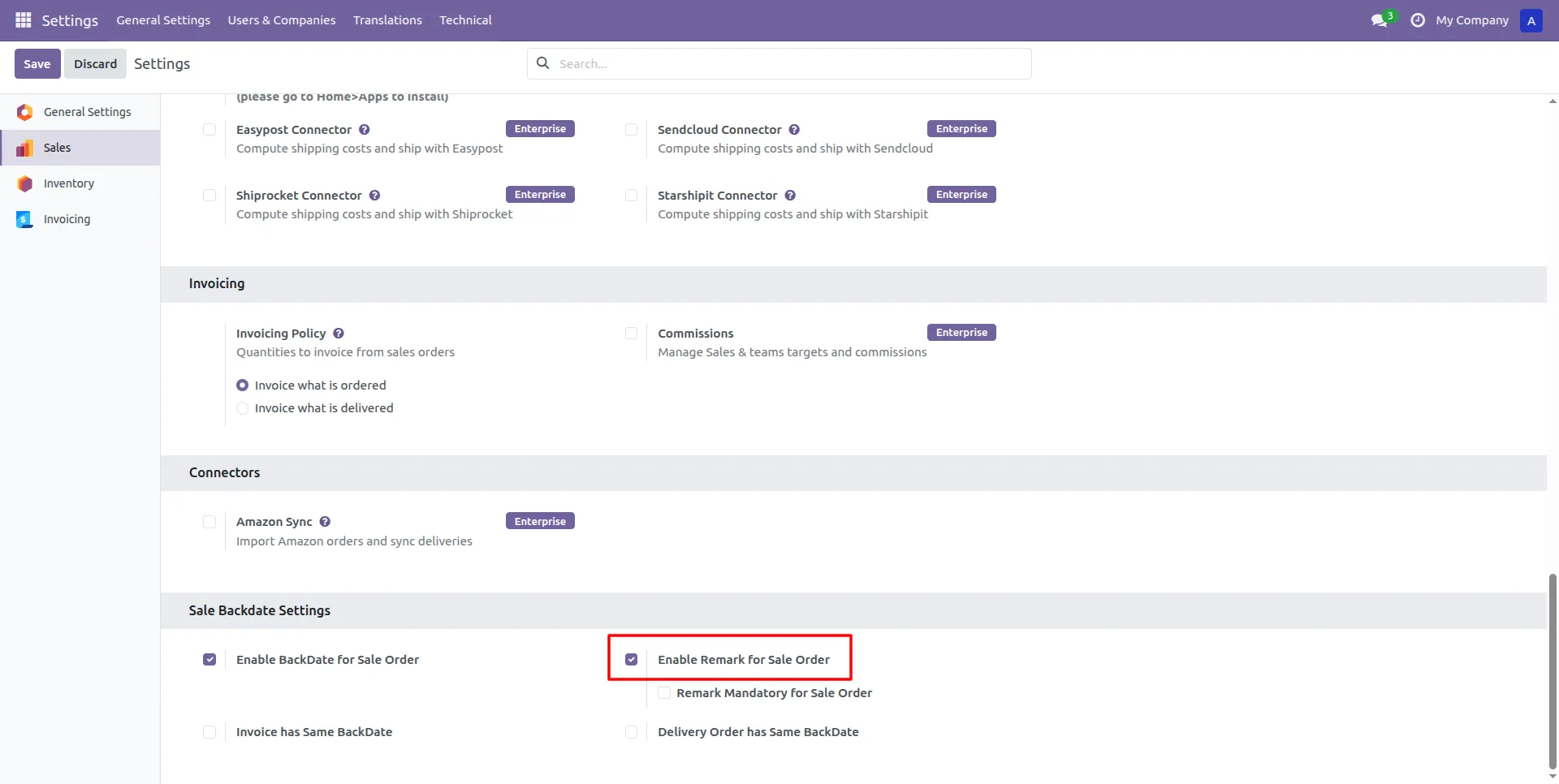
6.Admin can Enable Remark for Sale Order to provide a field for documenting backdate reasons.
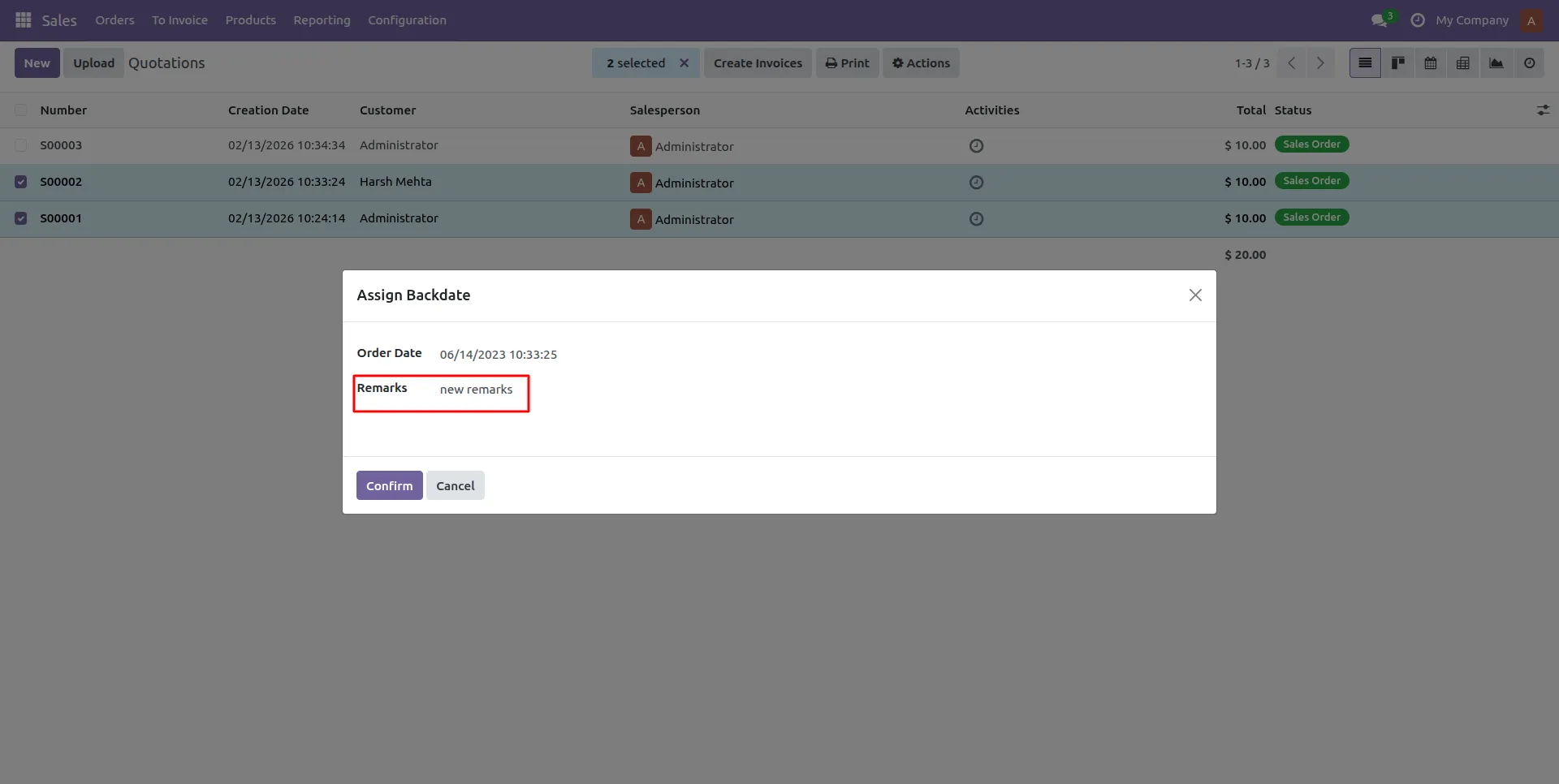
7.Users can enter specific details in the Remarks field to justify the backdated transaction.
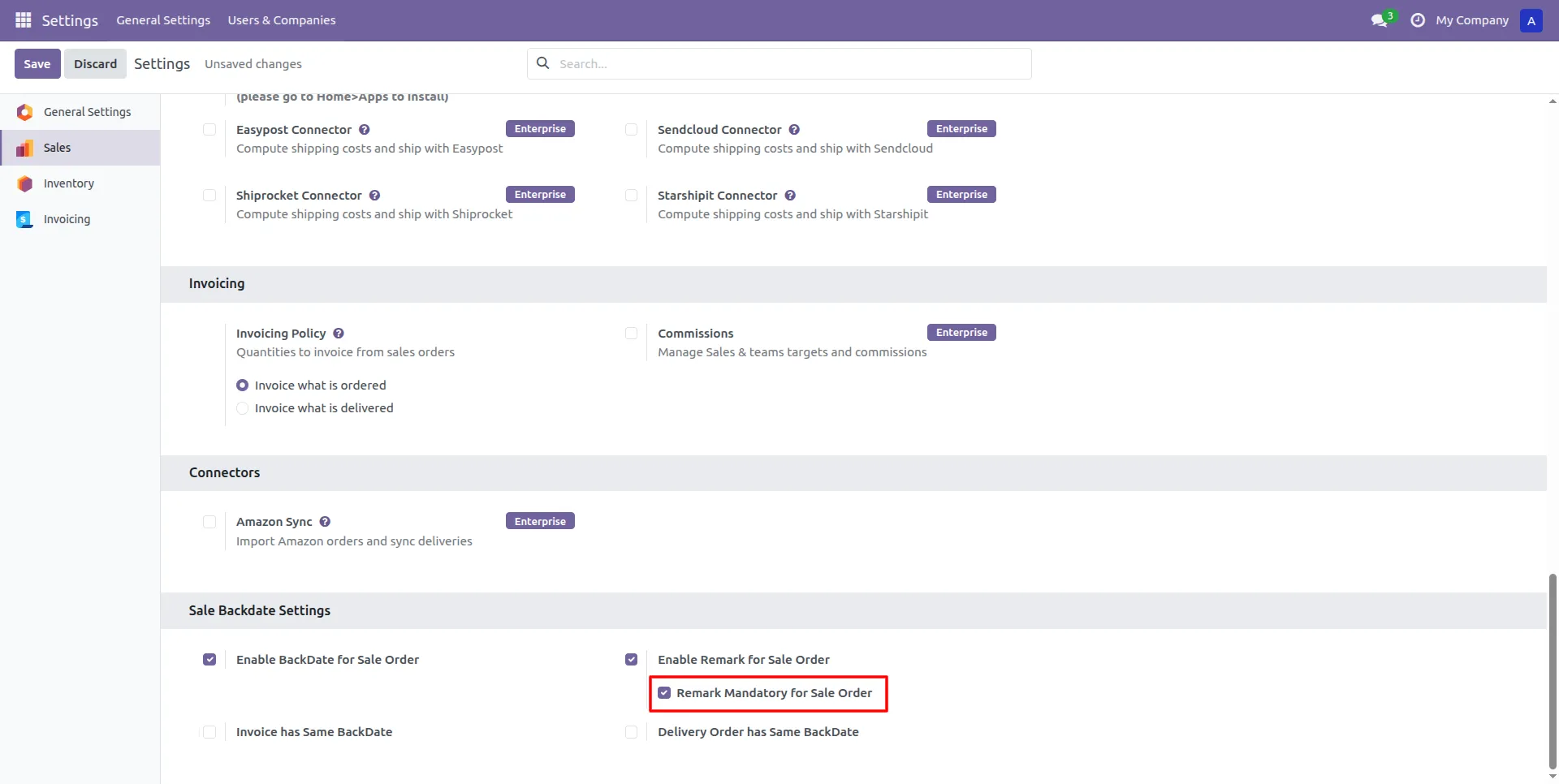
8.Admin can Enable Mandatory Remark for Sale Order to provide a field for documenting backdate reasons.
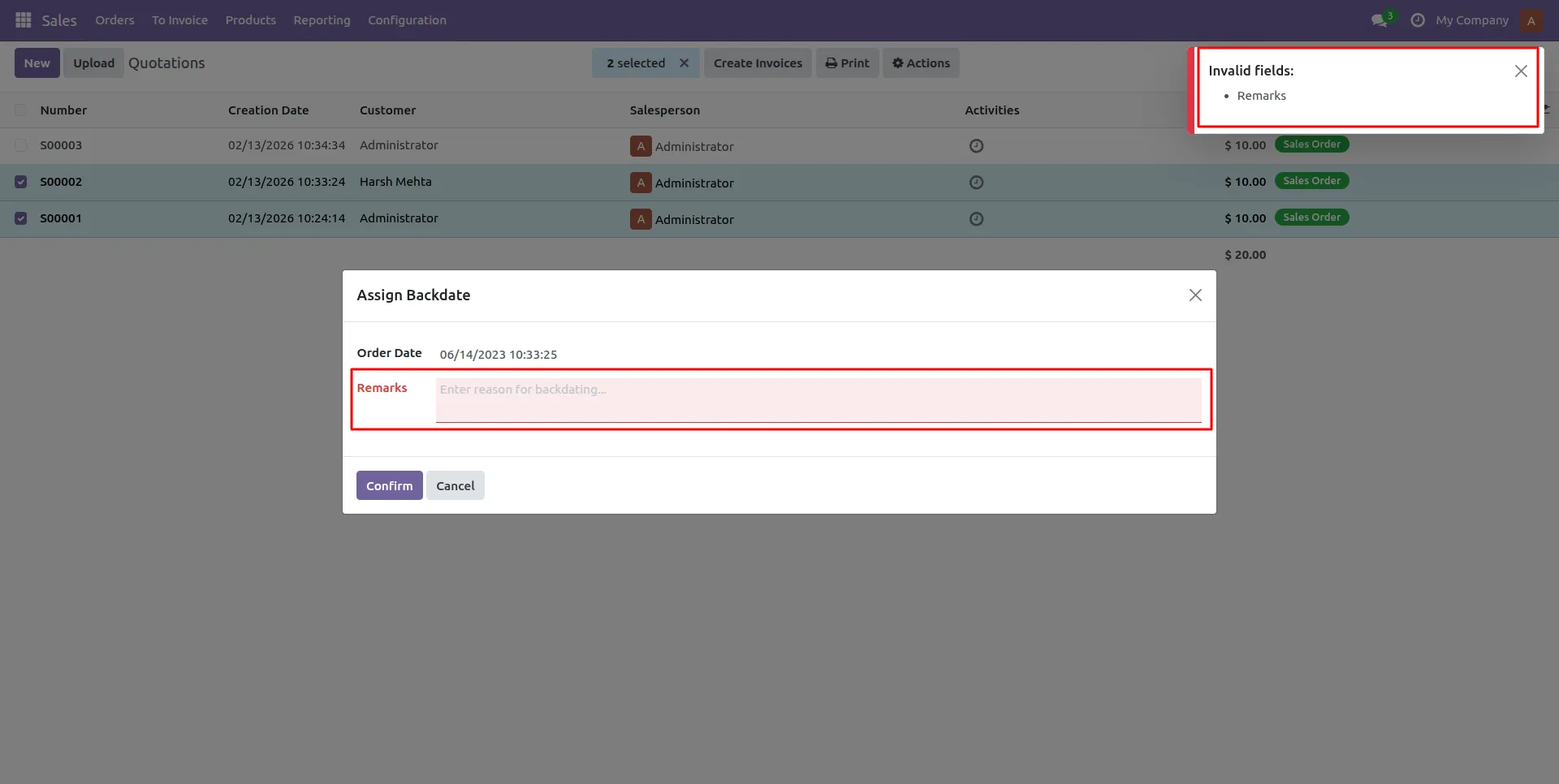
9.Admin can set Remark Mandatory for Sale Order to enforce documentation before saving.
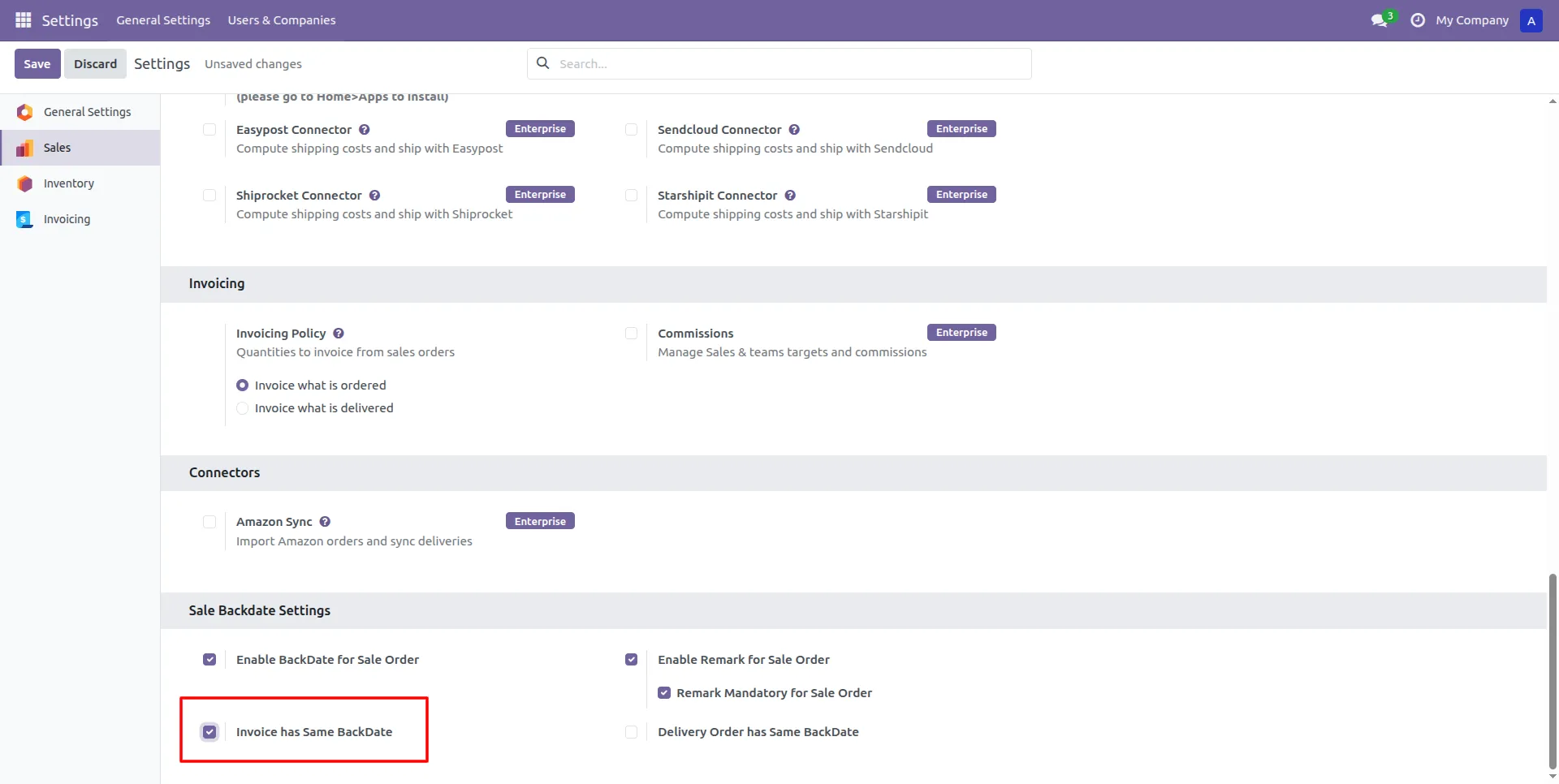
10.Admin can enable Invoice has Same BackDate to synchronize the billing date with the order date.
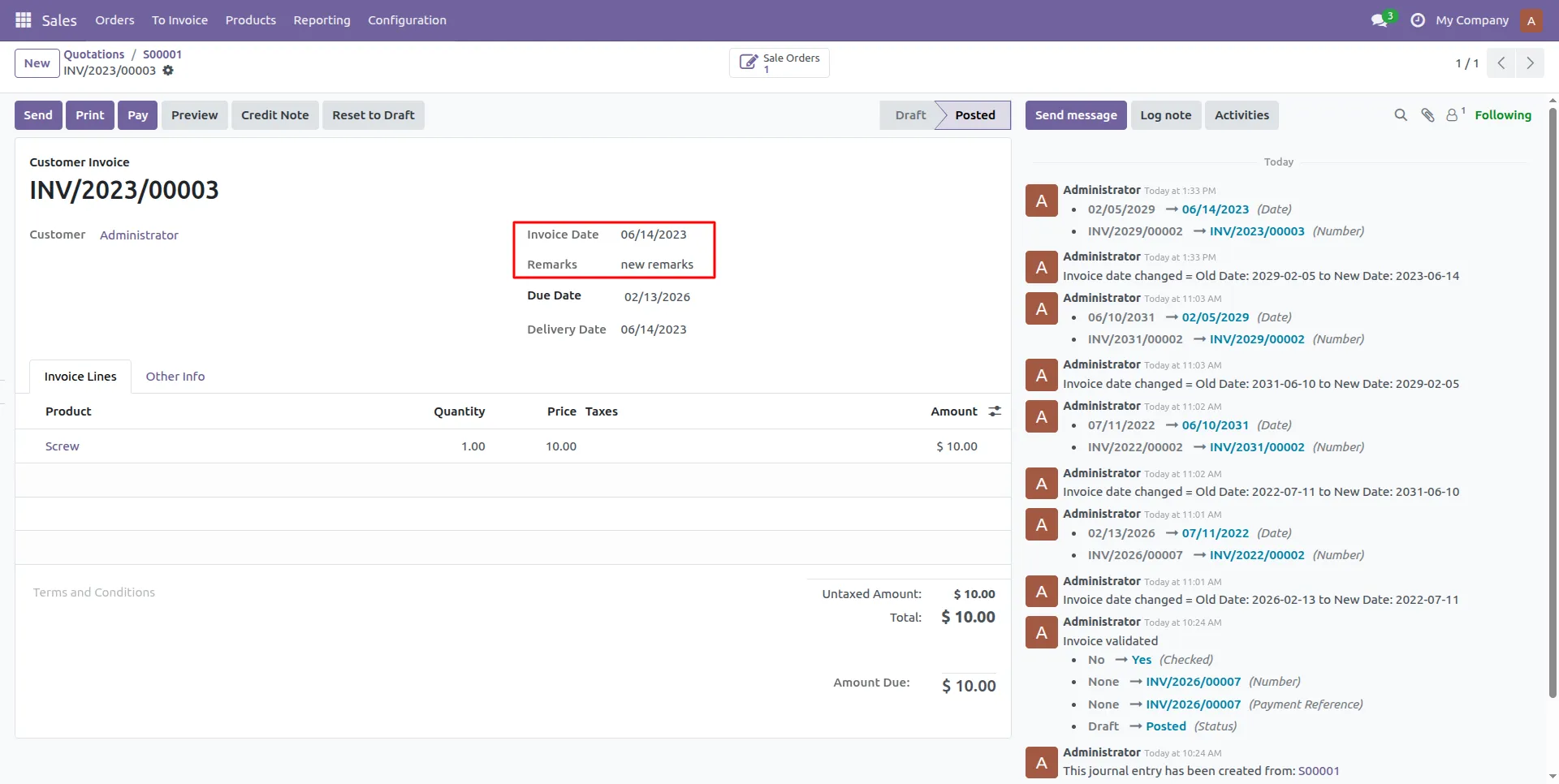
11.The system automatically sets the Invoice Date to match the backdated Sales Order date upon posting.
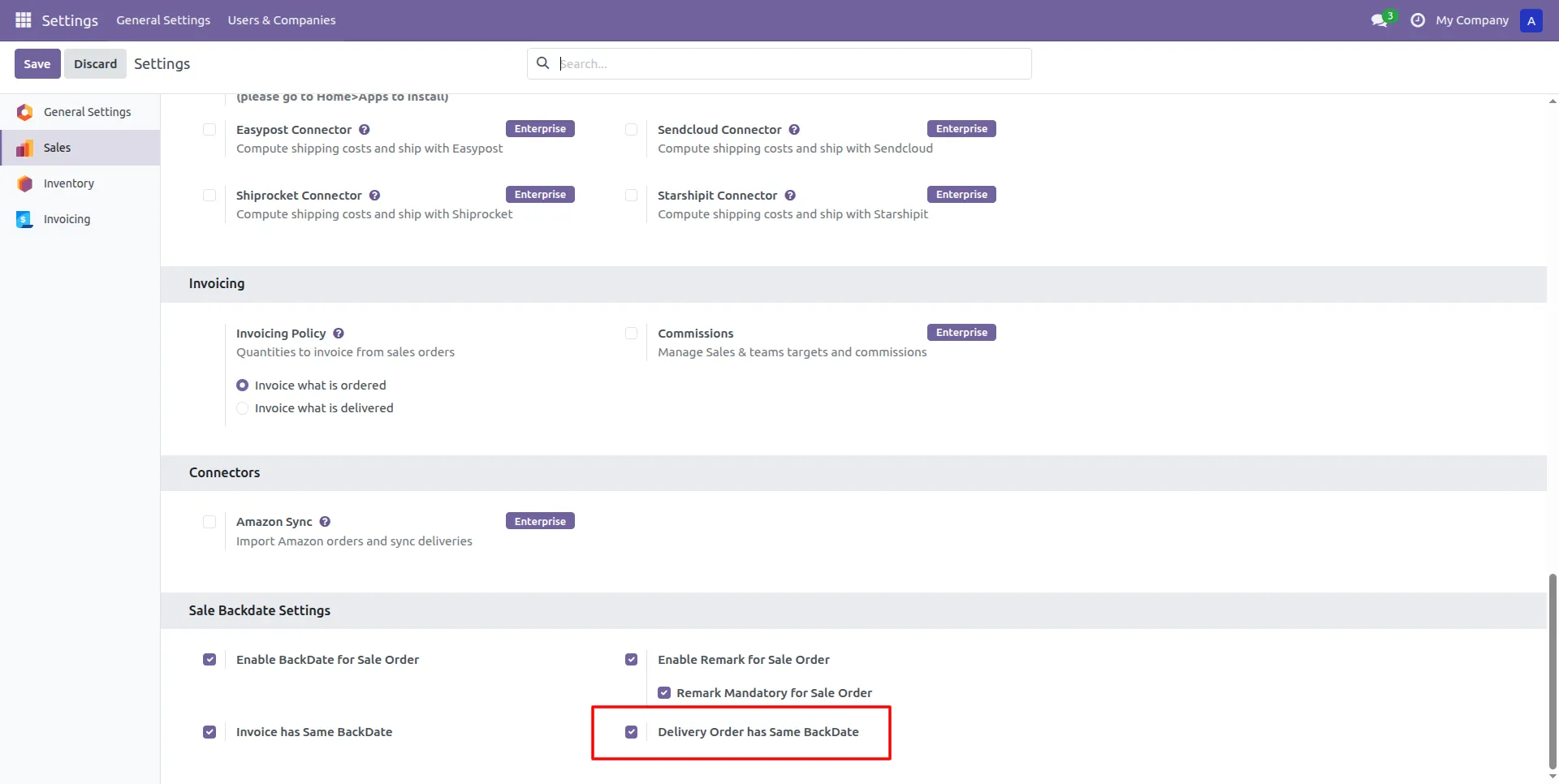
12.Admin can enable Delivery has Same BackDate to synchronize the Shipping date with the order date.
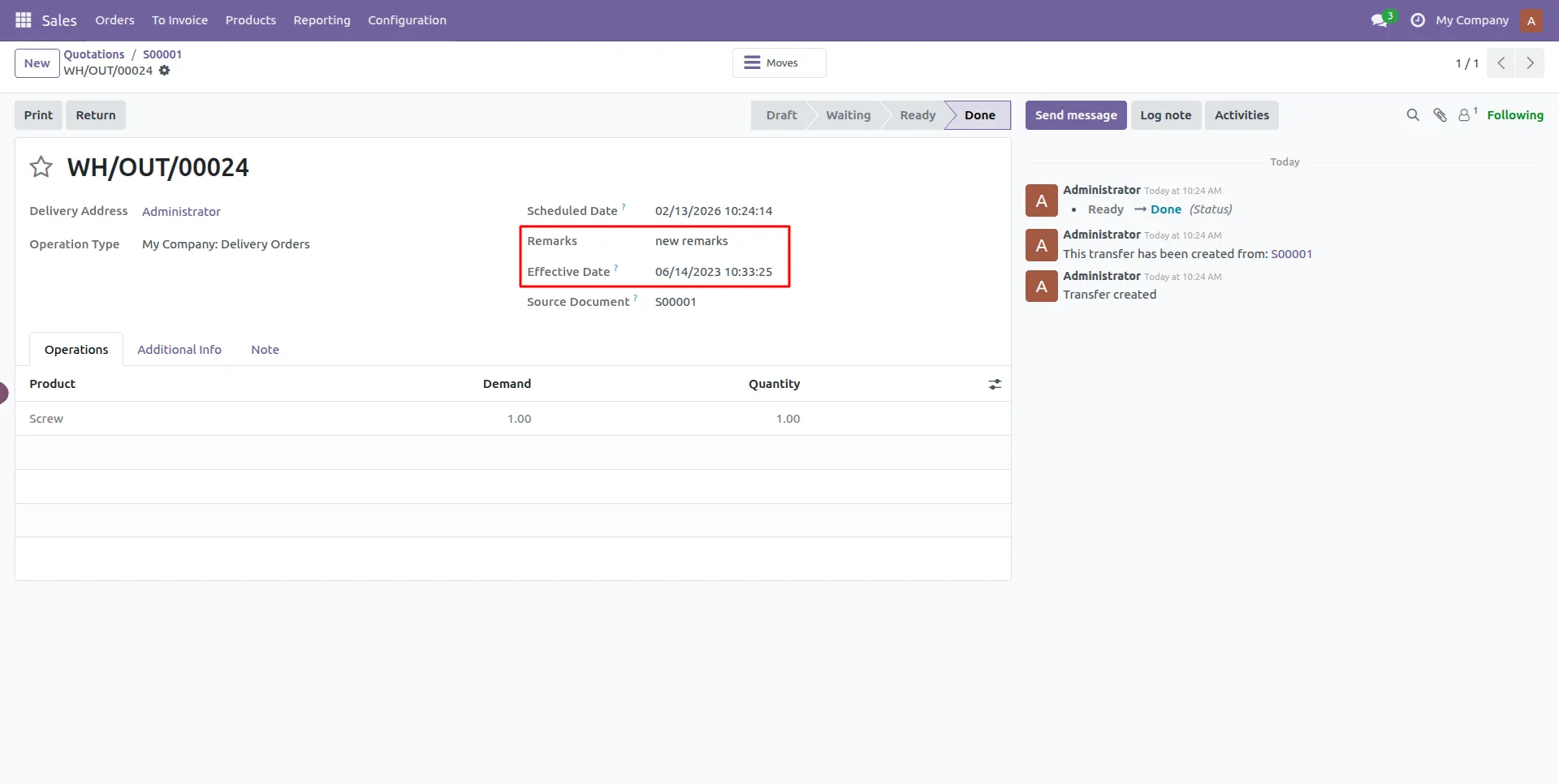
13.The Delivery Order (WH/OUT) captures the effective backdate to maintain inventory accuracy.
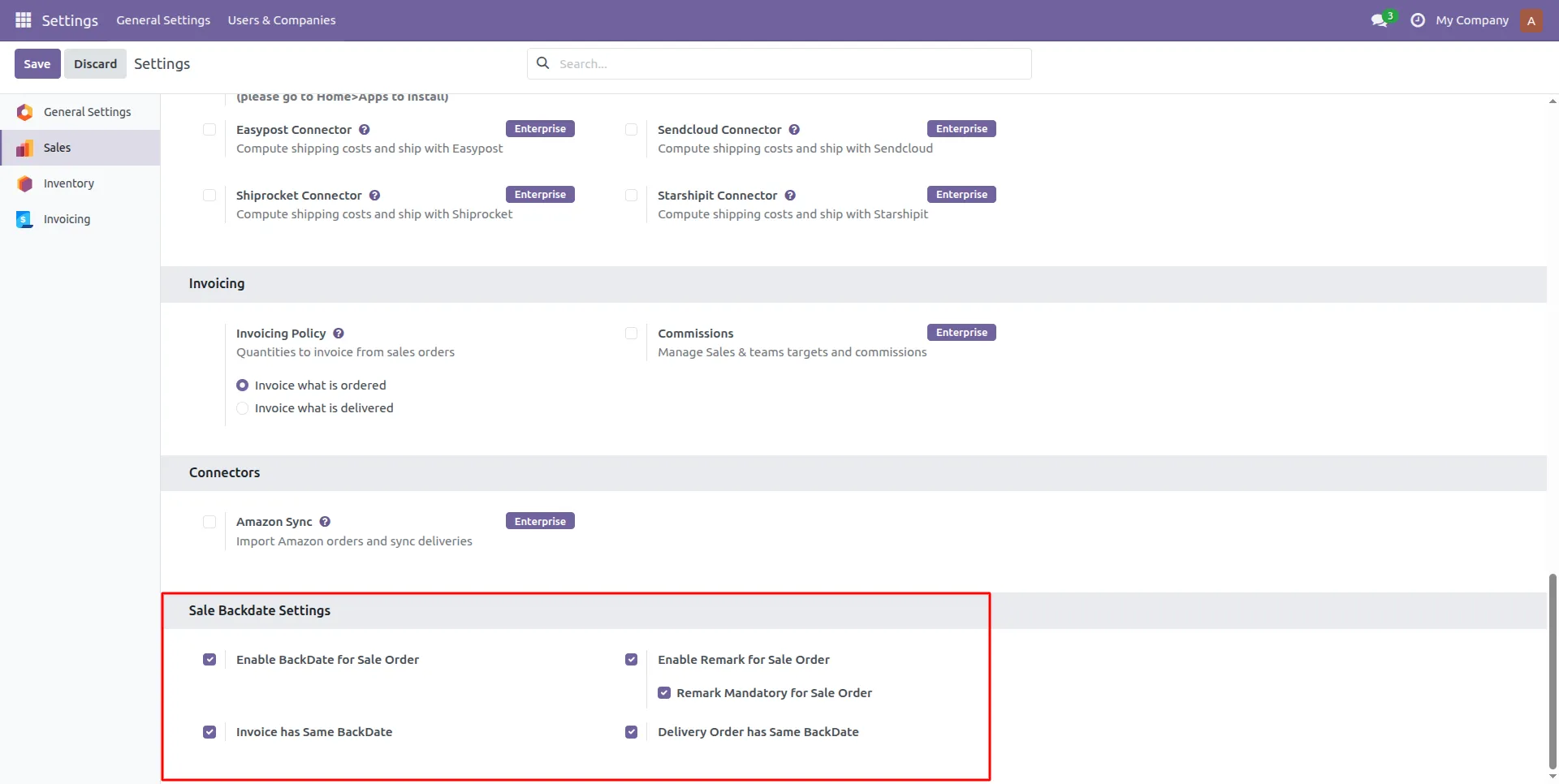
14.All Backdate Options are enabled.
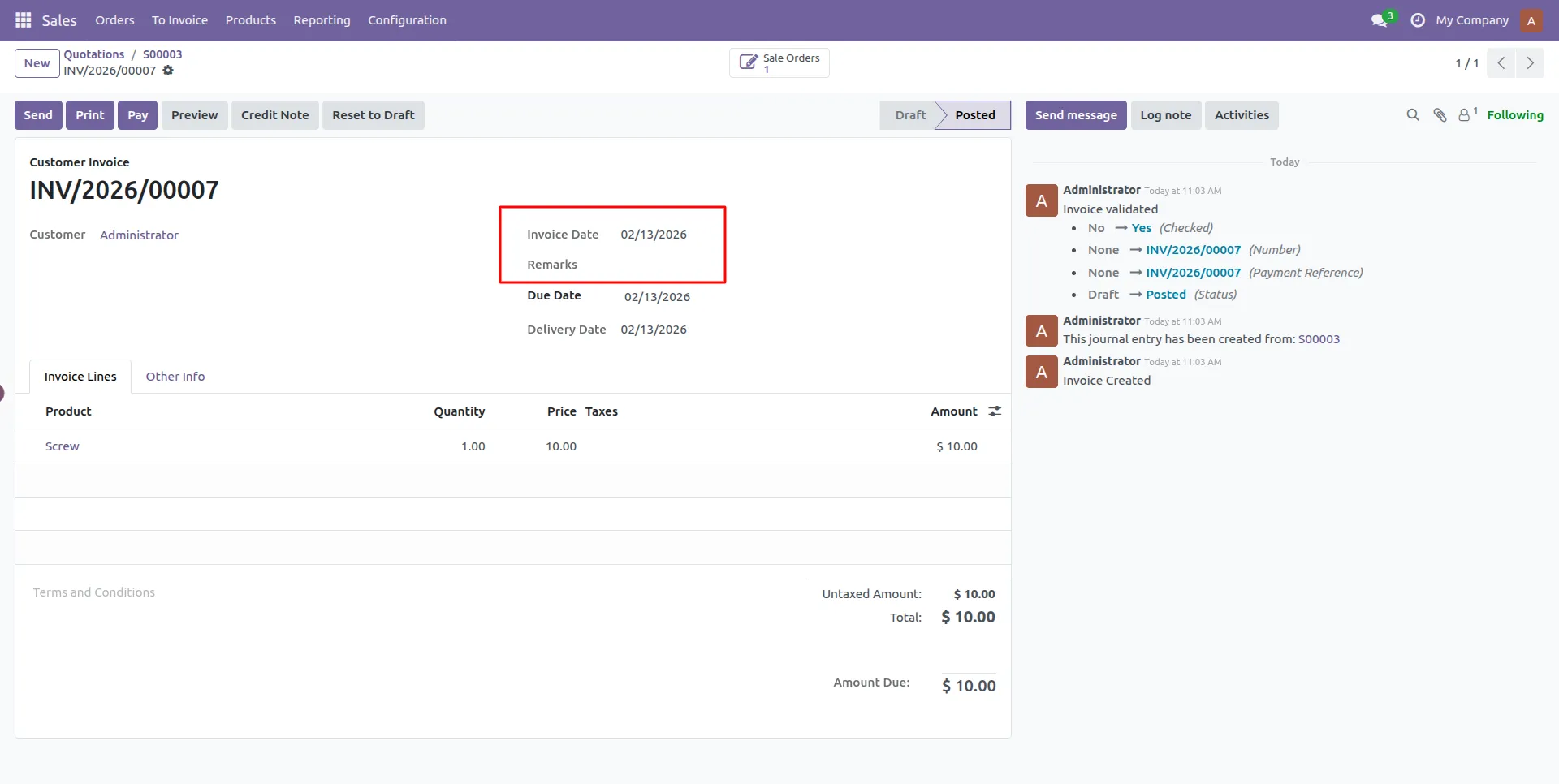
15.The Invoice Date remains set to today's date because the document was not in a Posted state when the Mass Backdate Wizard was executed.
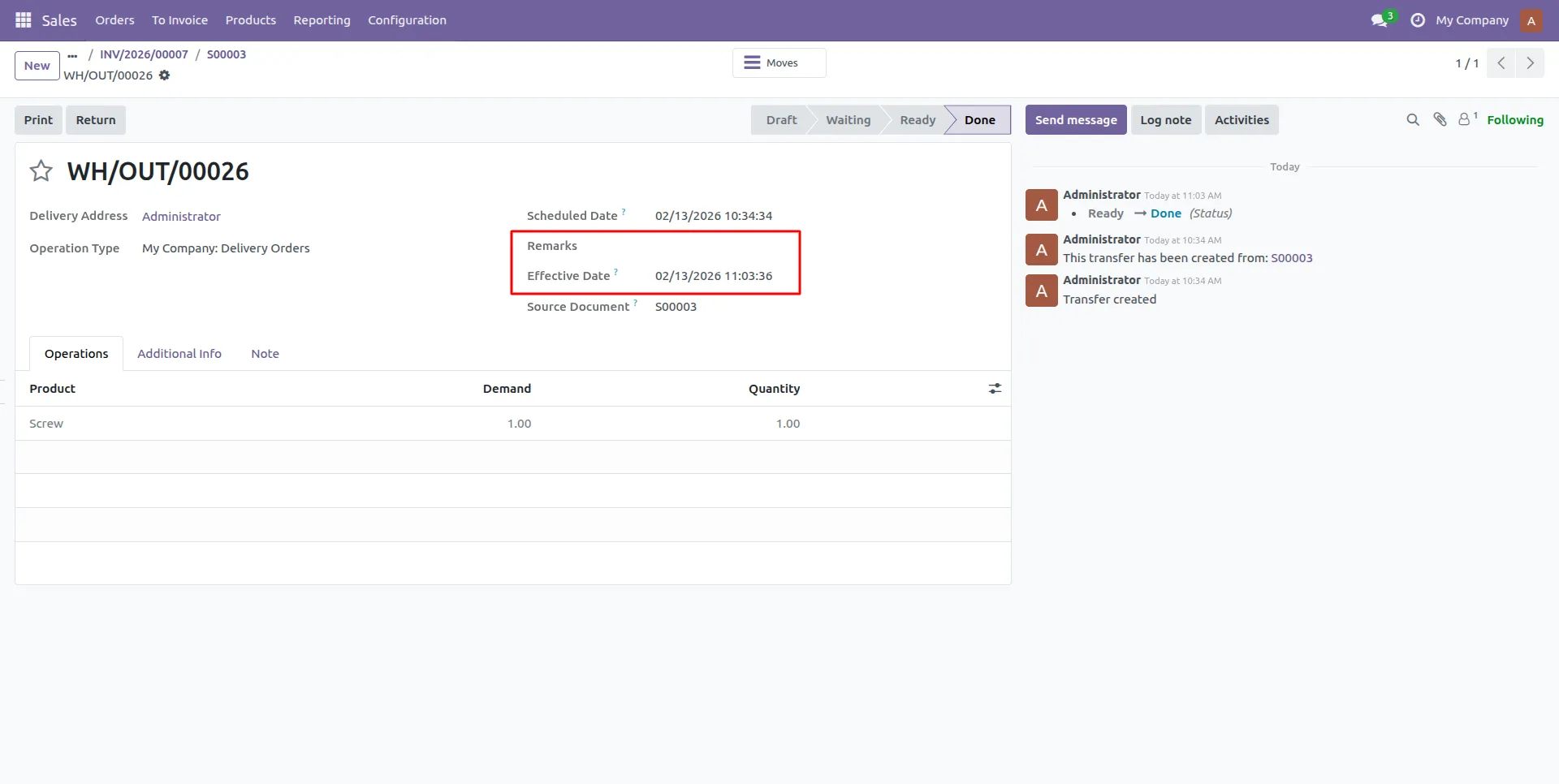
16.The Delivery Date will default to today's date if the delivery is not Validated when processed through the Mass Backdate Wizard.
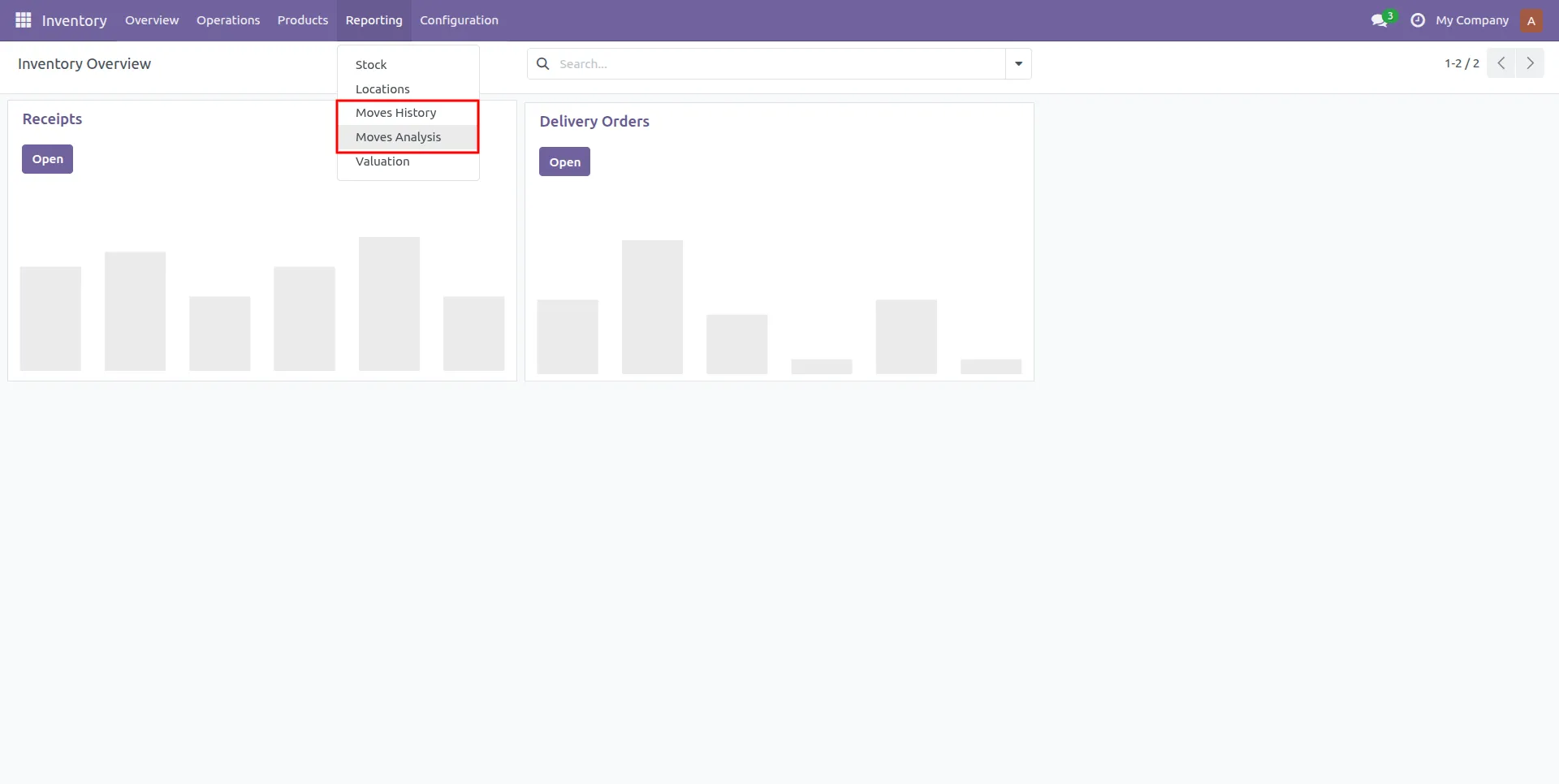
17.Navigate to Reporting > Moves Analysis in the Inventory module to audit backdated stock movements.
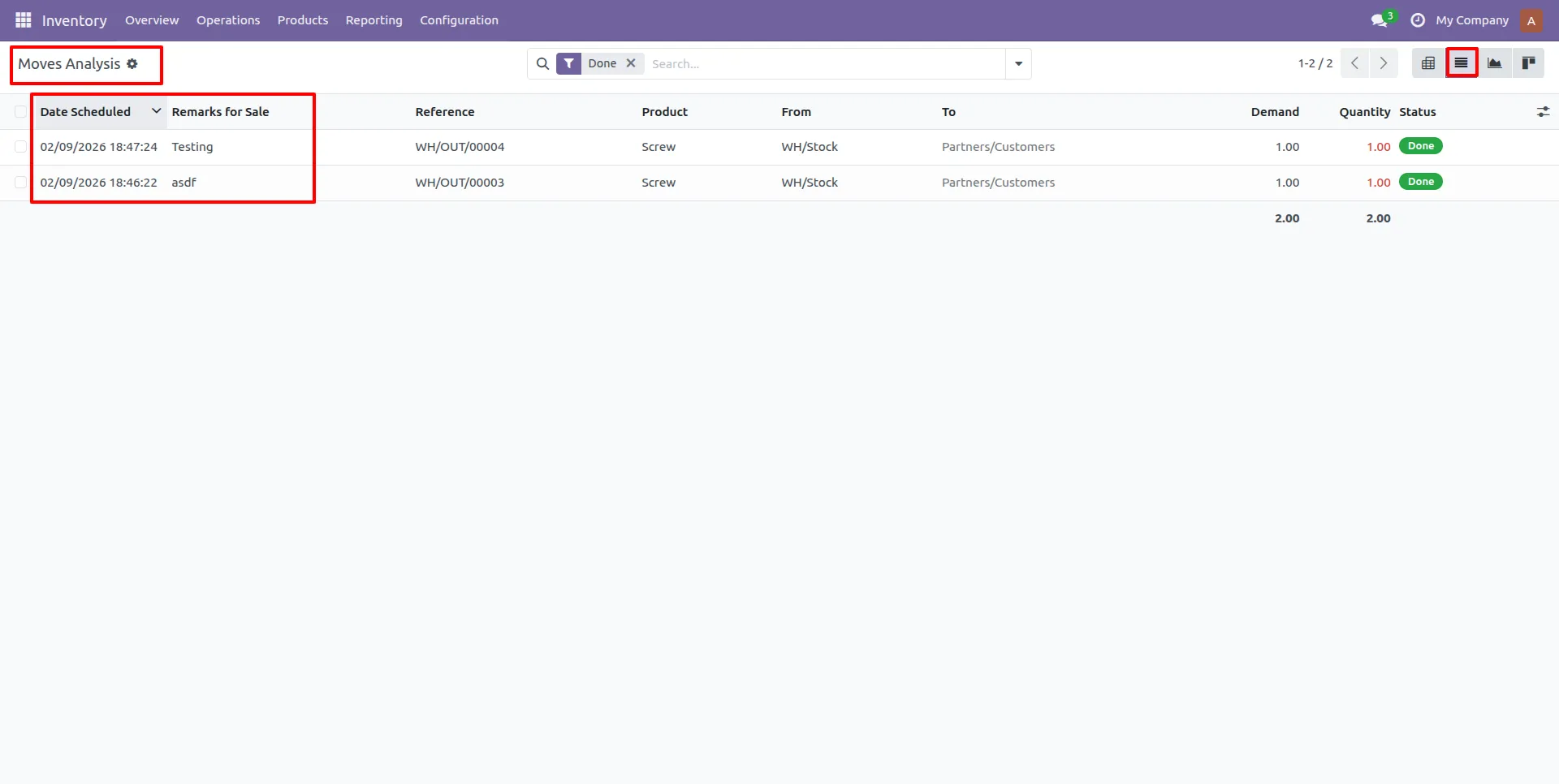
18.The Moves Analysis report displays the scheduled dates alongside the specific remarks for each sale.
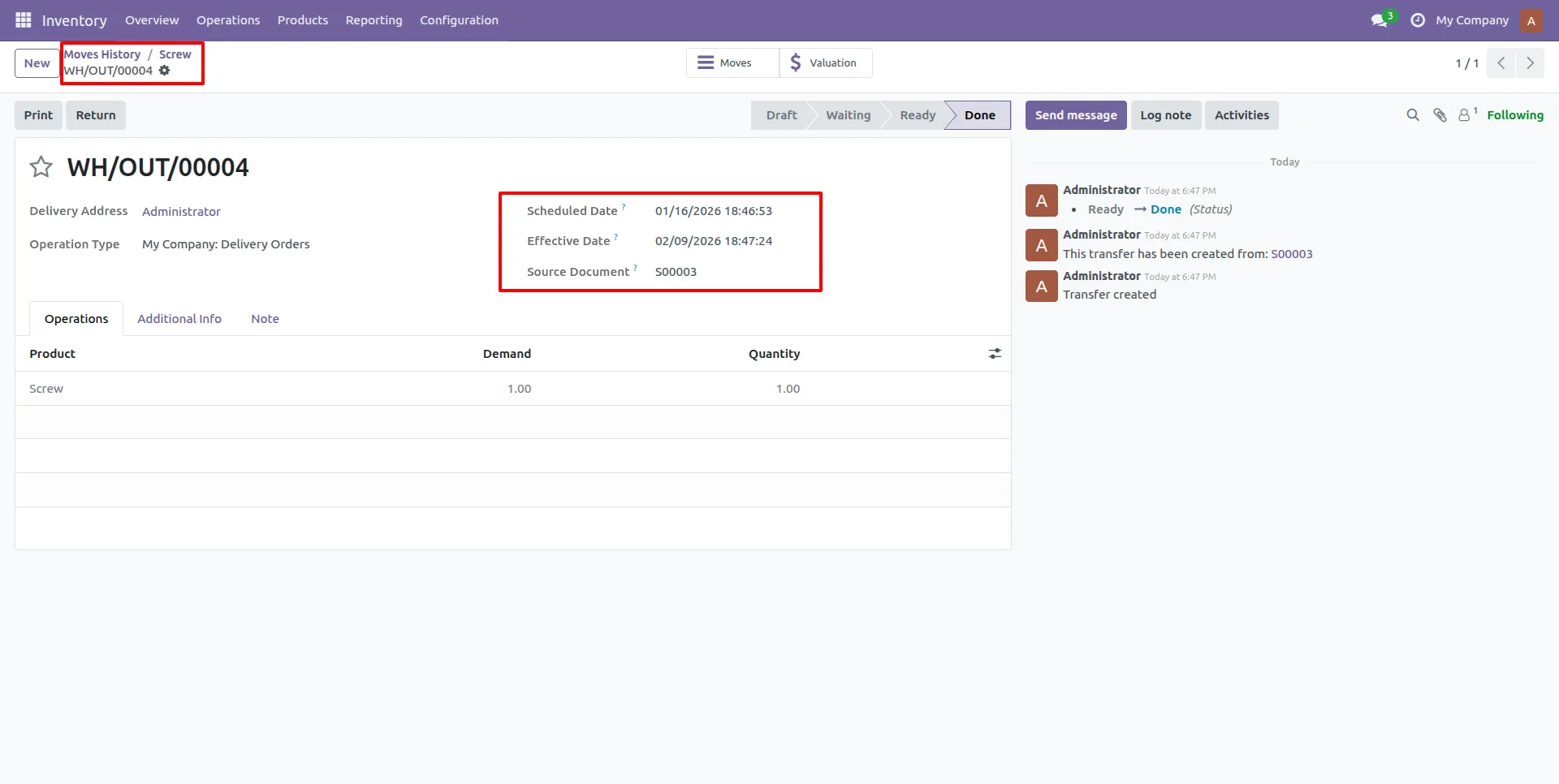
19.Detailed Moves History confirms the effective date and source document for every backdated delivery.
Our solutions focus on your problems
- Odoo Implementation
- Odoo Customization
- ERP Development and Implementation
- Odoo Ipass Cloud
- AI for Odoo
- Odoo Apps
- Aws Marketplace Products
- Business Engines
Our Pricing includes User Manual, 90 Days Support (Monday-Friday 10am to 7pm IST) and One time Setup
• Works & tested on standard installations of Odoo with no third party apps,
• Free support only for odoo installations with no third party apps,
• Paid support available for Odoo installations with third party apps.

Prefortune is a Odoo Official Partner, Odoo Development company. Our philosophy is to use Open Source tools and technologies to provide cost effective and green solutions for our customers.
Prefortune Technologies LLP is working on web development, Mobile development, and Odoo ERP.
If you need any help or want more additional features, you may contact us through:
Alternative Products
These other products might interest you
Specifications
| Version | 19.0, 18.0, 17.0, 16.0, 15.0, 14.0 |