Watch Quick Video
Advanced HR Leave Restriction with Mandatory Days Odoo App
Our all-inclusive
Odoo – Advanced HR Leave Restriction with Mandatory Days Odoo App
for Odoo simplifies and enforces company leave policies
by allowing organizations to define restricted dates and mandatory leave days directly within the HR system.
HR administrators can configure critical business periods—such as peak workloads, audits, or company events—during
which leave requests are automatically blocked or enforced according to company rules.
Leave requests are validated in real time, ensuring full compliance while reducing manual HR intervention.
All settings are easily managed from the Odoo backend without any technical expertise.
By improving planning visibility and preventing policy violations, this app helps organizations maintain operational continuity and
deliver a transparent, well-controlled leave management experience.
Advanced HR Leave Restriction with Mandatory Days Odoo App
- Define specific dates as mandatory working days to prevent leave requests during critical periods.
- Apply leave restrictions selectively to individual employees or employee groups based on company rules.
- Instantly notify users when a leave request violates mandatory day or restriction rules.
- Display clear pop-up notifications on the dashboard to highlight mandatory or restricted leave days.
- Block leave requests across selected date ranges for multiple employees in a single configuration.
Complete Workflow for Manage Advanced HR Leave Restriction with Mandatory Days Odoo App
First, go to Time Off -> Configuration -> Mandatory Days and configure mandatory days by selecting specific employees and a date range. Once saved, these mandatory days are highlighted with pop-up alerts in the calendar view. When an employee attempts to apply leave on a mandatory day, the system automatically restricts the request. A real-time warning message is displayed to prevent policy violations.
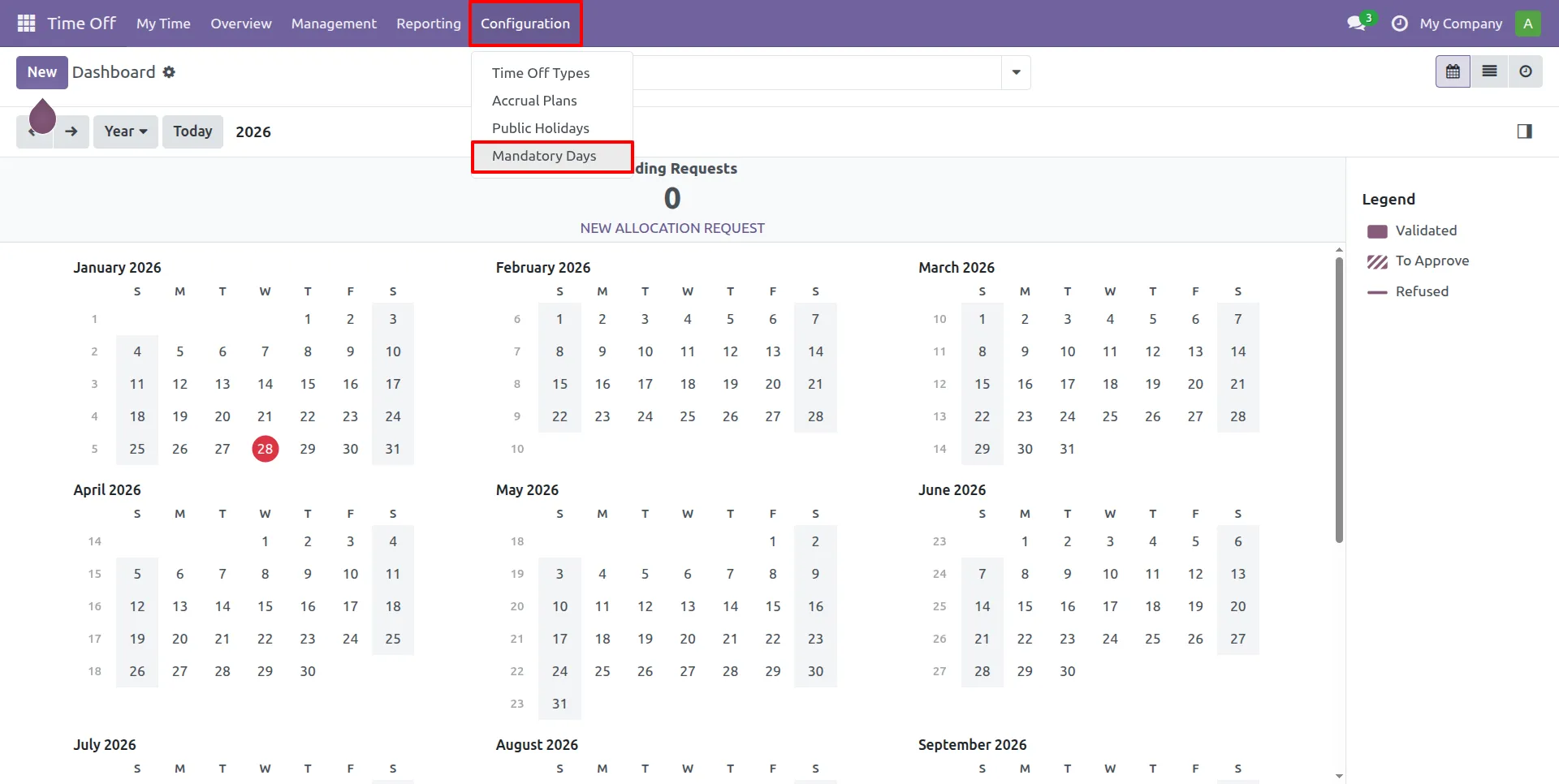
1.HR can create Mandatory Days for Employees from here.
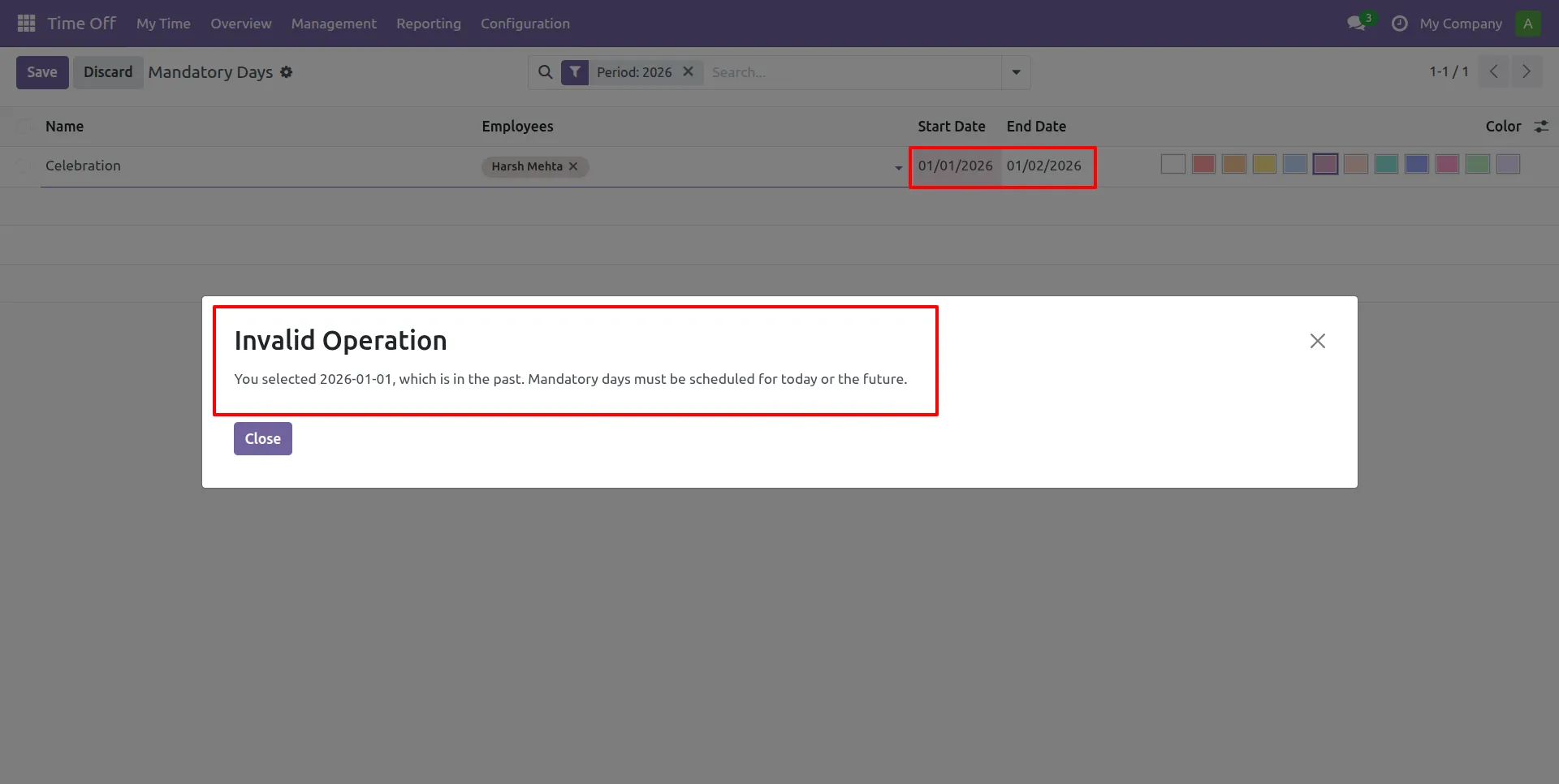
2.HR can't create Mandatory Days for past dates and receive an instant warning.
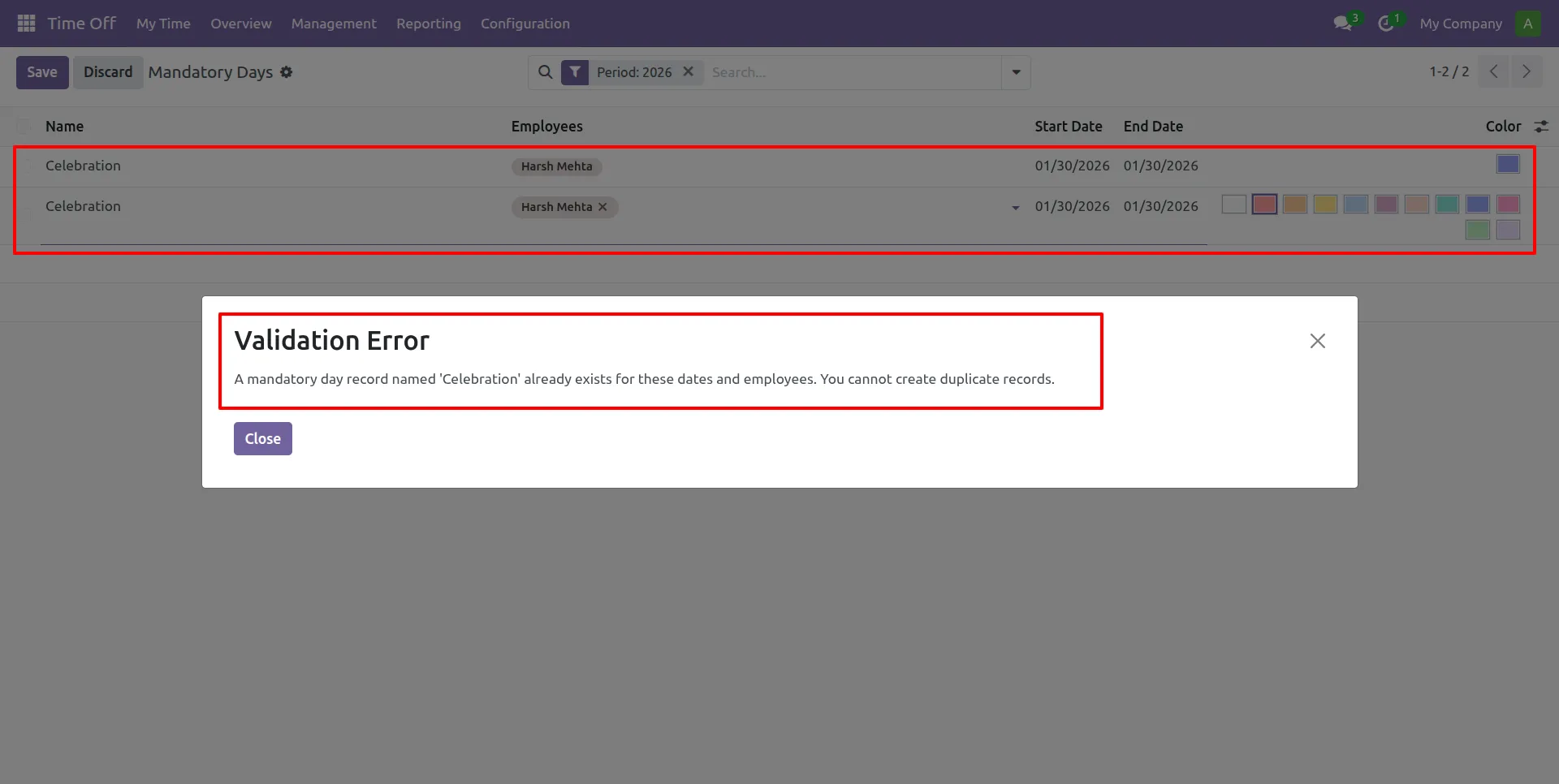
3.Duplicate Mandatory Days entries for the same Employees and dates are not allowed.
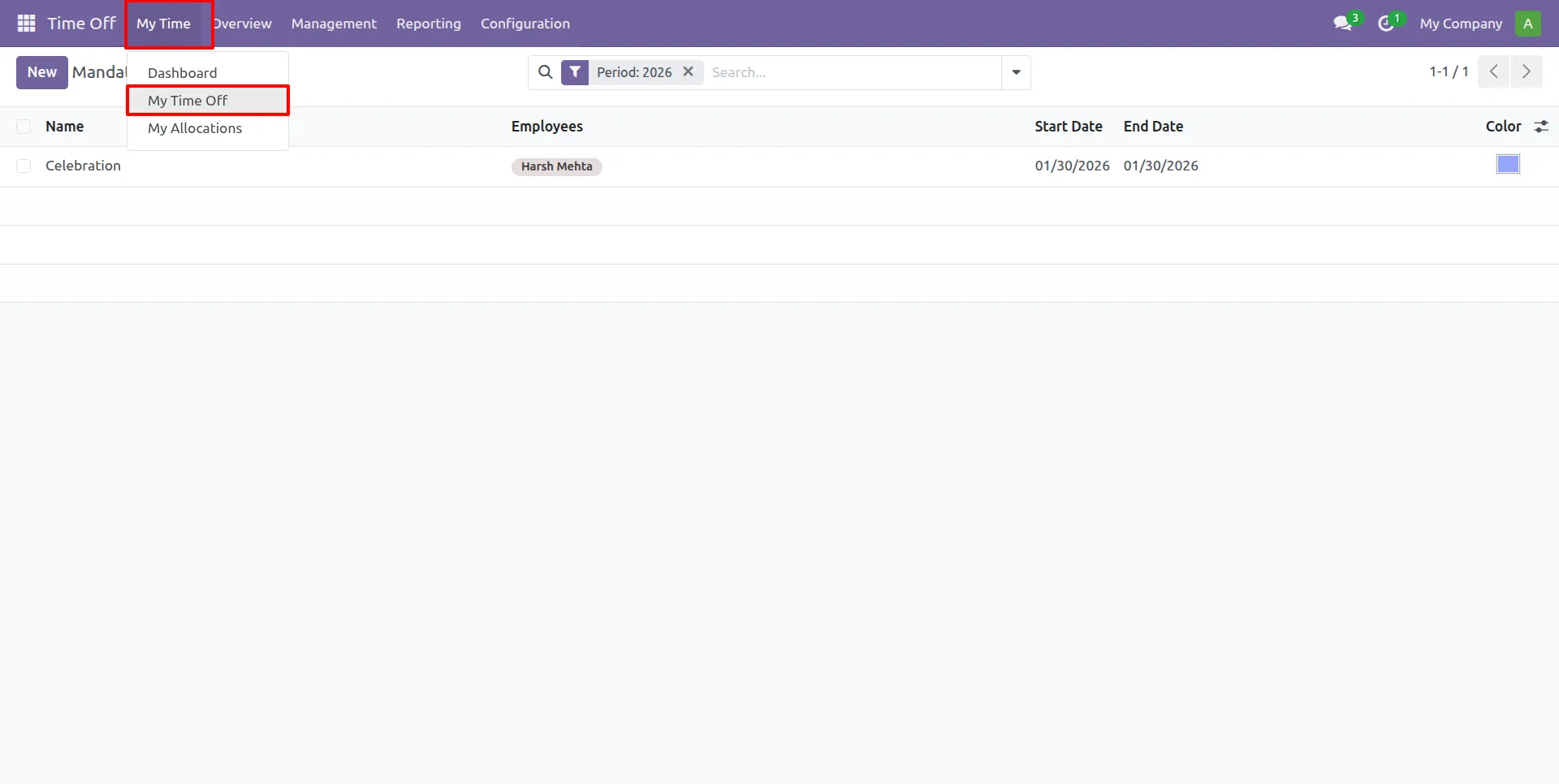
4.Employees can request leave from the My Time Off section.
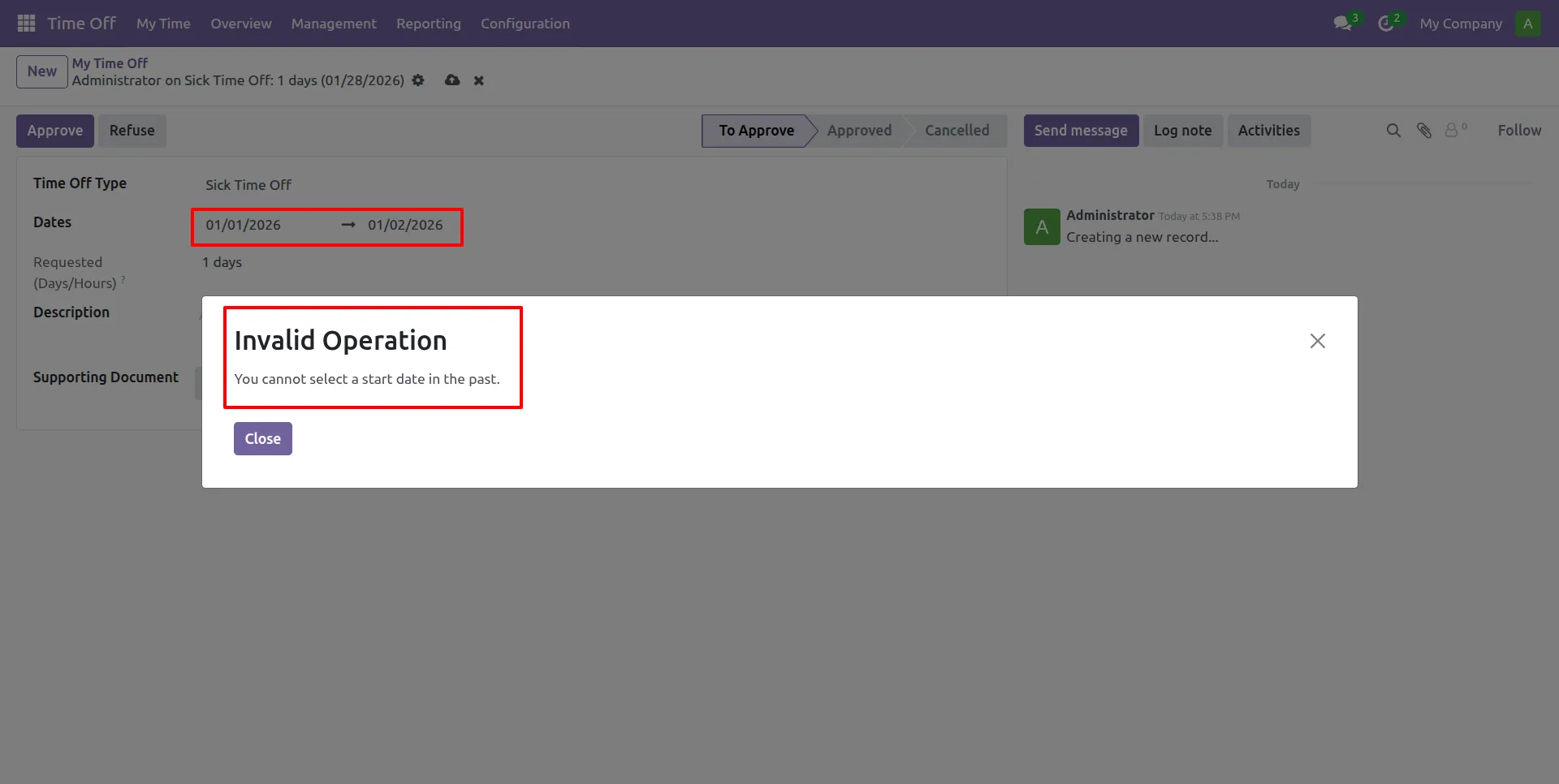
5.A Validation warning is shown when a past start date is selected for leave.
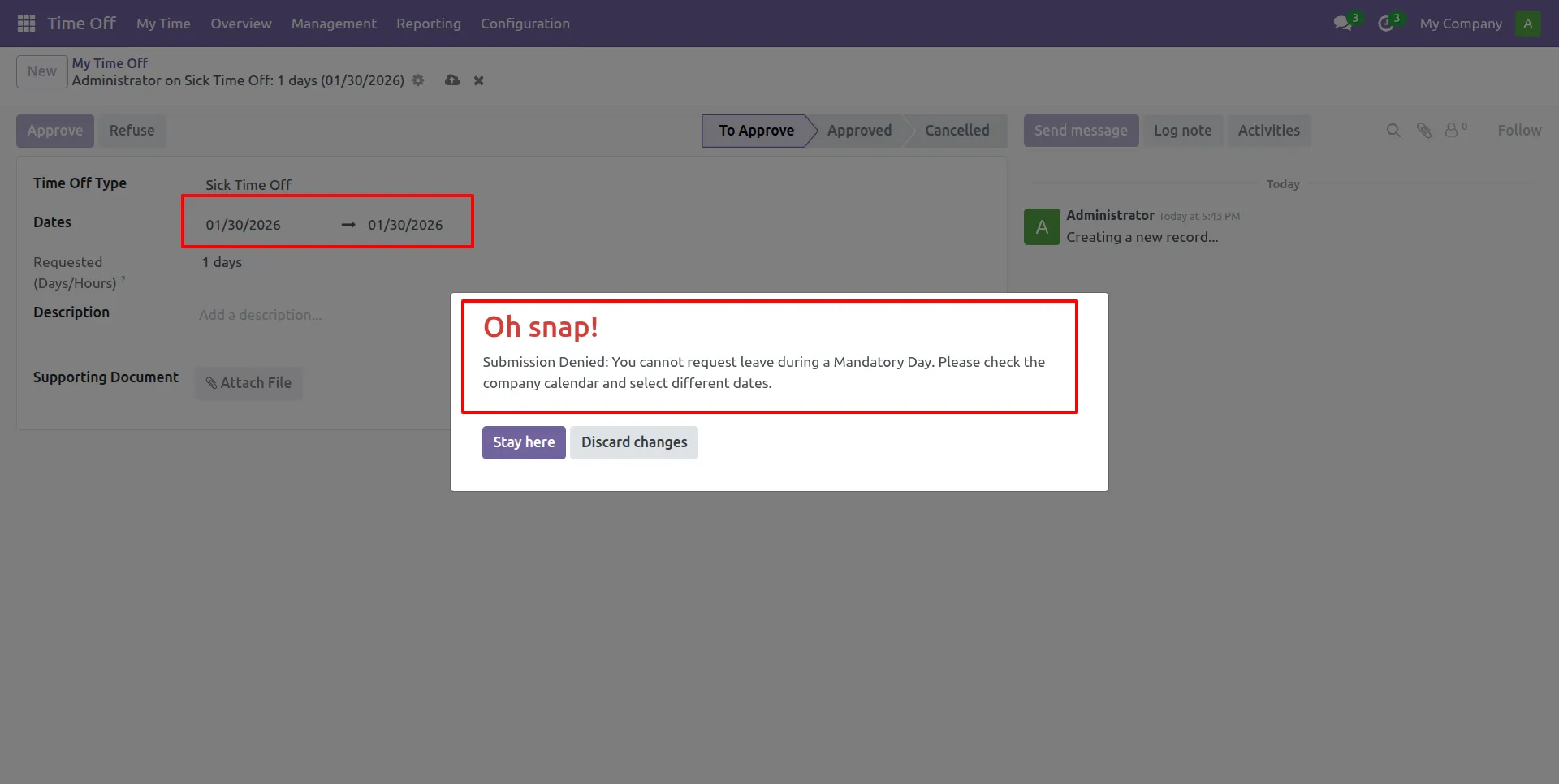
6.Employees are restricted from requesting Time Off on dates designated as Mandatory Days in the system.
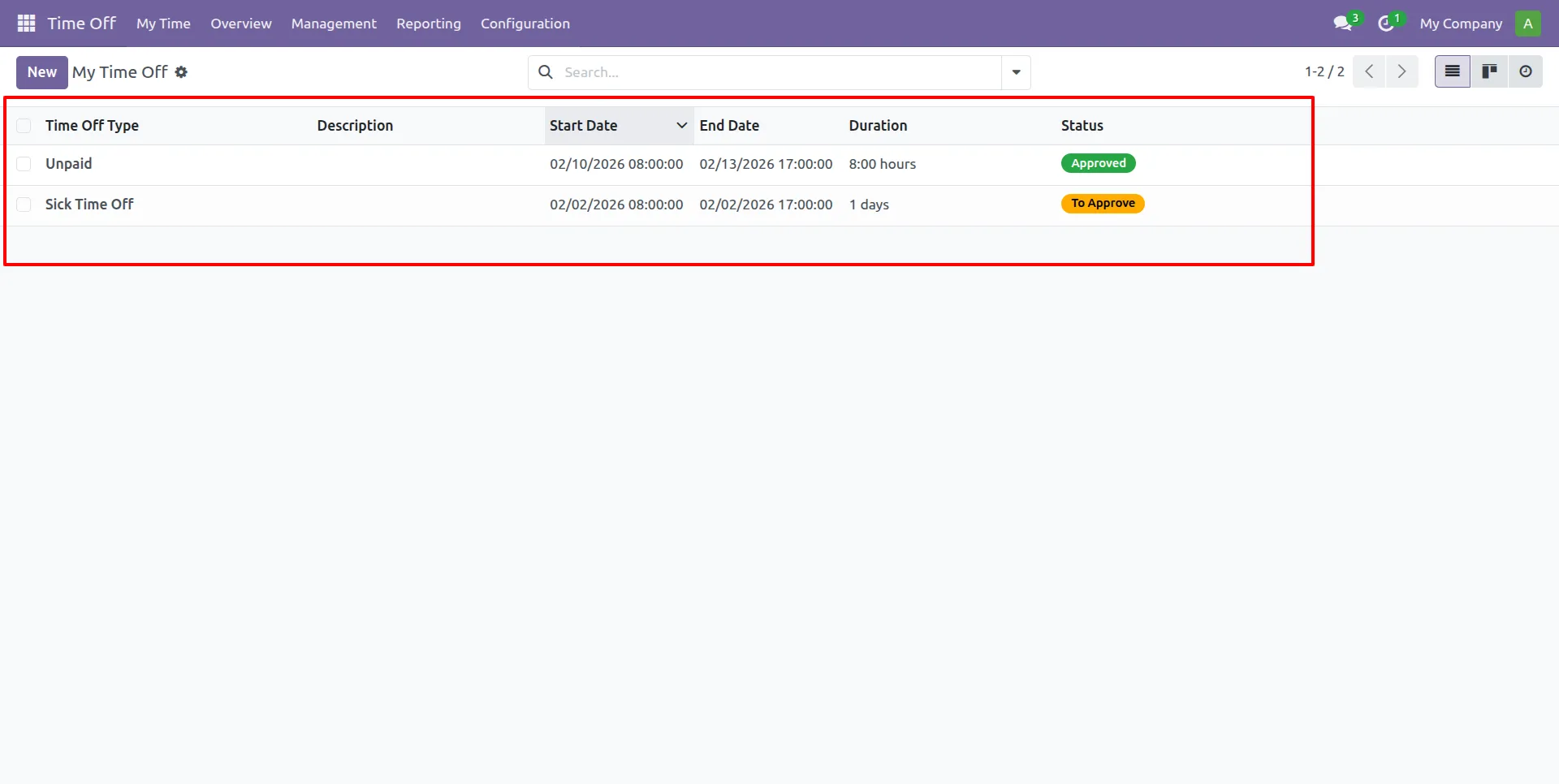
7.Employees can view and track the status of their personal Time Off requests in this list.
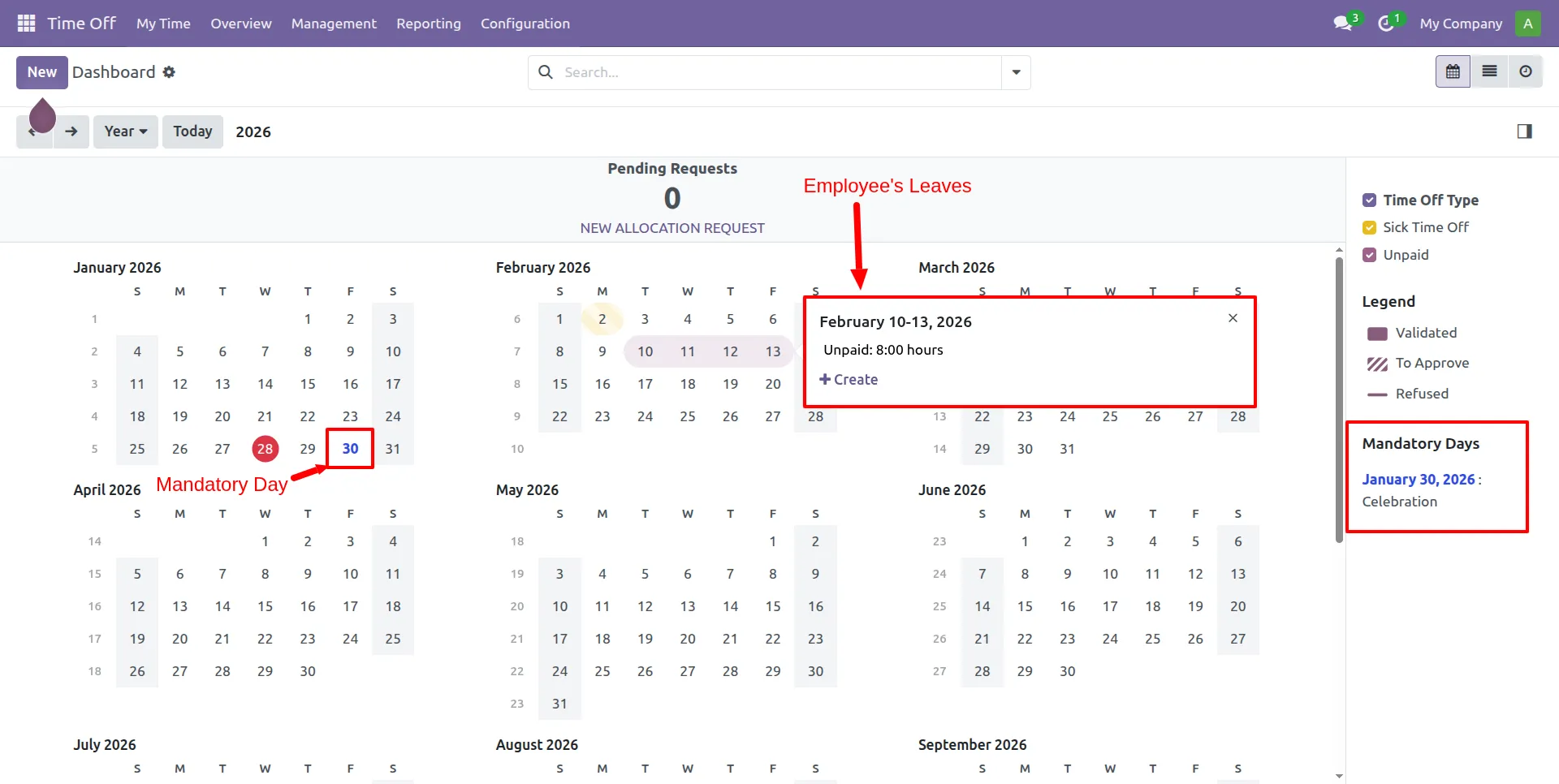
8.Employees can view the Company Calendar to see upcoming Mandatory Days and track their personal leave requests.
Our solutions focus on your problems
- Odoo Implementation
- Odoo Customization
- ERP Development and Implementation
- Odoo Ipass Cloud
- AI for Odoo
- Odoo Apps
- Aws Marketplace Products
- Business Engines
Our Pricing includes User Manual, 90 Days Support (Monday-Friday 10am to 7pm IST) and One time Setup
• Works & tested on standard installations of Odoo with no third party apps,
• Free support only for odoo installations with no third party apps,
• Paid support available for Odoo installations with third party apps.

Prefortune is a Odoo Official Partner, Odoo Development company. Our philosophy is to use Open Source tools and technologies to provide cost effective and green solutions for our customers.
Prefortune Technologies LLP is working on web development, Mobile development, and Odoo ERP.
If you need any help or want more additional features, you may contact us through:
Alternative Products
These other products might interest you
Specifications
| Version | 19.0, 18.0, 17.0, 16.0 |