Watch Quick Video

Add Dynamic Fields in Website Signup
Our all-inclusive
Odoo – Add Dynamic Fields in Website Signup in Odoo this module makes it very easy to do. If you manage multiple websites, you can set up different signup questions for each specific site. Any details your new customers type in are instantly saved straight to their contact profile in your database. Most importantly, if you have already created custom fields using Odoo Studio, you can easily add those directly to your public signup page without writing any code.
The system also automatically checks the answers as they are typed to prevent spam, mistakes, or missing information. Whether you need to ask for a tax number from a business buyer or just basic preferences from a regular shopper, this tool adapts perfectly to fit your exact needs.
Key Features
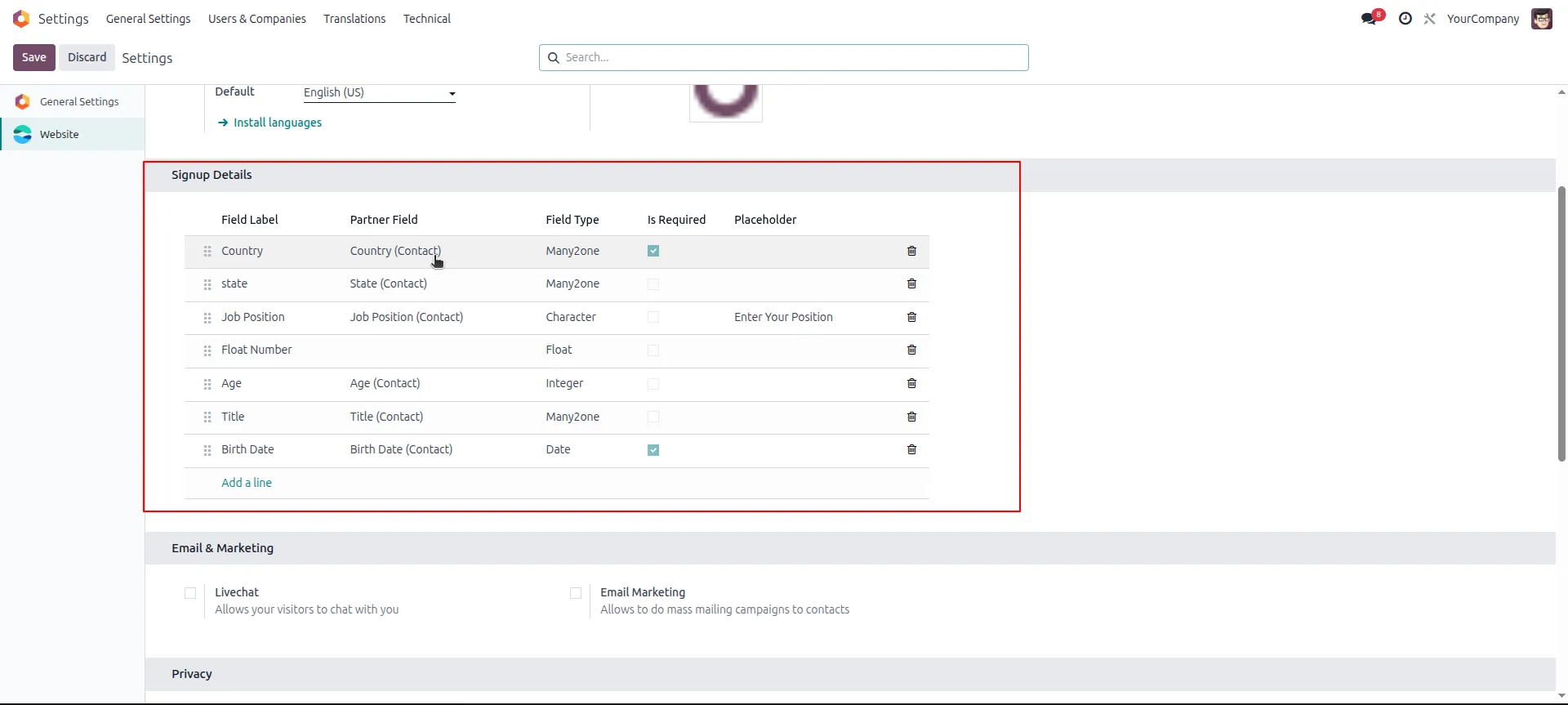
1.Navigate to the Website settings in the Odoo backend to configure your custom signup fields, mapping them directly to the corresponding partner fields and setting them as required if needed.
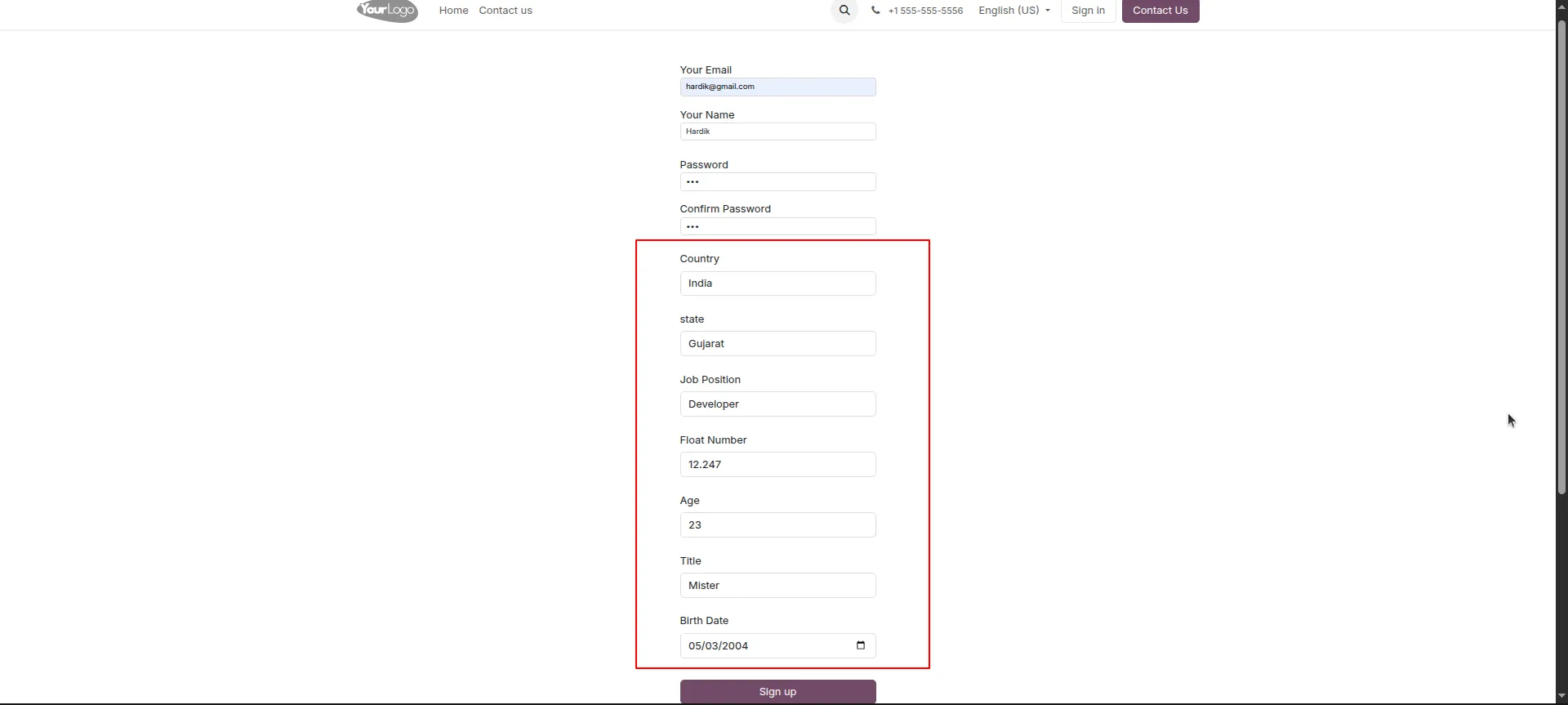
2.On the public website, new visitors will now see these dynamically added fields integrated directly into the standard signup form, allowing them to input the requested information during account creation.
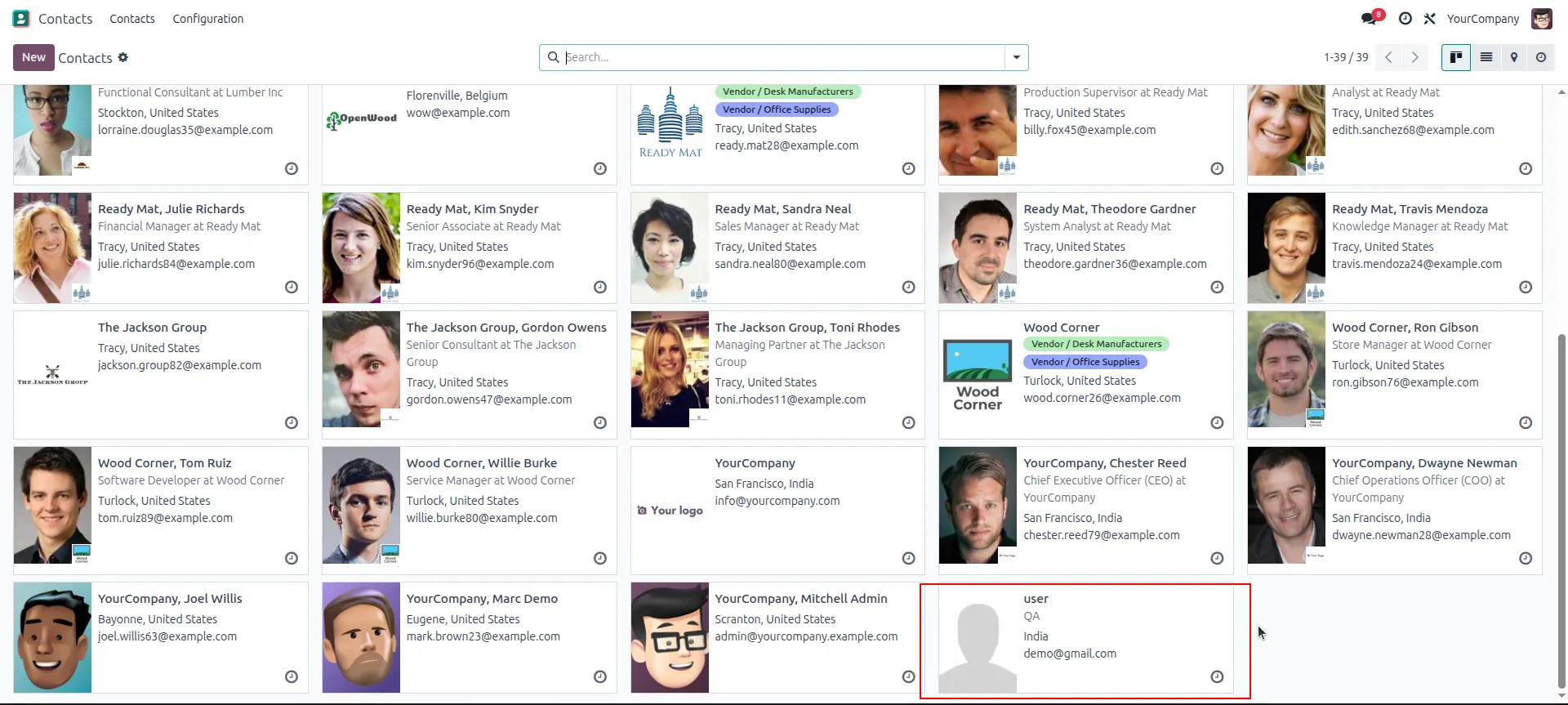
3.Once the user submits the registration form, the system automatically generates a new customer profile, which you can immediately see within the backend Contacts app dashboard.
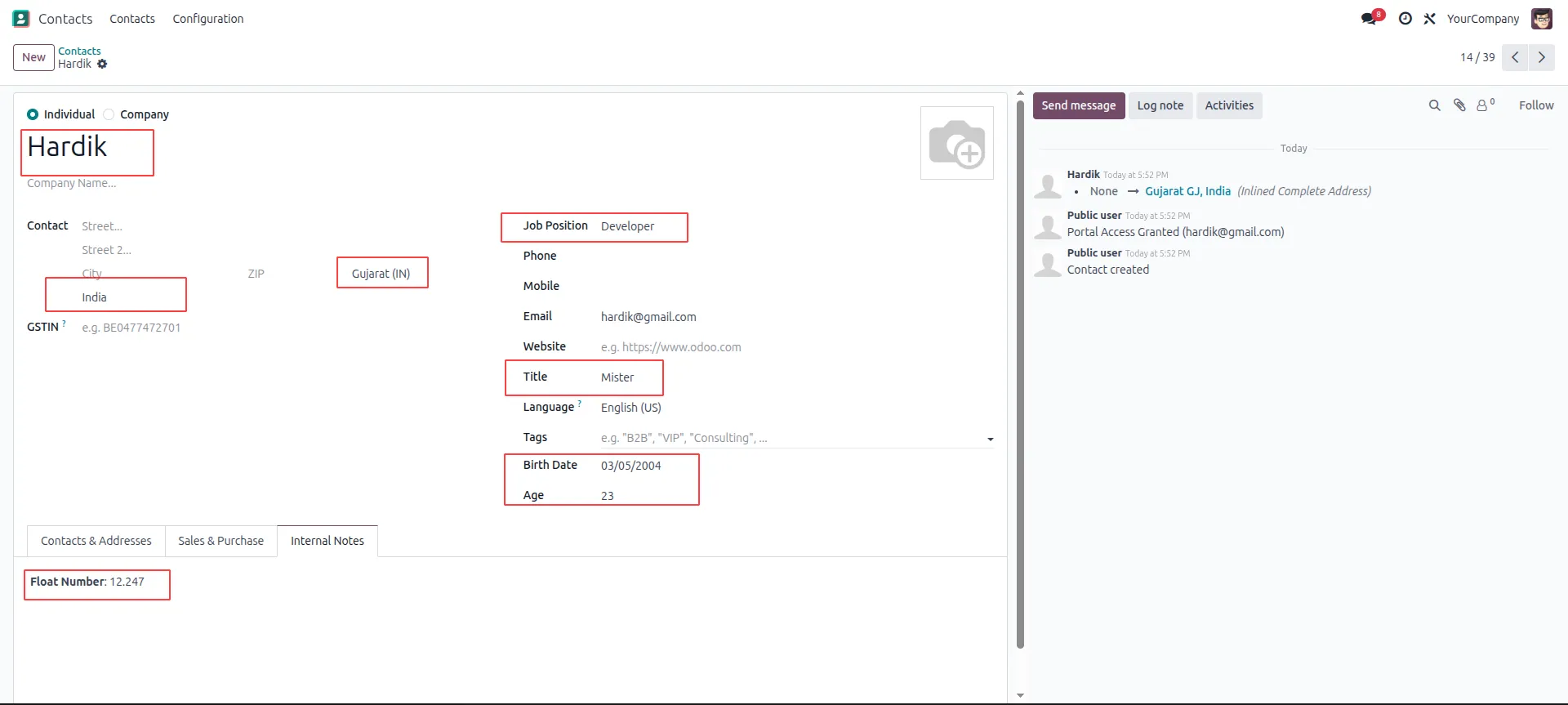
4.Open the newly created contact record to verify that all the specific data entered on the frontend has been perfectly synced and saved into the correct fields on their backend profile.
Our solutions focus on your problems
- Odoo Implementation
- Odoo Customization
- ERP Development and Implementation
- Odoo Ipass Cloud
- AI for Odoo
- Odoo Apps
- Aws Marketplace Products
- Business Engines
Our Pricing includes User Manual, 90 Days Support (Monday-Friday 10am to 7pm IST) and One time Setup
• Works & tested on standard installations of Odoo with no third party apps,
• Free support only for odoo installations with no third party apps,
• Paid support available for Odoo installations with third party apps.

Prefortune is a Odoo Official Partner, Odoo Development company. Our philosophy is to use Open Source tools and technologies to provide cost effective and green solutions for our customers.
Prefortune Technologies LLP is working on web development, Mobile development, and Odoo ERP.
If you need any help or want more additional features, you may contact us through:
Alternative Products
These other products might interest you
Specifications
| Version | 19.0, 18.0, 17.0, 16.0, 15.0, 14.0 |