Watch Quick Video
Accounts Payable Management
Efficient Odoo
Accounts Payable Management
is a powerful accounting add-on that will totally eliminate the annoying manual payment reconciliation process. This module will save your finance team hours with easy, bulk payment allocation. You can select several invoices, bills or payments and match the outstanding amounts in batches with the help of a wizard instead of matching payments one by one. This helps you to allocate properly at the right partner and posting documents and makes your accounting process more streamlined and efficient.
1. Bulk Payment Distribution: Bulk payment allocation and reduction in need for manual reconciliation which is labour intensive.
2. Automated Validation: Automates the validation of partners and document states to minimise human error.
3. Two-Way Assignment: Good management of large amount of customer payments and large vendor liabilities.
4. Accurate & Reliable: Maintains accurate, neat and balanced financial records.
5. Smart Filtering: Automatically pre-filter incompatible or non-posted entries prior to any allocation.
Which means greater efficiency, accuracy and easier management of payments over your accounting functions.
Accounts Payable Management Features
- Easily allocate payments to multiple invoices or bills via a wizard.
- Enable or disable the module's feature from Accounting Settings.
- Automatically validate partner and posted state to prevent misallocation.
- Bulk select payments to assign them to corresponding open invoices/bills.
Accounts Payable Management Workflow
Method 1: From Invoices/Bills
Go to Invoicing → Customers → Invoices (or Vendors → Bills) and select the specific invoices you want to allocate payments for. Trigger the 'Assign Outstanding Payment' wizard from the action menu. The system will show available outstanding payments for the partner. Select the desired payments and confirm. The module will automatically reconcile the selected payments against the invoices, changing their status to 'In Payment' or 'Paid'.
Method 2: From Payments
Go to Invoicing → Customers → Payments (or Vendors → Payments) and select multiple unallocated payments for the same partner. Trigger the 'Payment Allocation' wizard from the action menu. The wizard displays all open invoices/bills for the partner. Select the documents you want to clear and click confirm to instantly allocate the payments.
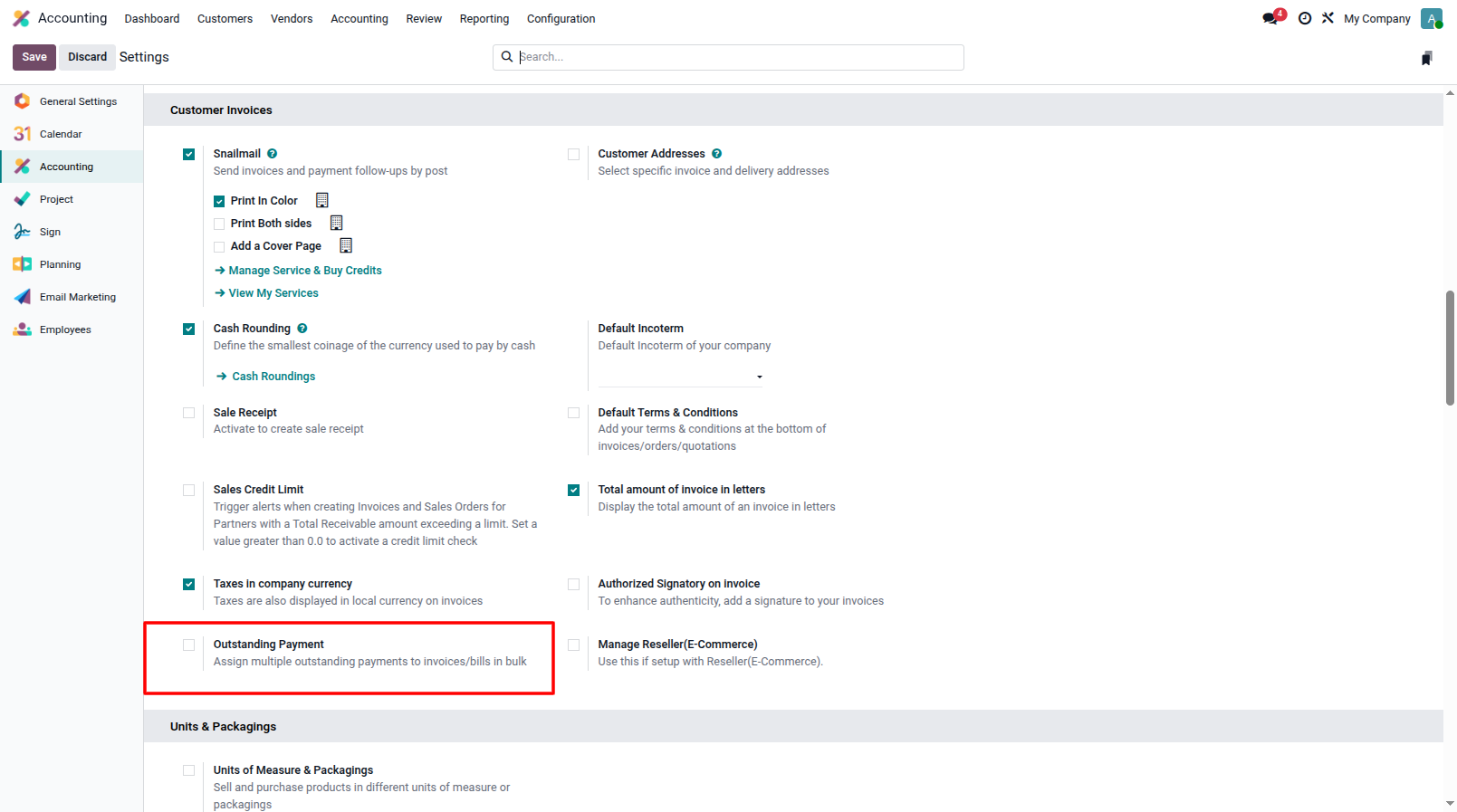
1. Settings Configuration: Navigate to Accounting Settings to enable or disable the outstanding payment allocation feature.
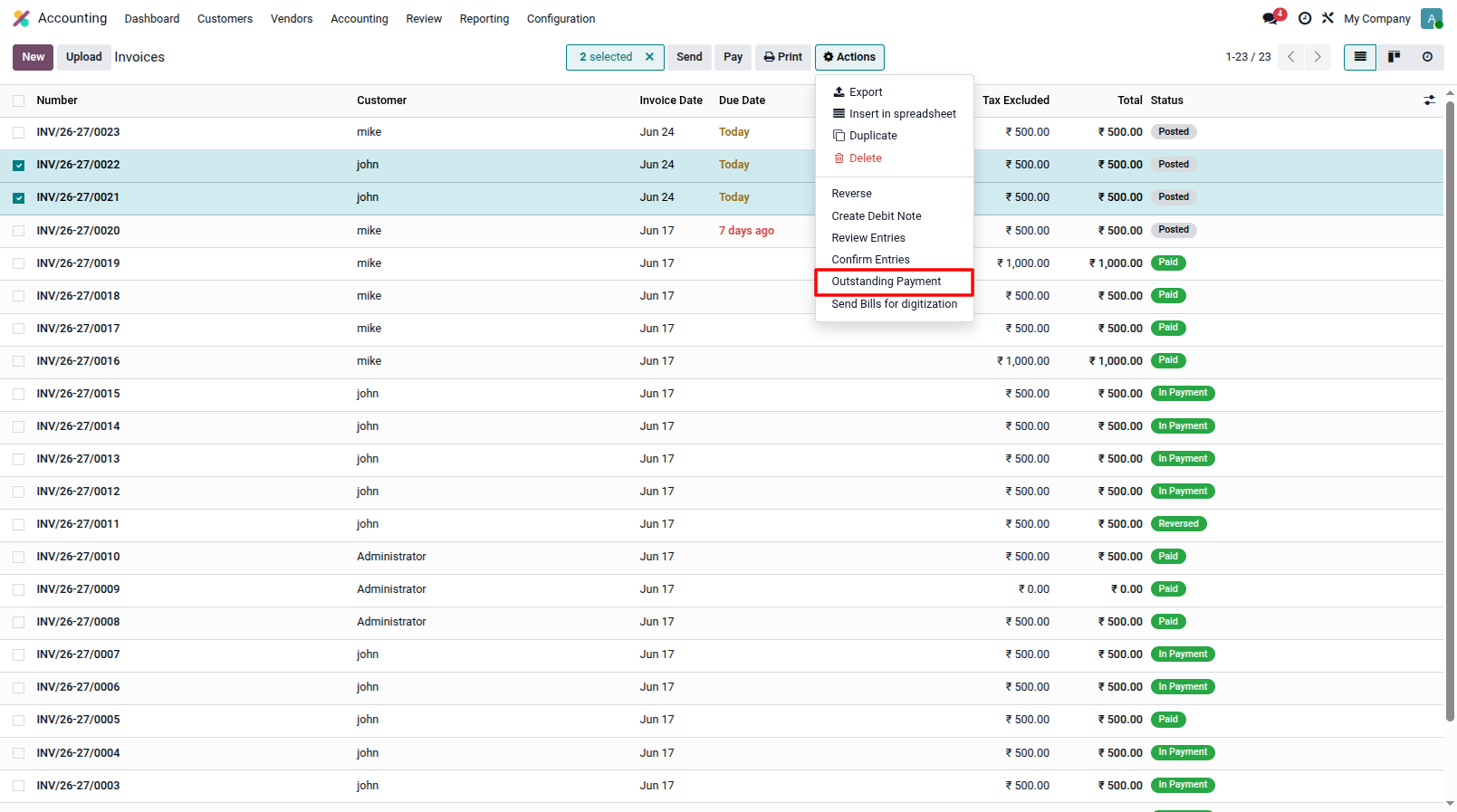
2. Invoice Assignment: Select multiple invoices and trigger the 'Outstanding Payment' wizard from the action menu.
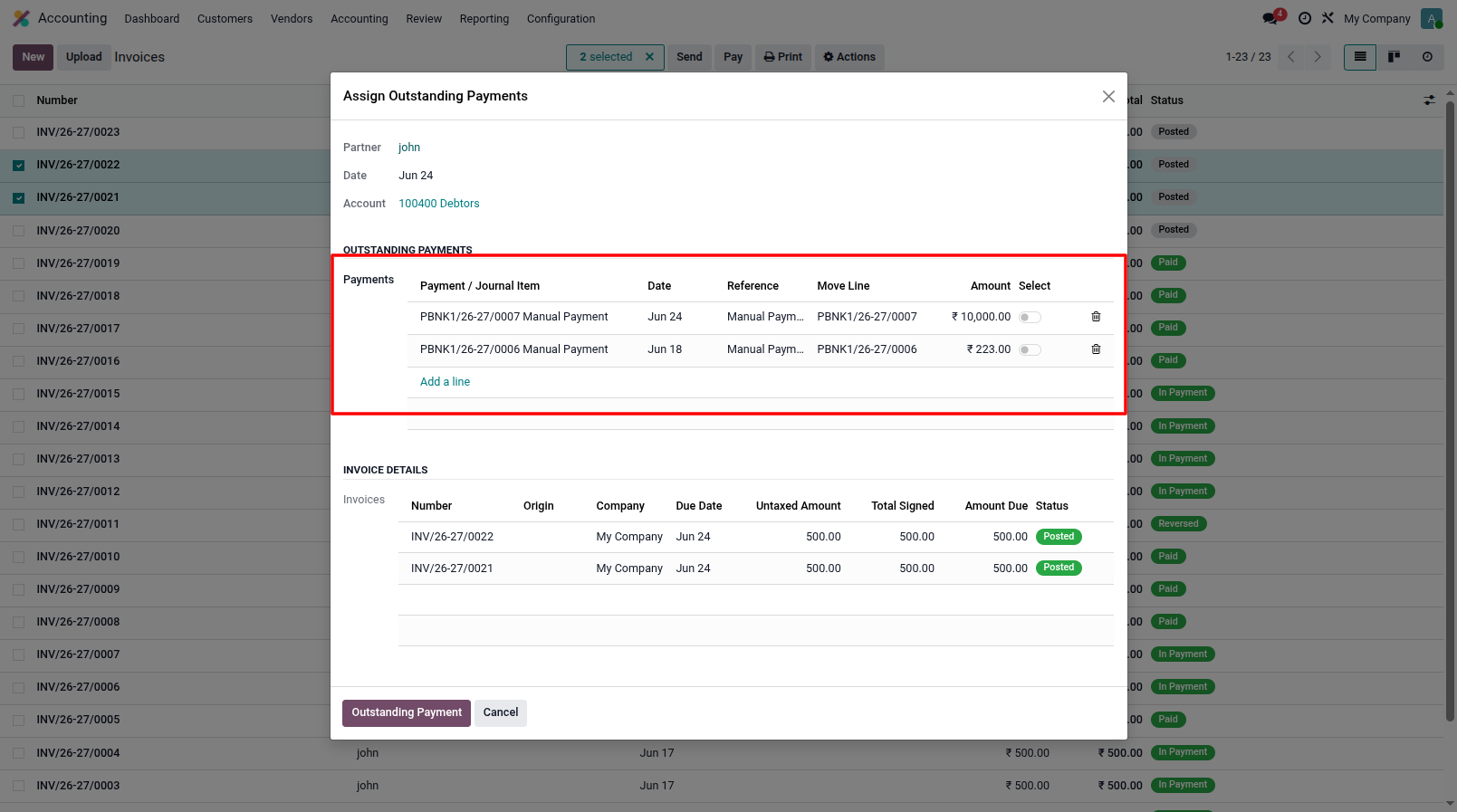
3. Select Payments: In the wizard, you can select multiple outstanding payments to assign them to the selected invoices in bulk.
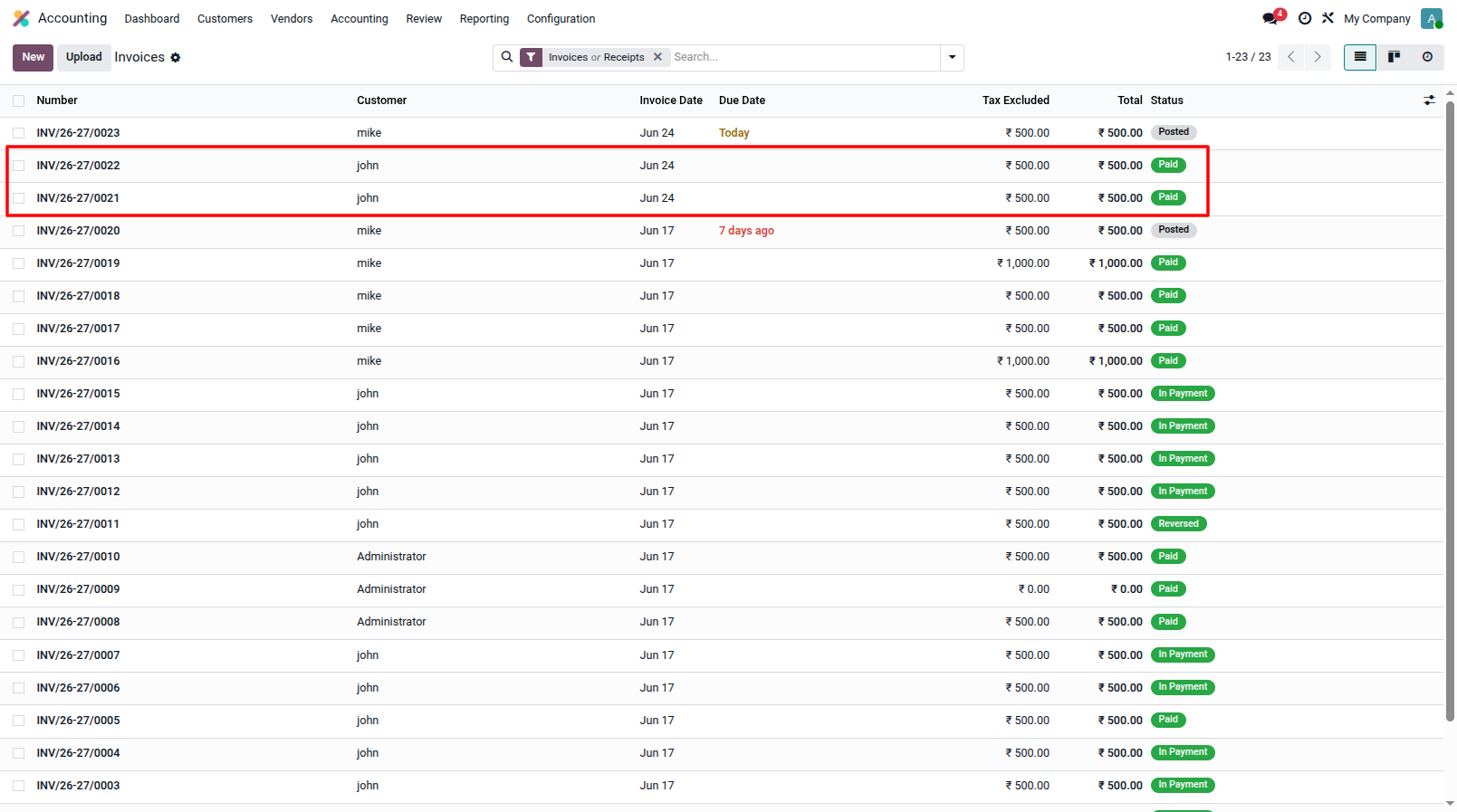
4. Invoice Status Updated: After the allocation is completed, the selected invoices will automatically update their status to 'In Payment' or 'Paid'.
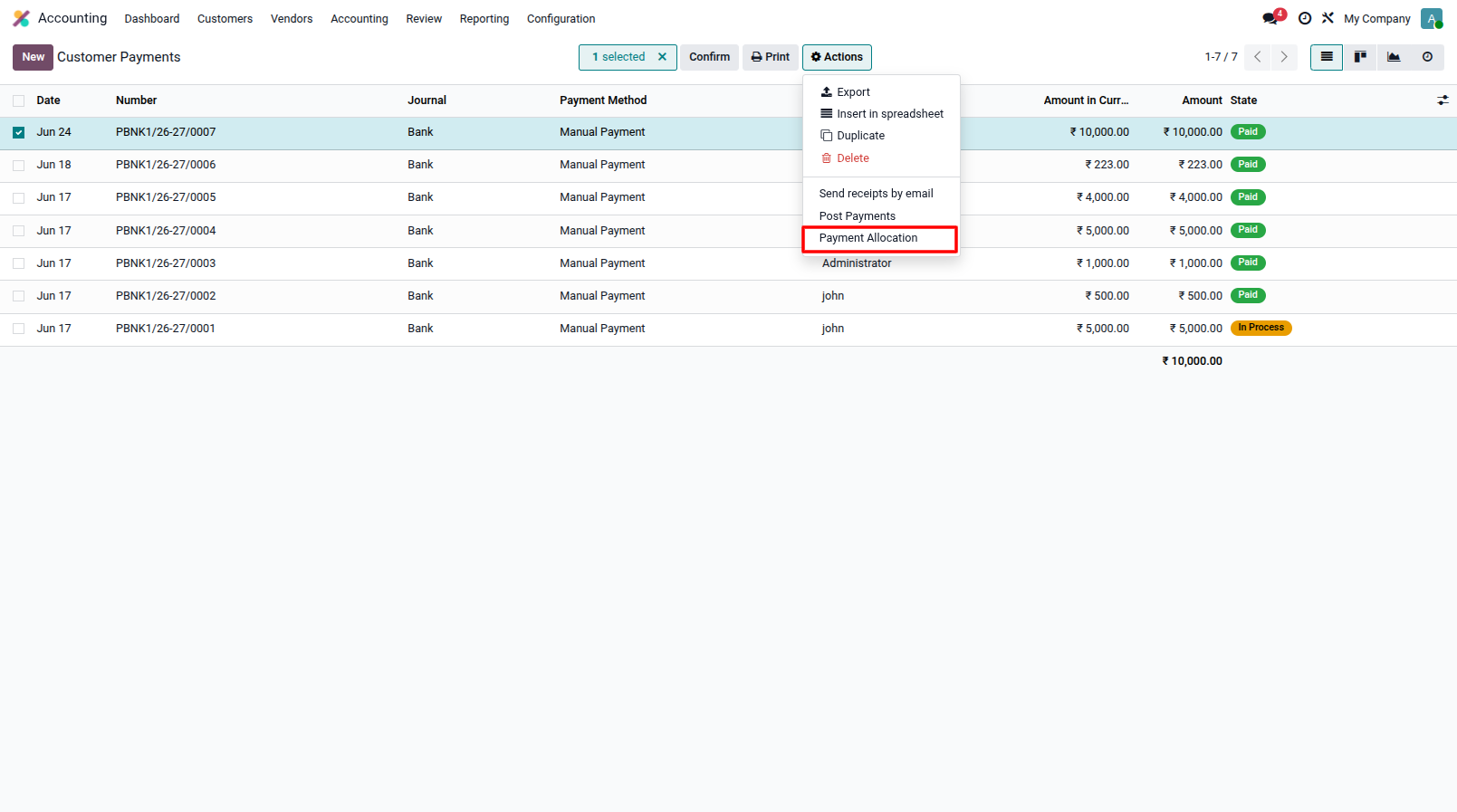
5. Payment Allocation Action: Alternatively, go to the Payments view, select multiple unallocated payments, and trigger the 'Payment Allocation' wizard from the action menu.
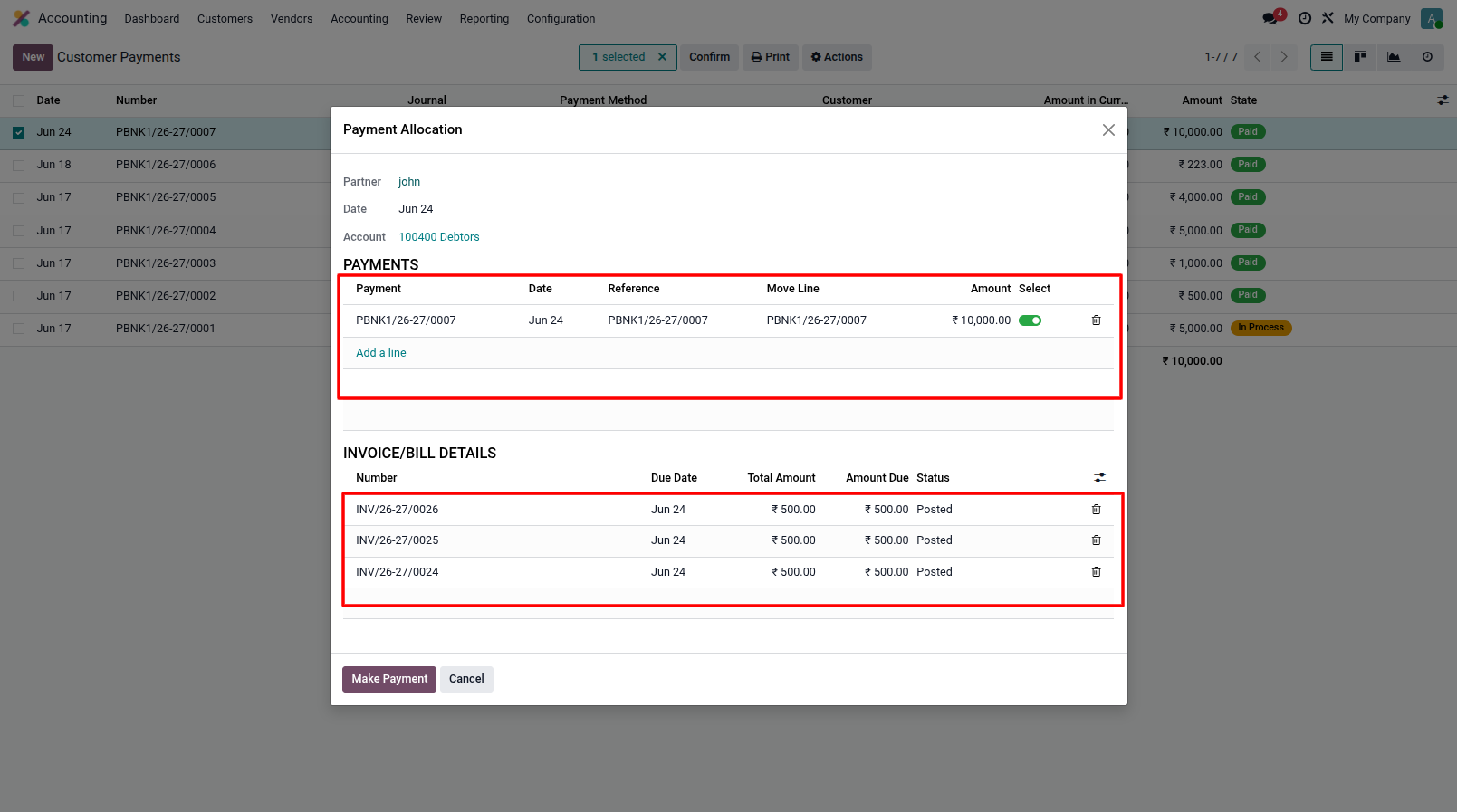
6. Payment Allocation Wizard: Use the wizard to easily map and allocate the selected payments to any open bills or invoices for that partner.
Our solutions focus on your problems
- Odoo Implementation
- Odoo Customization
- ERP Development and Implementation
- Odoo Ipass Cloud
- AI for Odoo
- Odoo Apps
- Aws Marketplace Products
- Business Engines
Our Pricing includes User Manual, 90 Days Support (Monday-Friday 10am to 7pm IST) and One time Setup
• Works & tested on standard installations of Odoo with no third party apps,
• Free support only for odoo installations with no third party apps,
• Paid support available for Odoo installations with third party apps.

Prefortune is a Odoo Official Partner, Odoo Development company. Our philosophy is to use Open Source tools and technologies to provide cost effective and green solutions for our customers.
Prefortune Technologies LLP is working on web development, Mobile development, and Odoo ERP.
If you need any help or want more additional features, you may contact us through:
Alternative Products
These other products might interest you
Specifications
| Version | 19.0, 18.0, 17.0, 16.0, 15.0, 14.0 |