Watch Quick Video
Manufacturing Cost Estimation Pro Odoo
Our all-inclusive
Odoo – Manufacturing Cost Estimation Pro Odoo
enhances the Odoo manufacturing workflow by delivering a important and flexible manufacturing
cost estimation Odoo system. It enables users to perform accurate product cost estimation by
calculating costs for components, labor cost computation in Odoo, operations, and mixed charges
before real manufacturing.
This helps businesses better planning, maintain better cost control, and make informed opinions
with accurate cost visibility in Odoo. The system integrates smoothly with Bill of
Materials(BoM), Manufacturing Orders(MO), and quotations, supporting a better estimation to
product workflow. It also supportsmulti- company surroundings, ensuring effective operations and
reliable manufacturing cost tracking across the entire product process.
Key Features
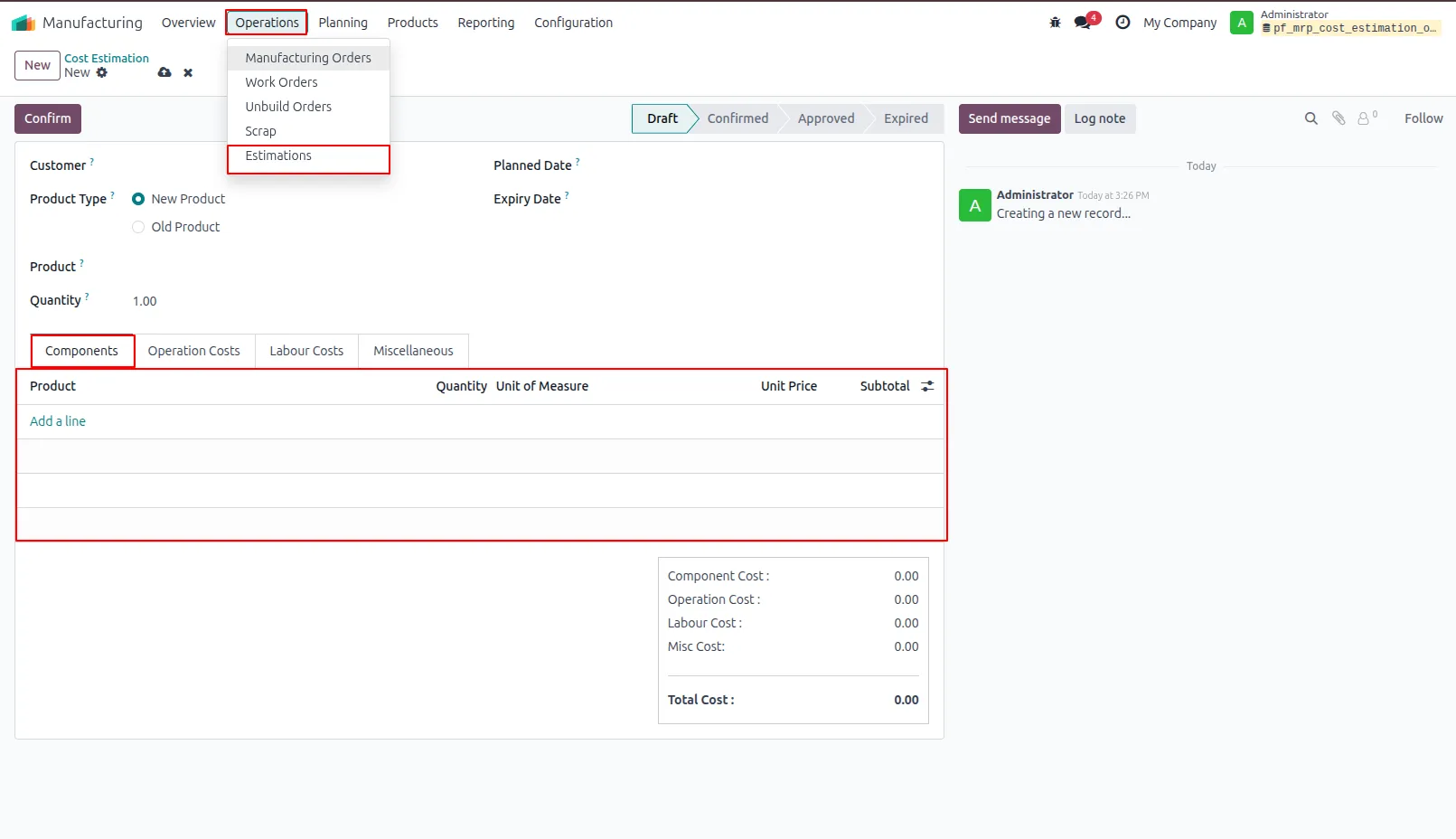
1.New Product Manufacturing Estimation Form view to create a manufacturing estimation for a new product, including quantity, planned start date, and expiry date.
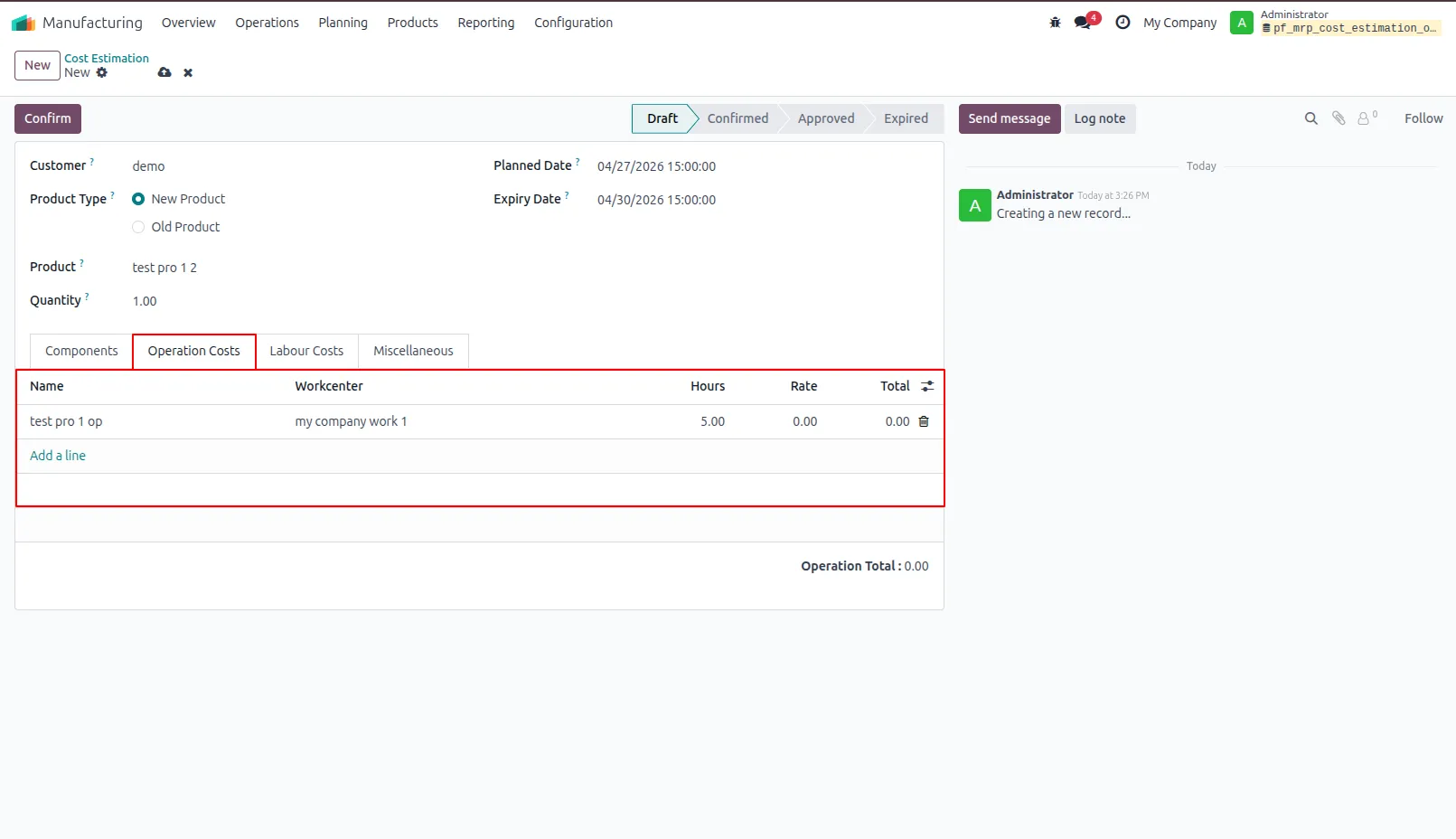
2.Product Operation Cost Provides detailed information about the product manufacturing estimation, including operations, work center, working hours, hourly rate, and total cost.
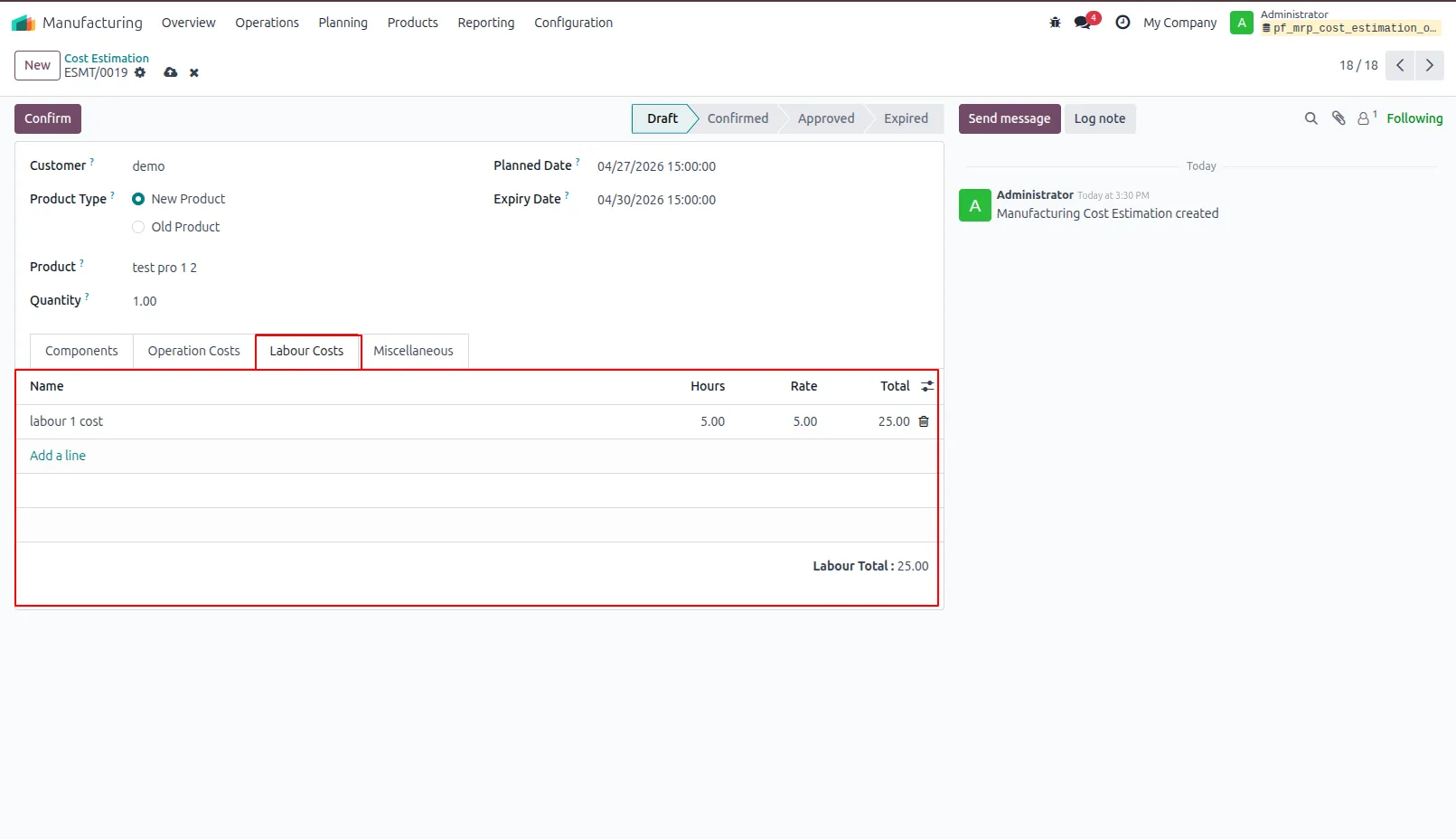
3.Product Labour Cost Provides detailed information about the product manufacturing estimation, including labour operations, working hours, hourly rate, and total labour cost.
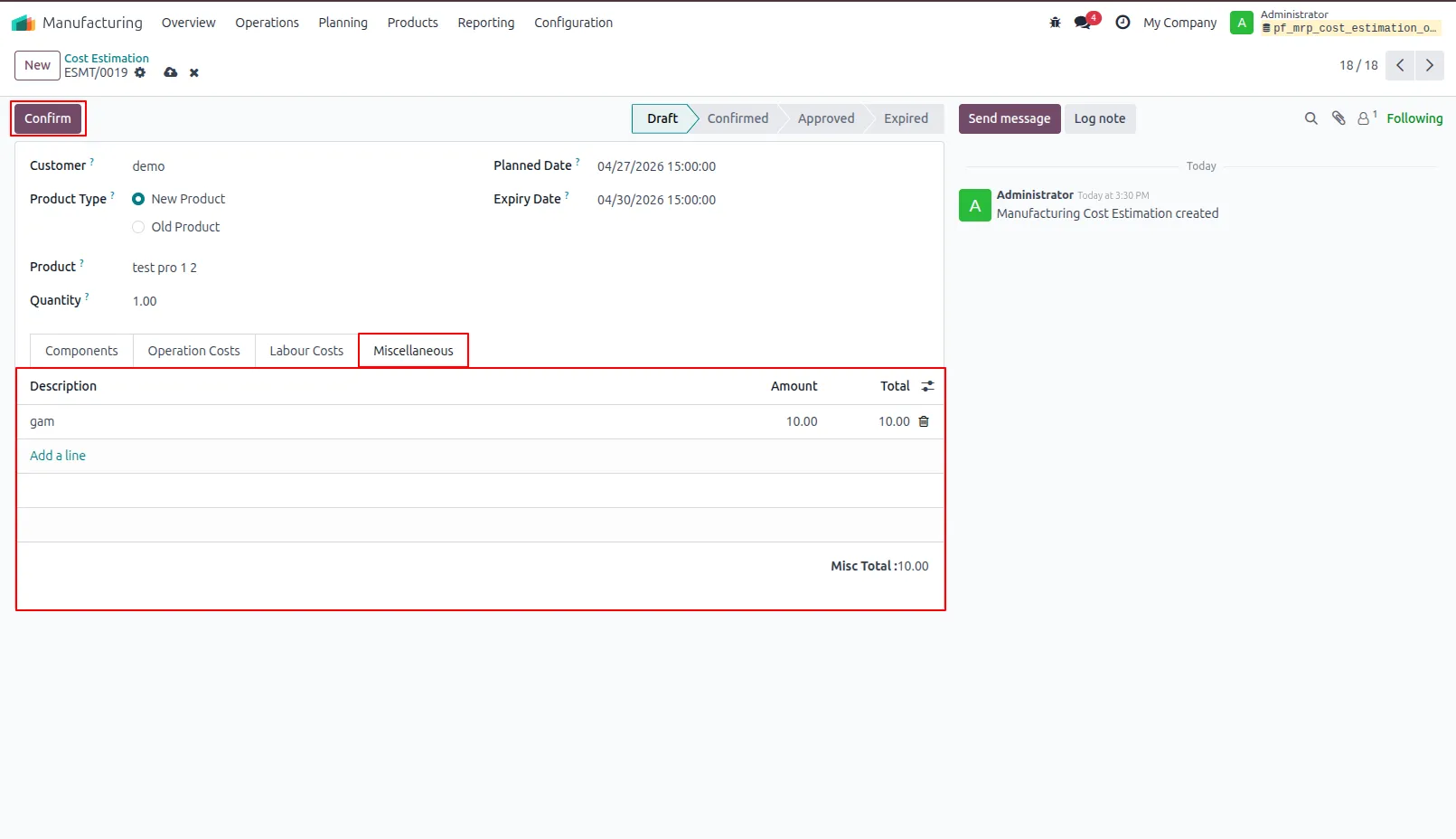
4.Product Miscellaneous Cost Provides detailed information about the product manufacturing estimation, including miscellaneous cost descriptions and total cost. It also allows confirmation of the estimation for further processing and approval.
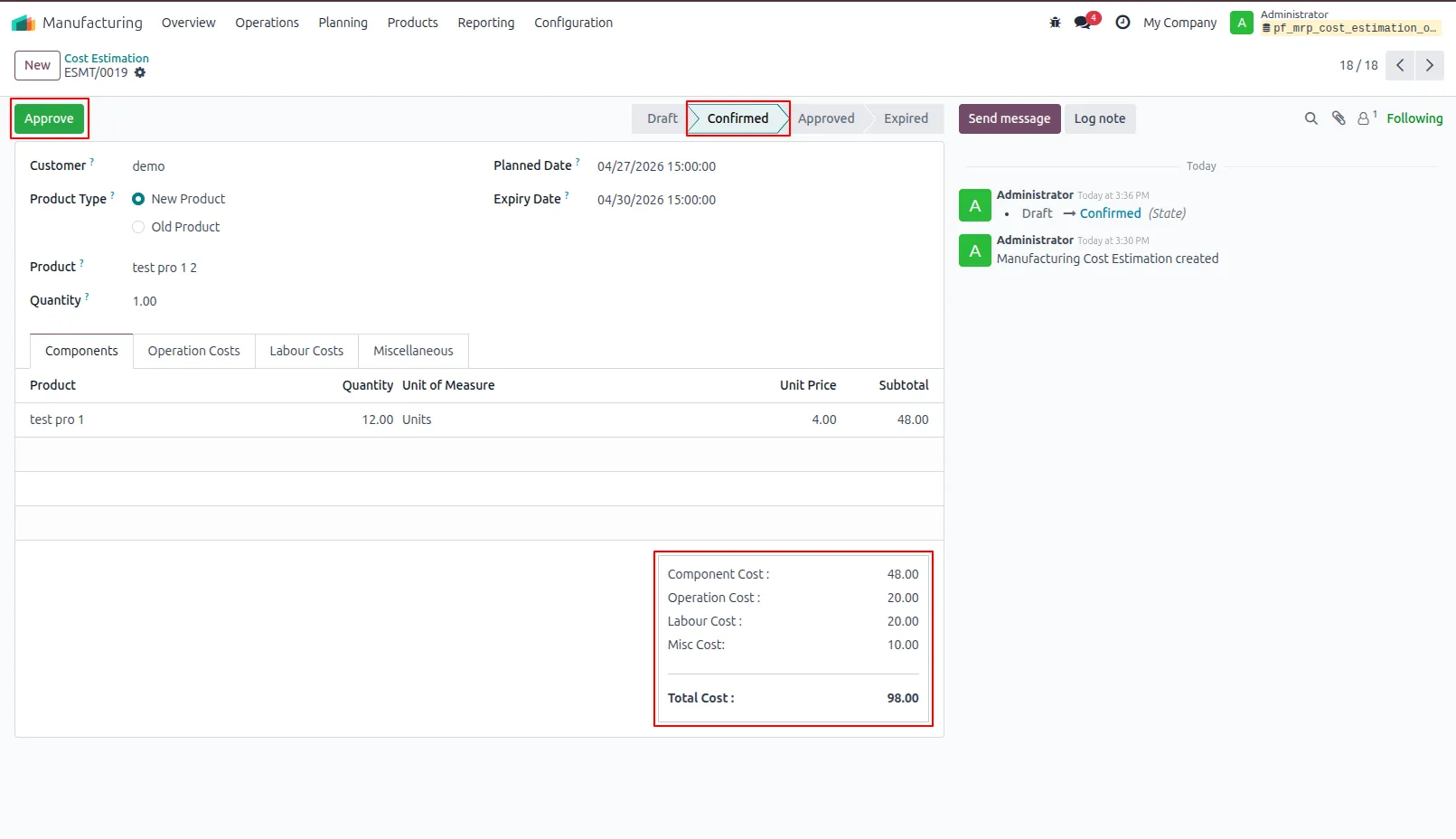
5.Approve and Send Confirmation Email Approves the manufacturing estimation and sends a confirmation email to the customer.
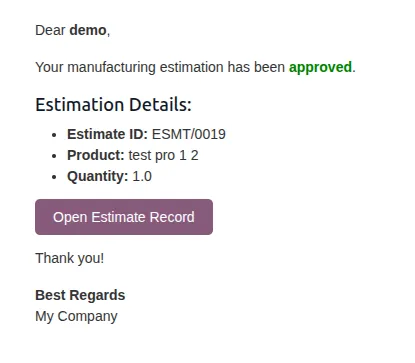
6.Sends an email to the customer containing the estimation reference number and detailed information about the selected product and its quantities.
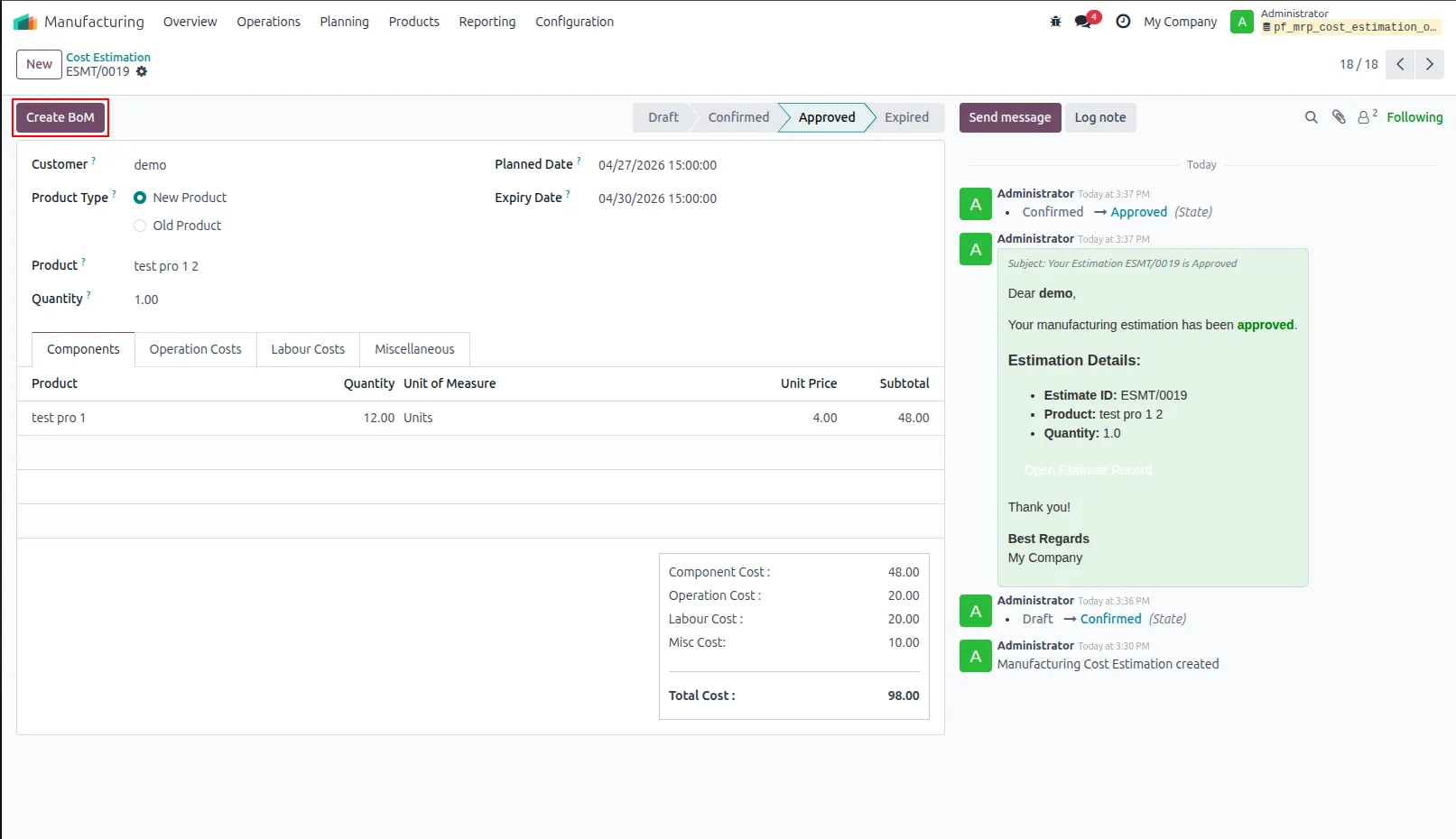
7.Allows users to generate a Bill of Materials (BoM) directly from the approved manufacturing estimation for further production processing.
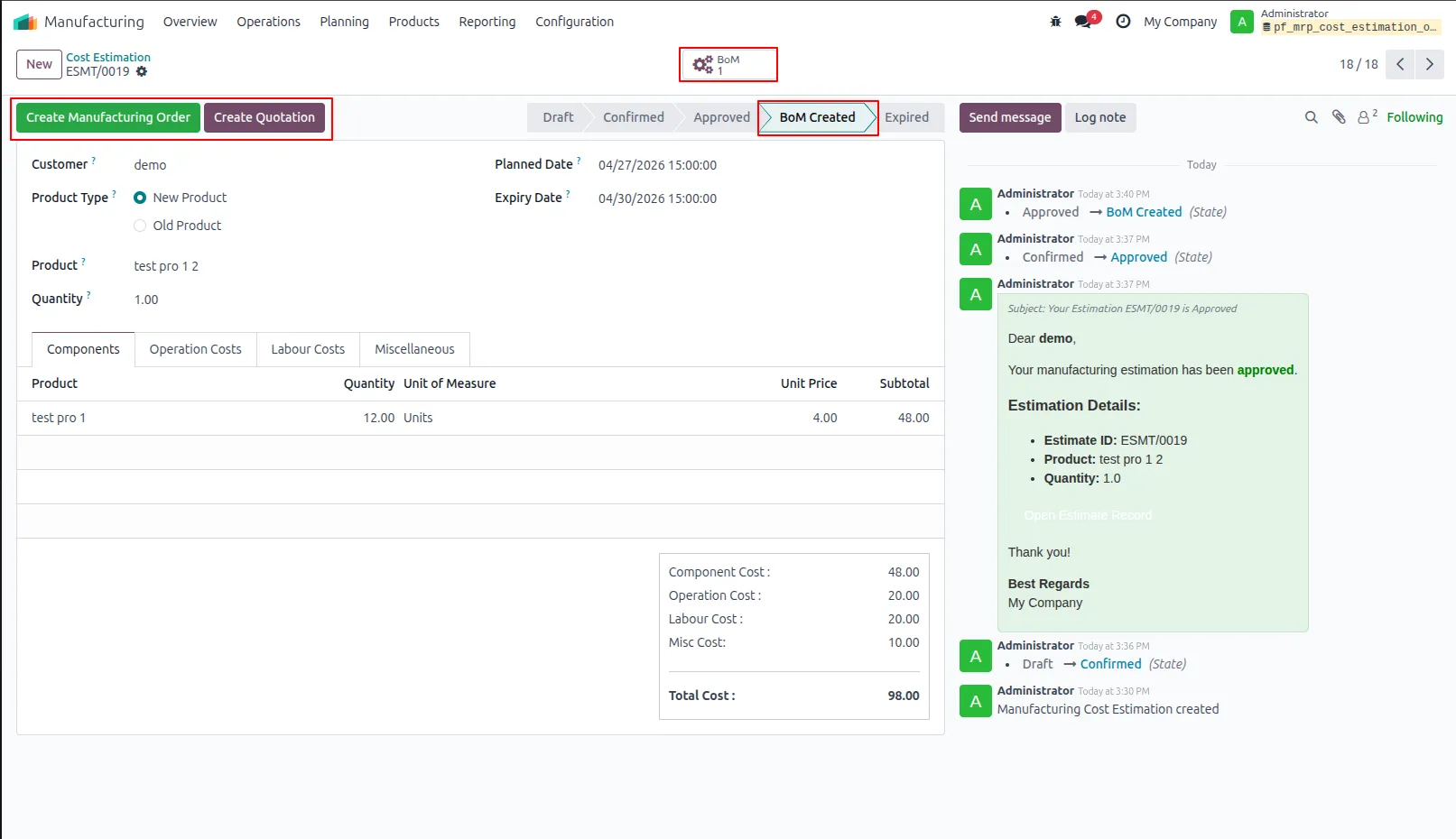
8.Displays the Bill of Materials (BoM) created from this estimation and shows its current stage.
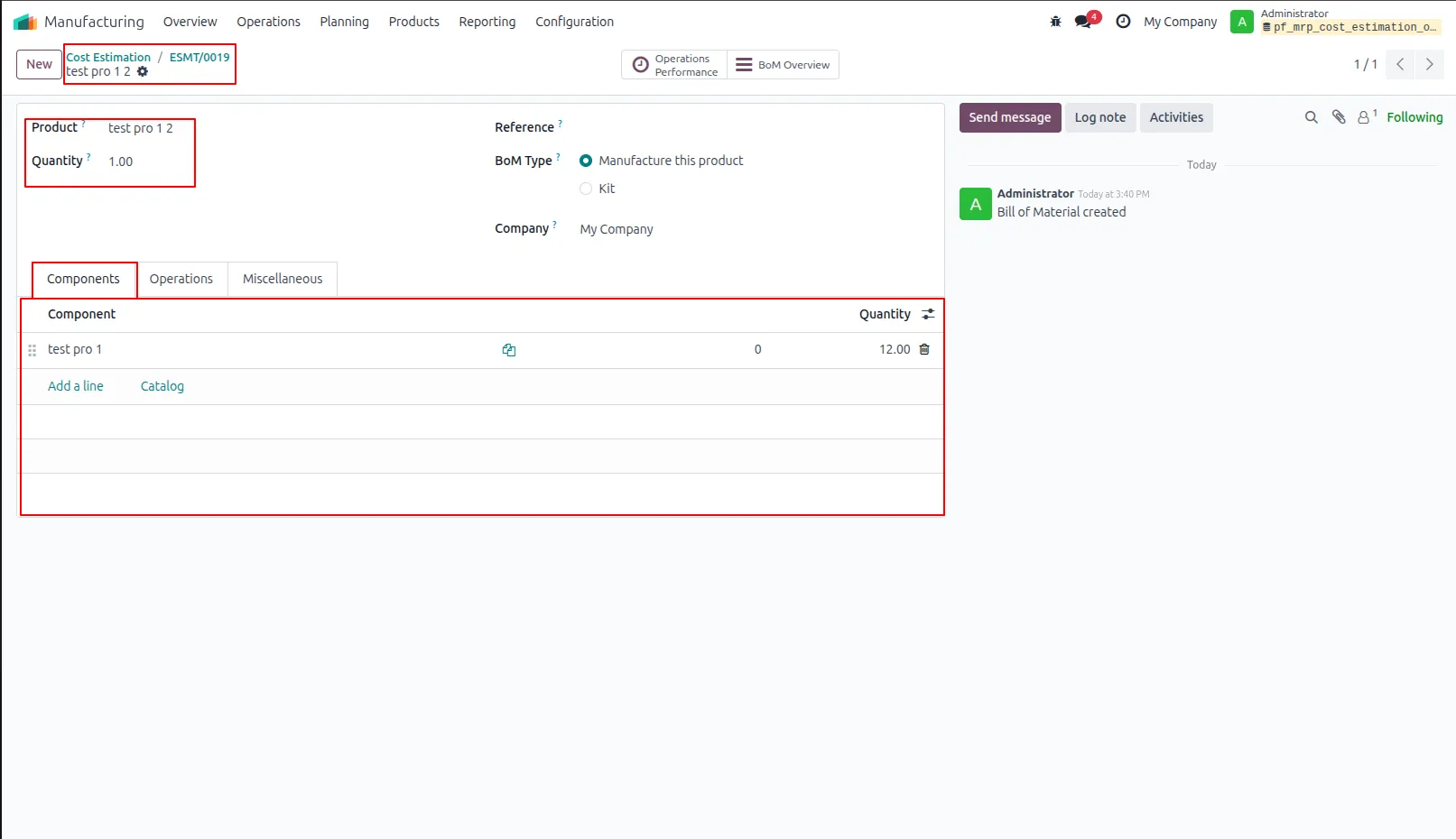
9.Shows the product, required quantities, and components needed for manufacturing in the Bill of Materials (BoM).
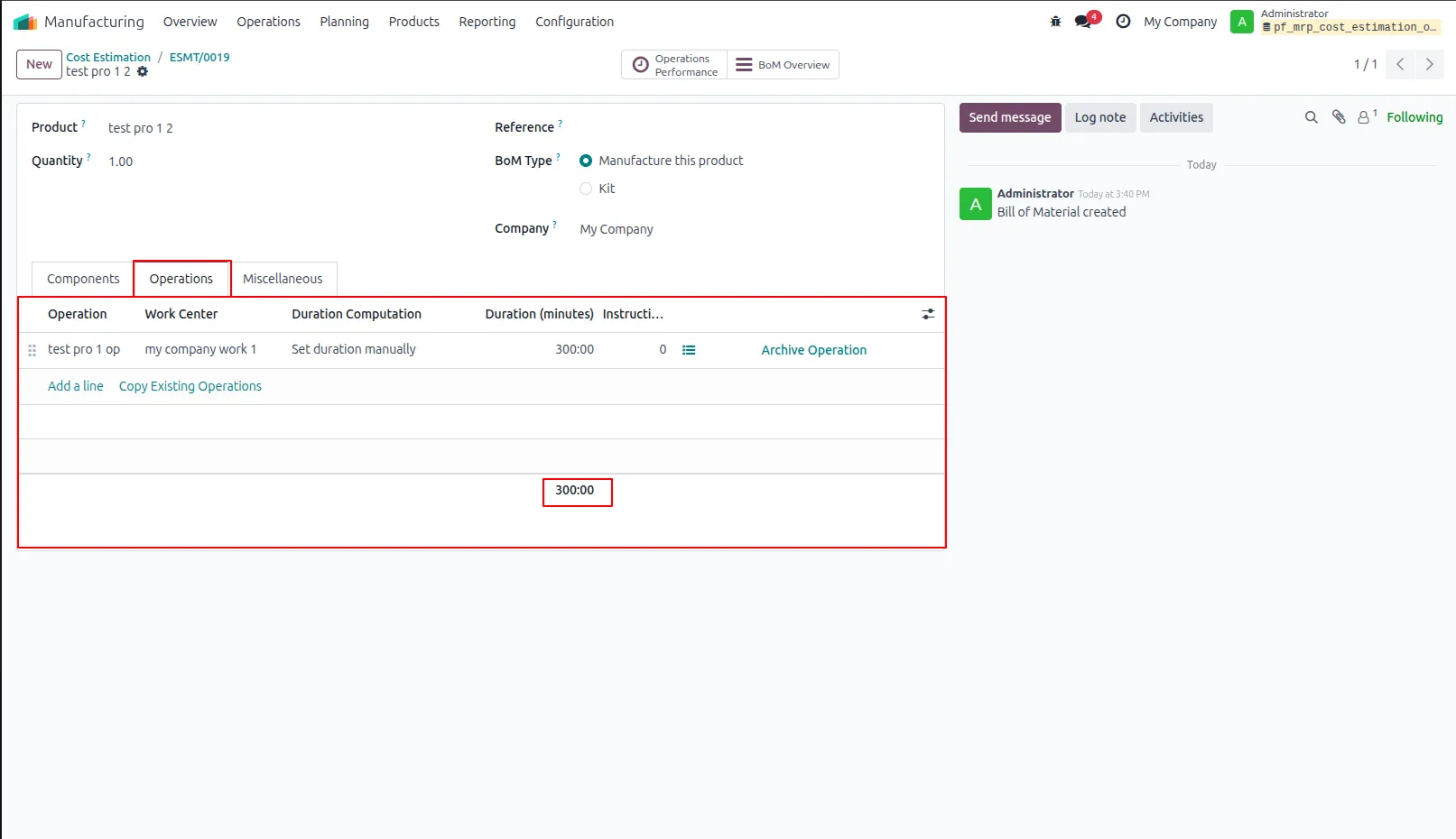
10.Displays the operations defined in the BoM required for the manufacturing process.
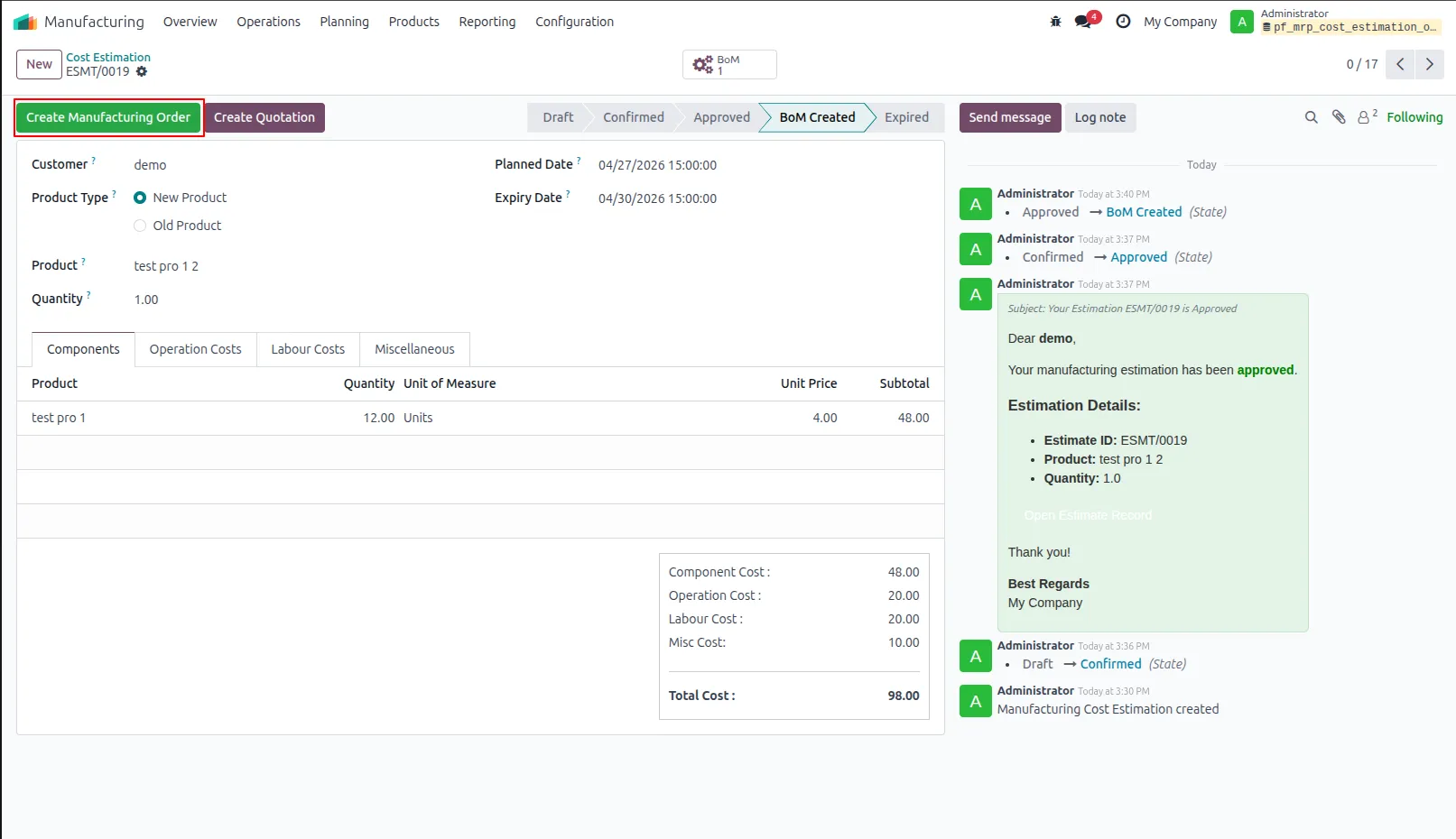
11.Create Manufacturing Order Click to generate a Manufacturing Order based on the approved Bill of Materials.
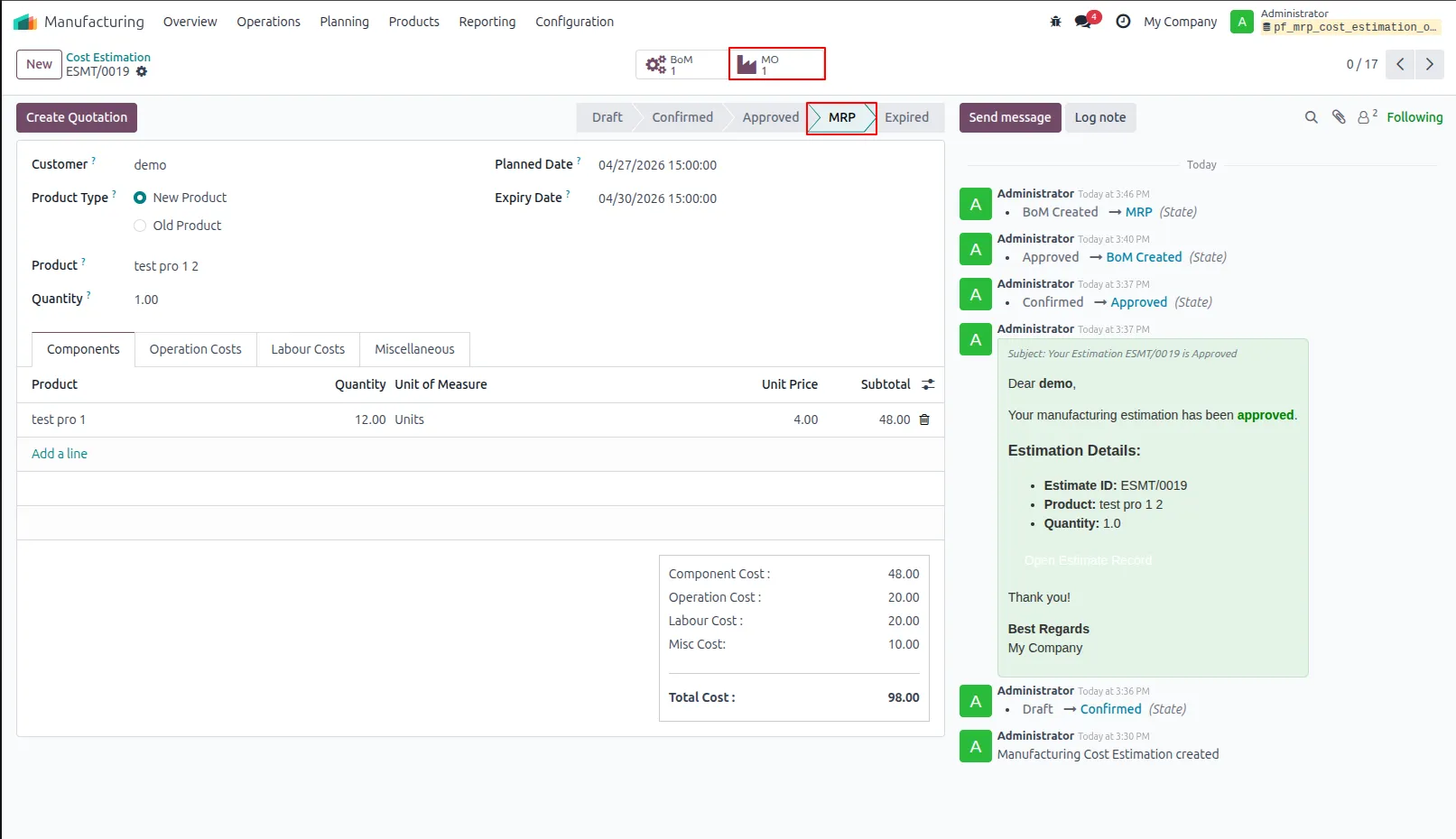
12.Displays the Manufacturing Order generated from this estimation.
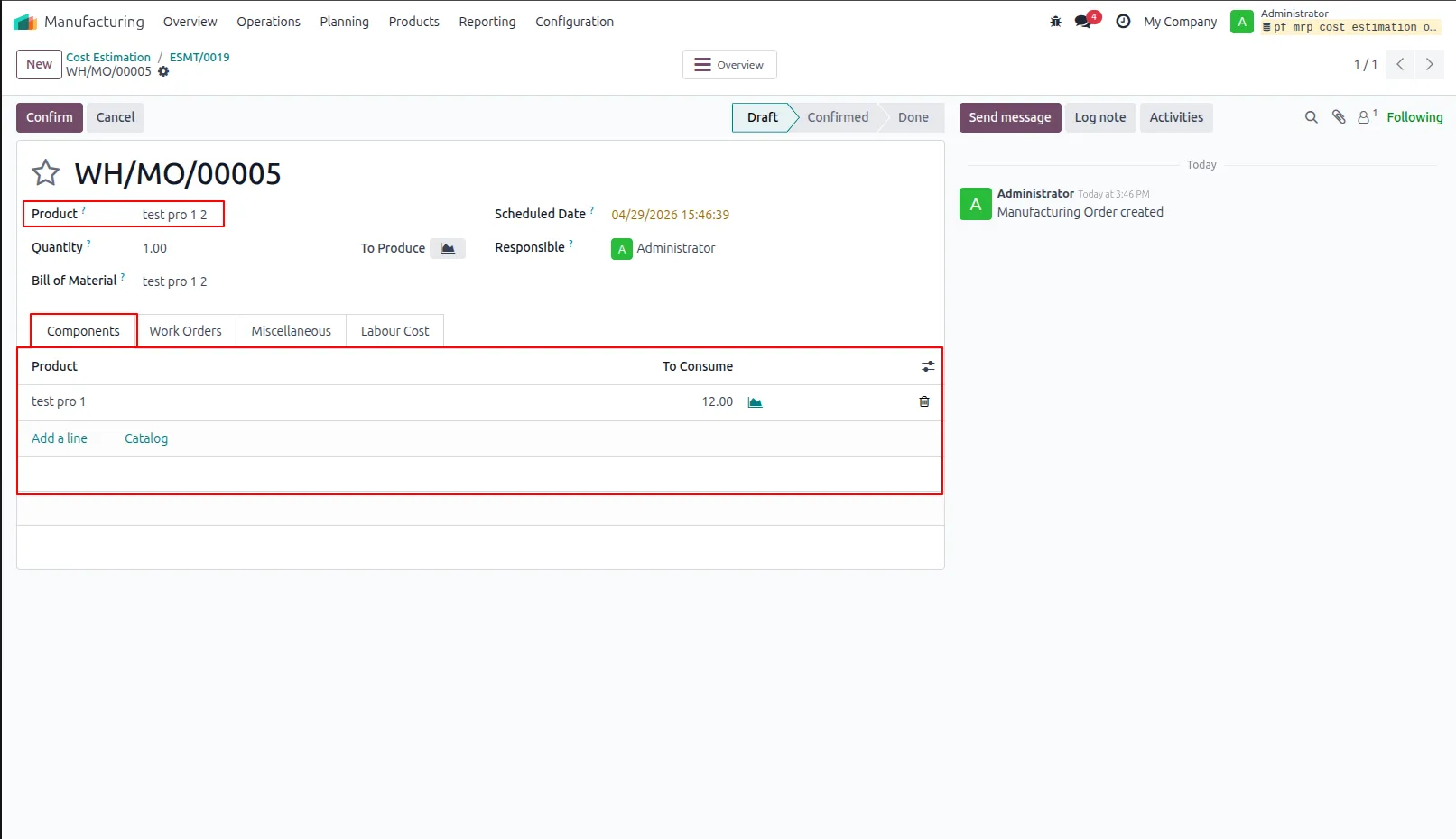
13.Displays detailed Manufacturing Order information, including the components required for production.
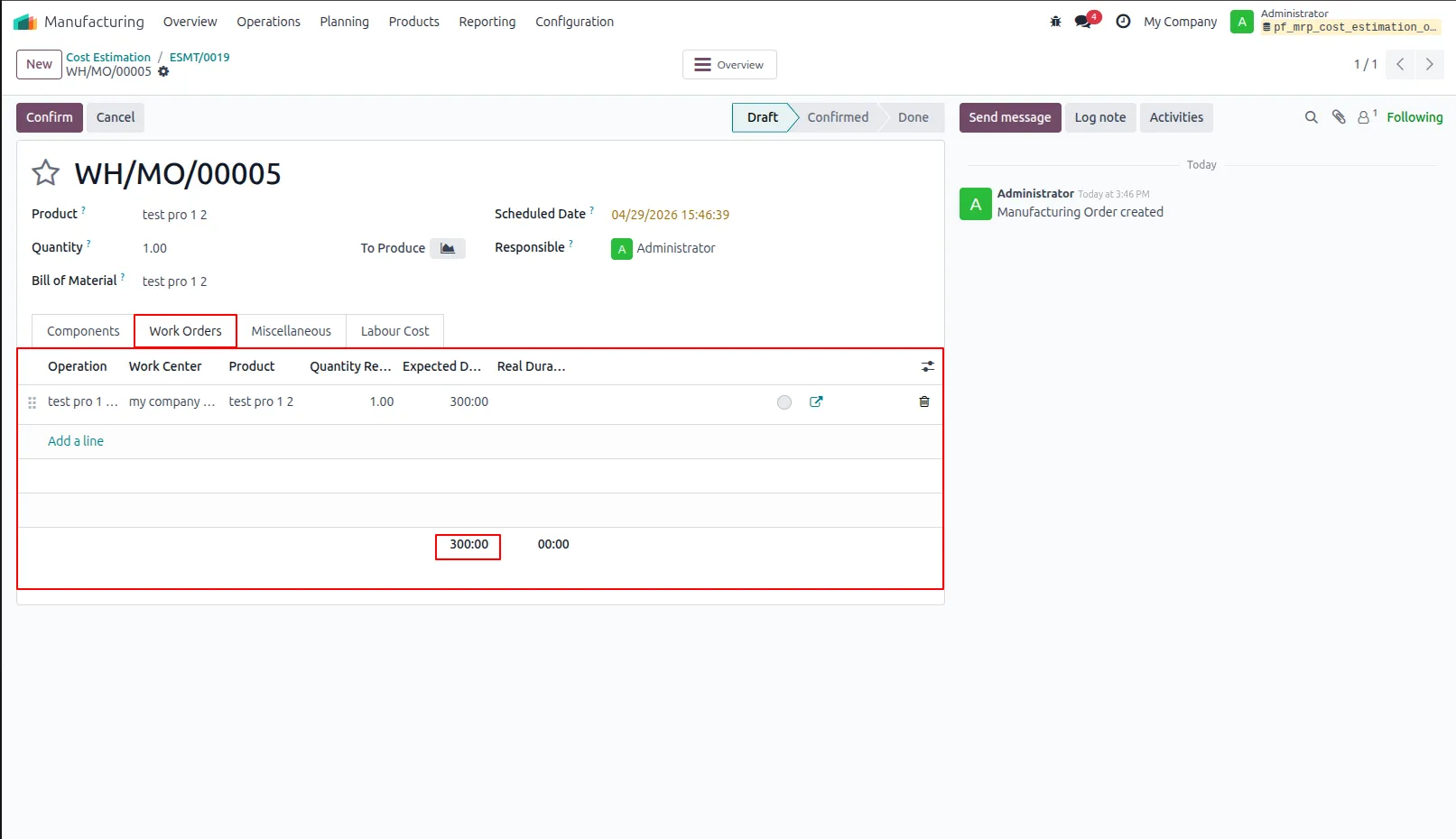
14.Displays the operations to be performed during the manufacturing process, as defined in the Work Orders.
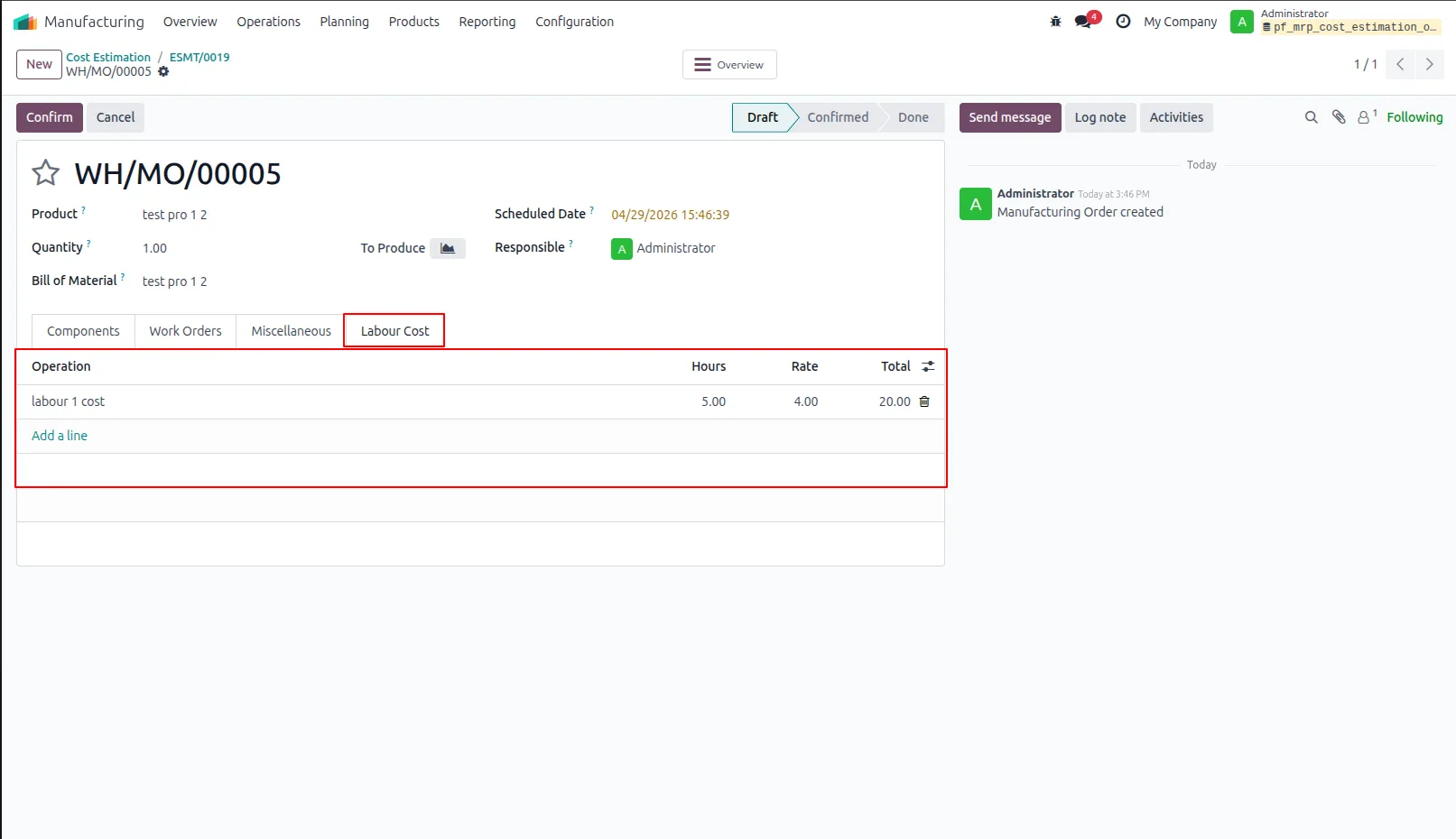
15.Displays labor details, including tasks, hours worked, hourly rates, and the total labor cost in the Labour Cost section.
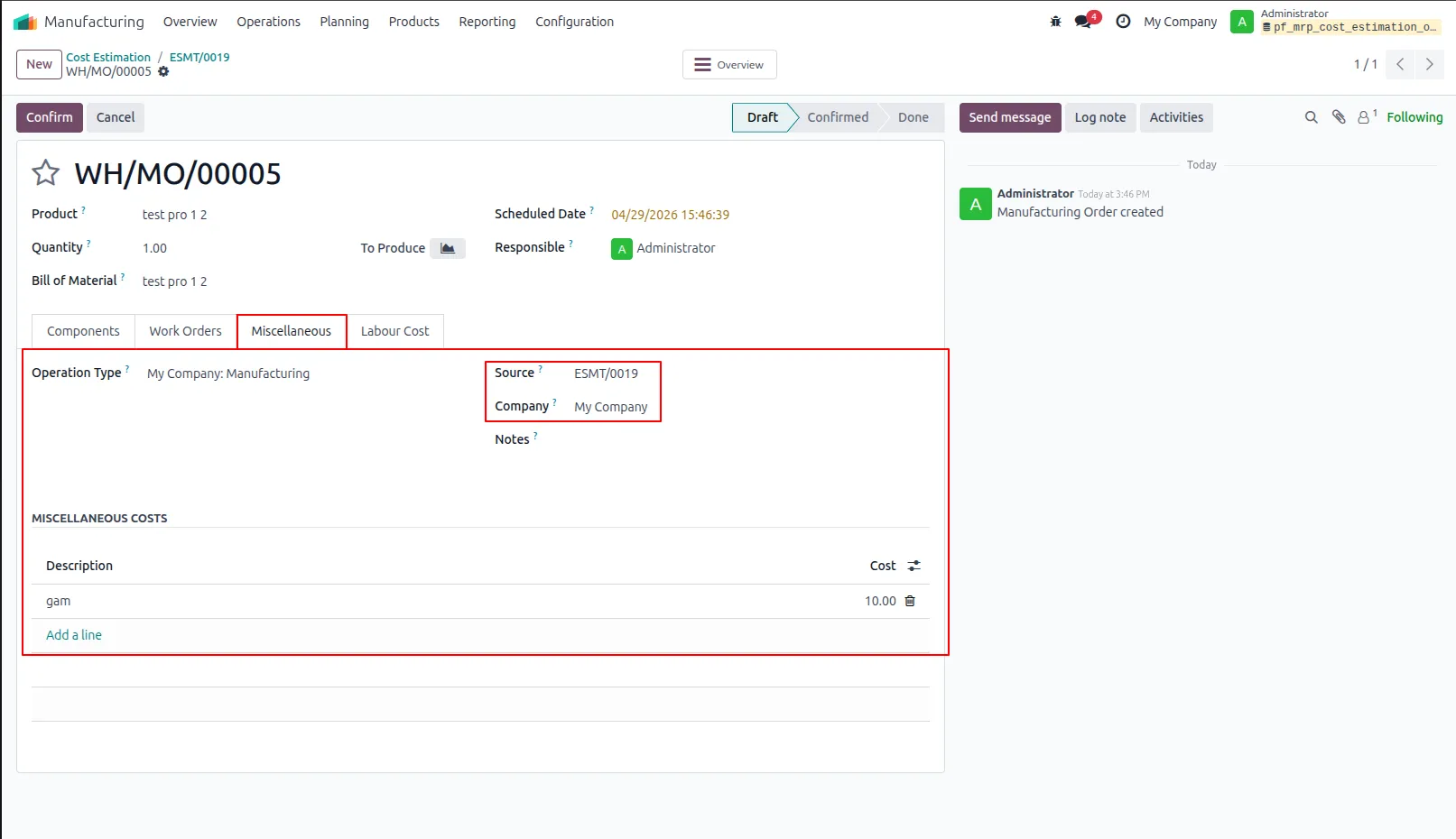
16.Displays miscellaneous costs, including descriptions and total amounts, in the Miscellaneous section.
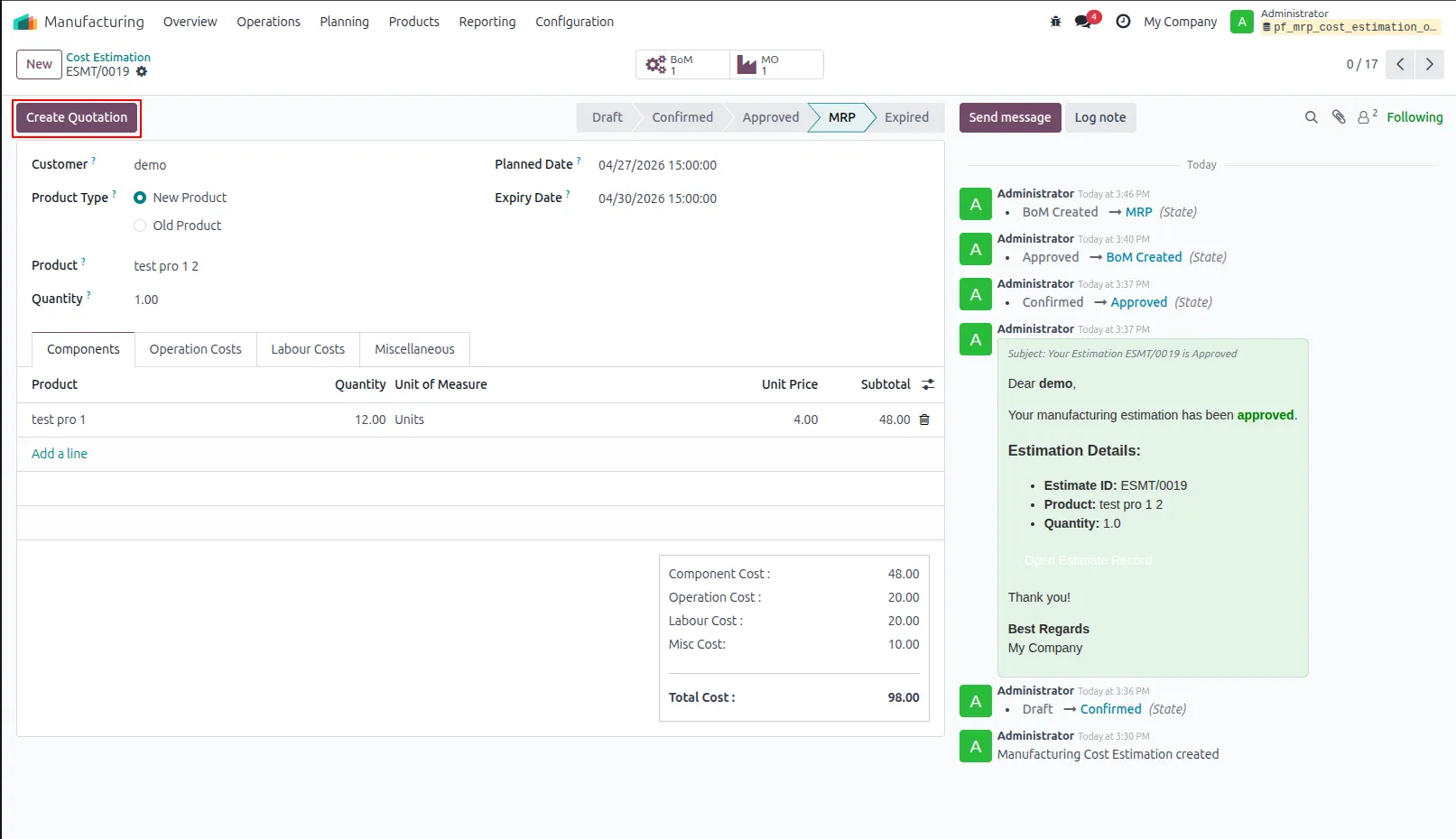
17.Generate Quotation Click to generate a sales quotation based on the approved estimation.
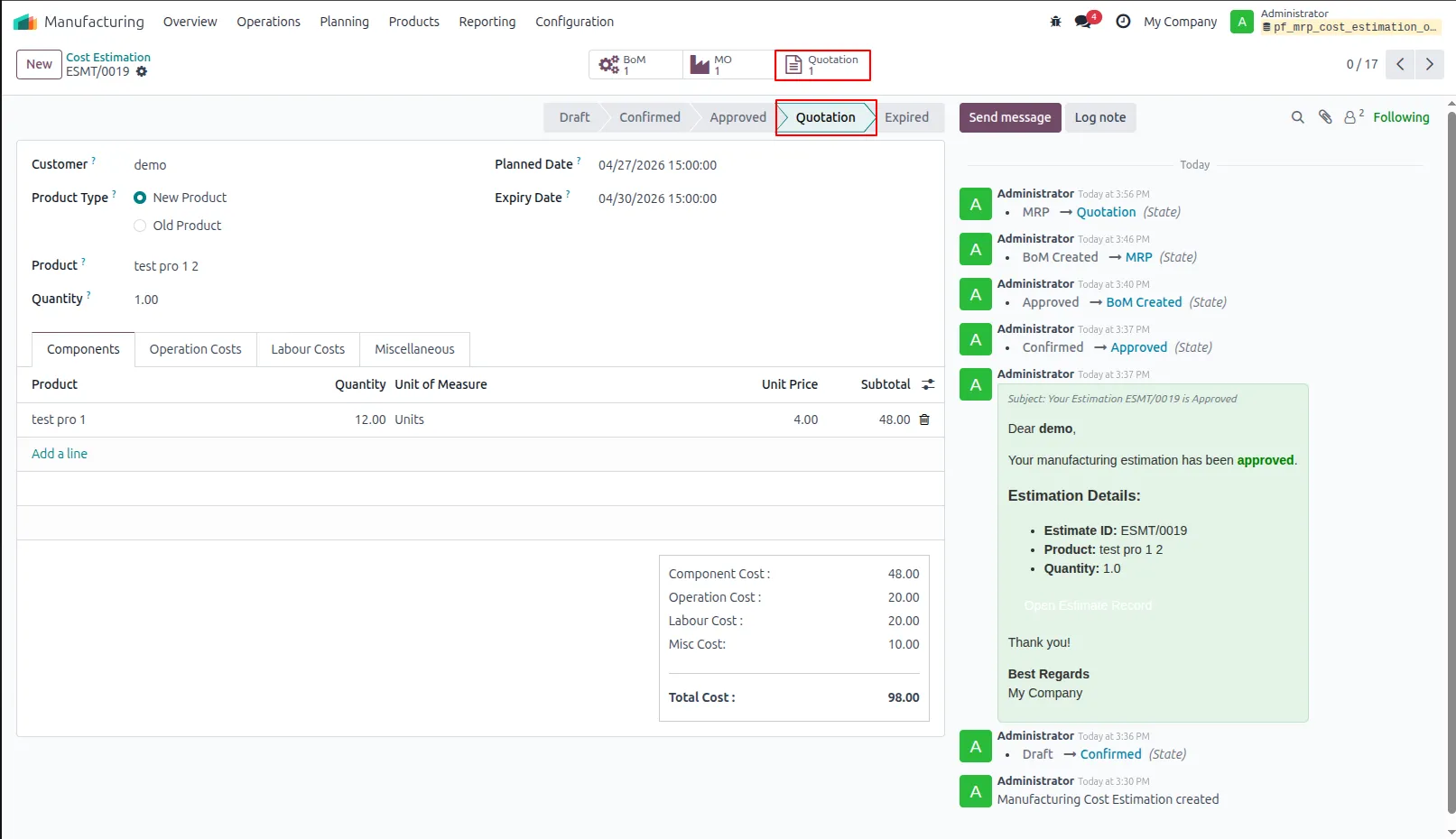
18.Displays the sales quotation generated from this estimation.
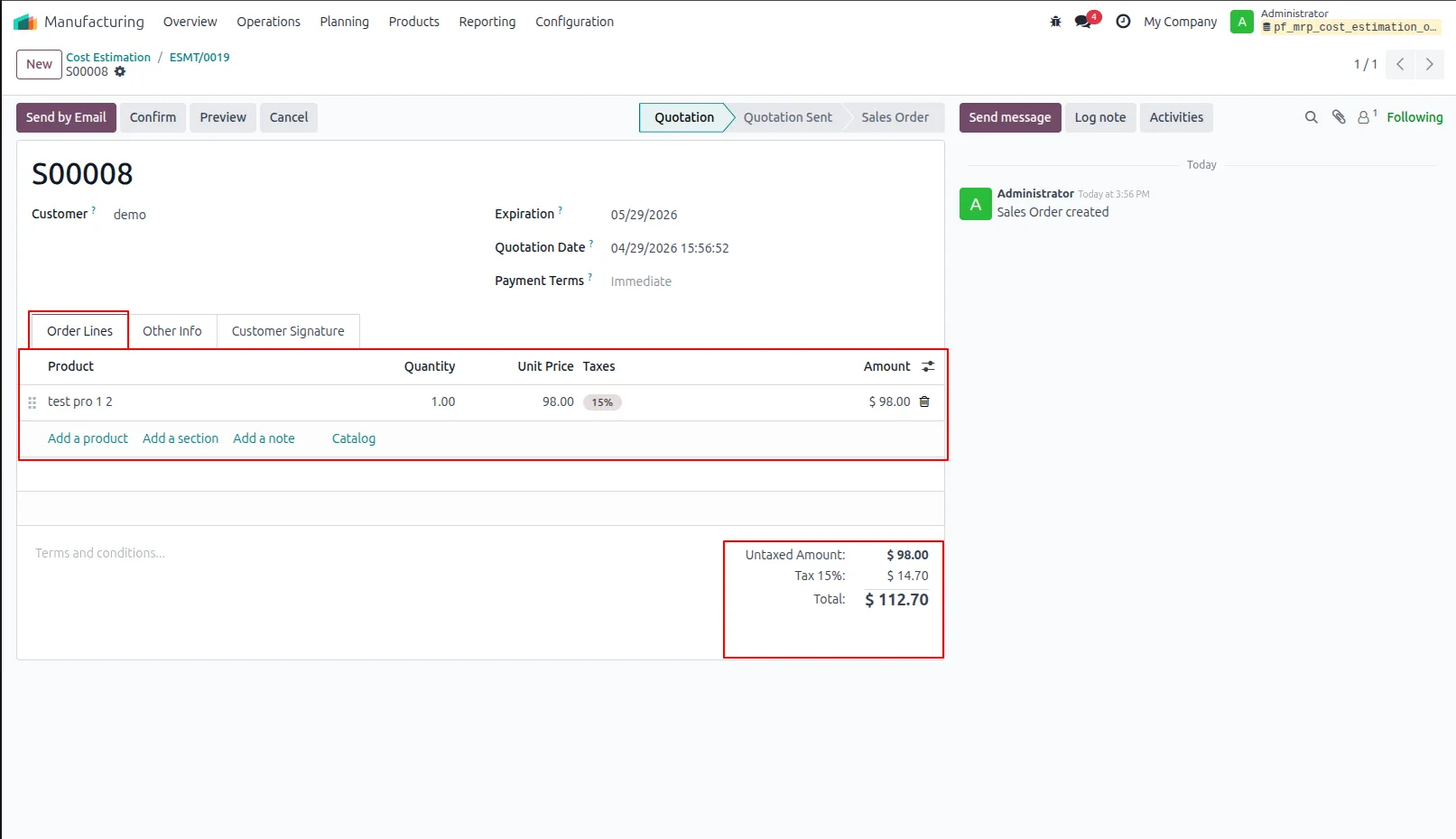
19.Sales Quotation Opens the related sales order and displays product details in the order lines.
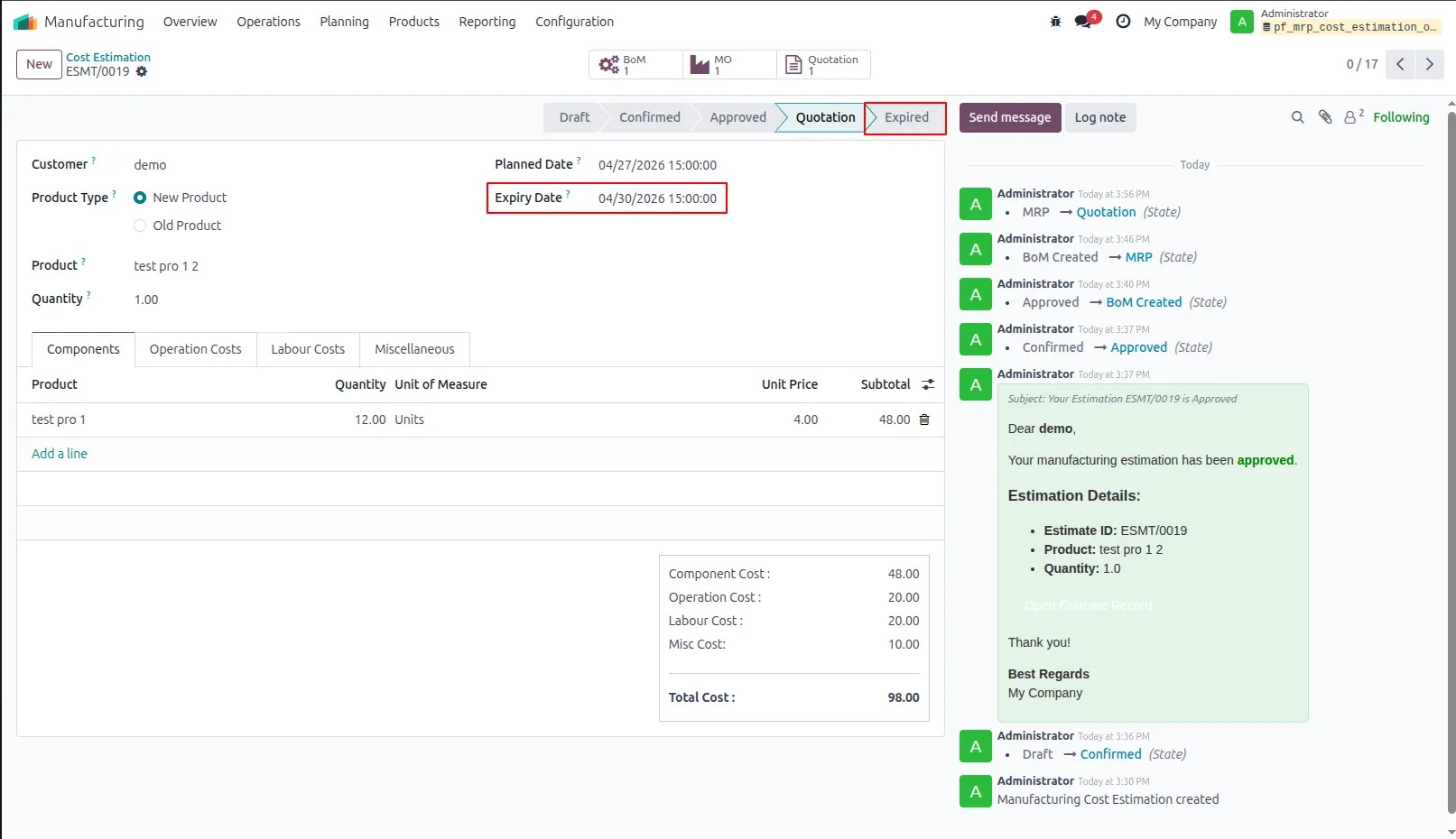
20.Estimation Expiry Status Automatically sets the estimation to 'Expired' after the expiry date and displays the status in the record view.
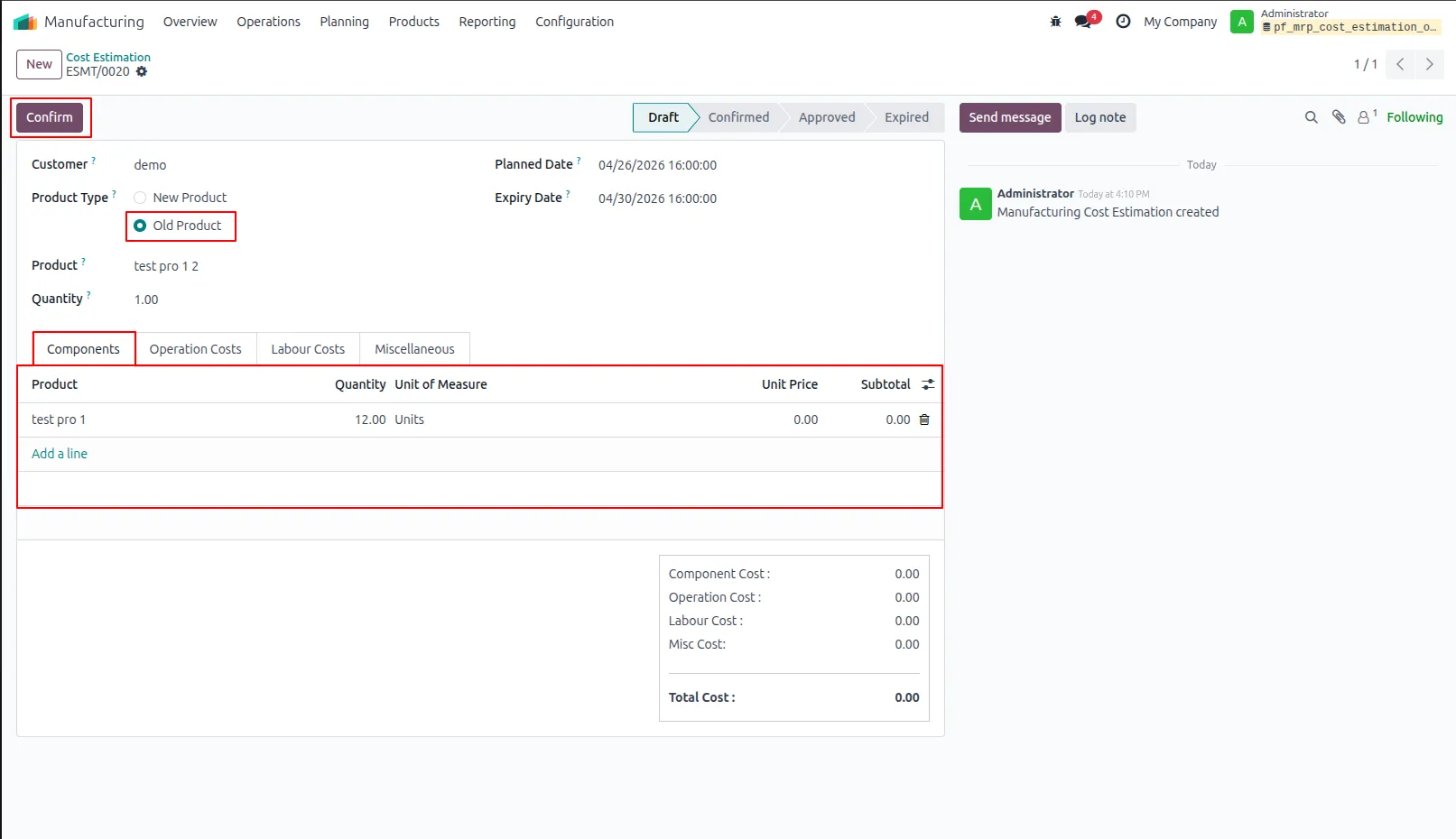
21.Existing Product with BoM Workflow If the selected product is already created and has an existing Bill of Materials (BoM), the system uses it directly without creating a new one.
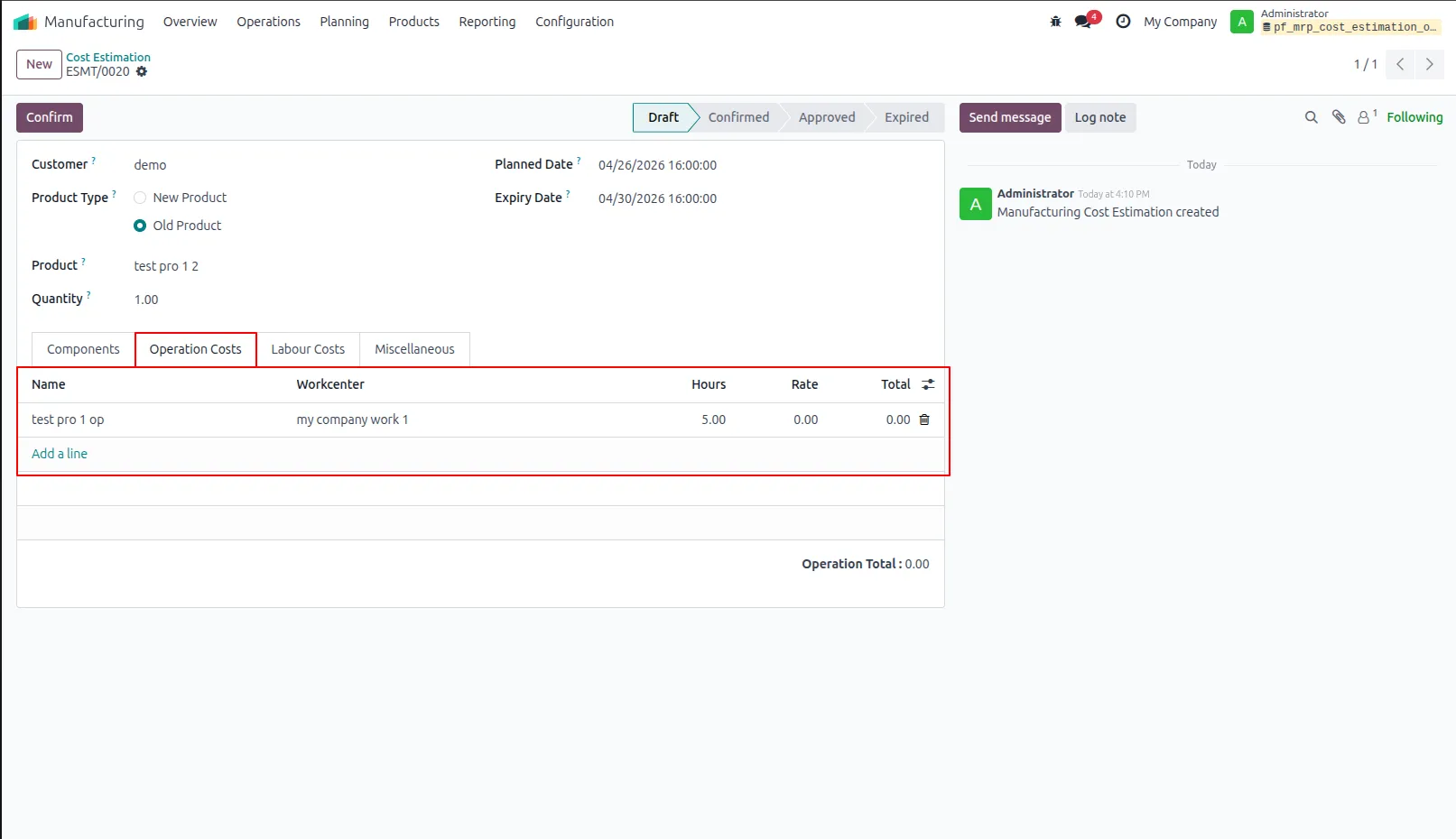
22.Displays operation details, including duration, work center, hourly rate, and total operation cost in the record.
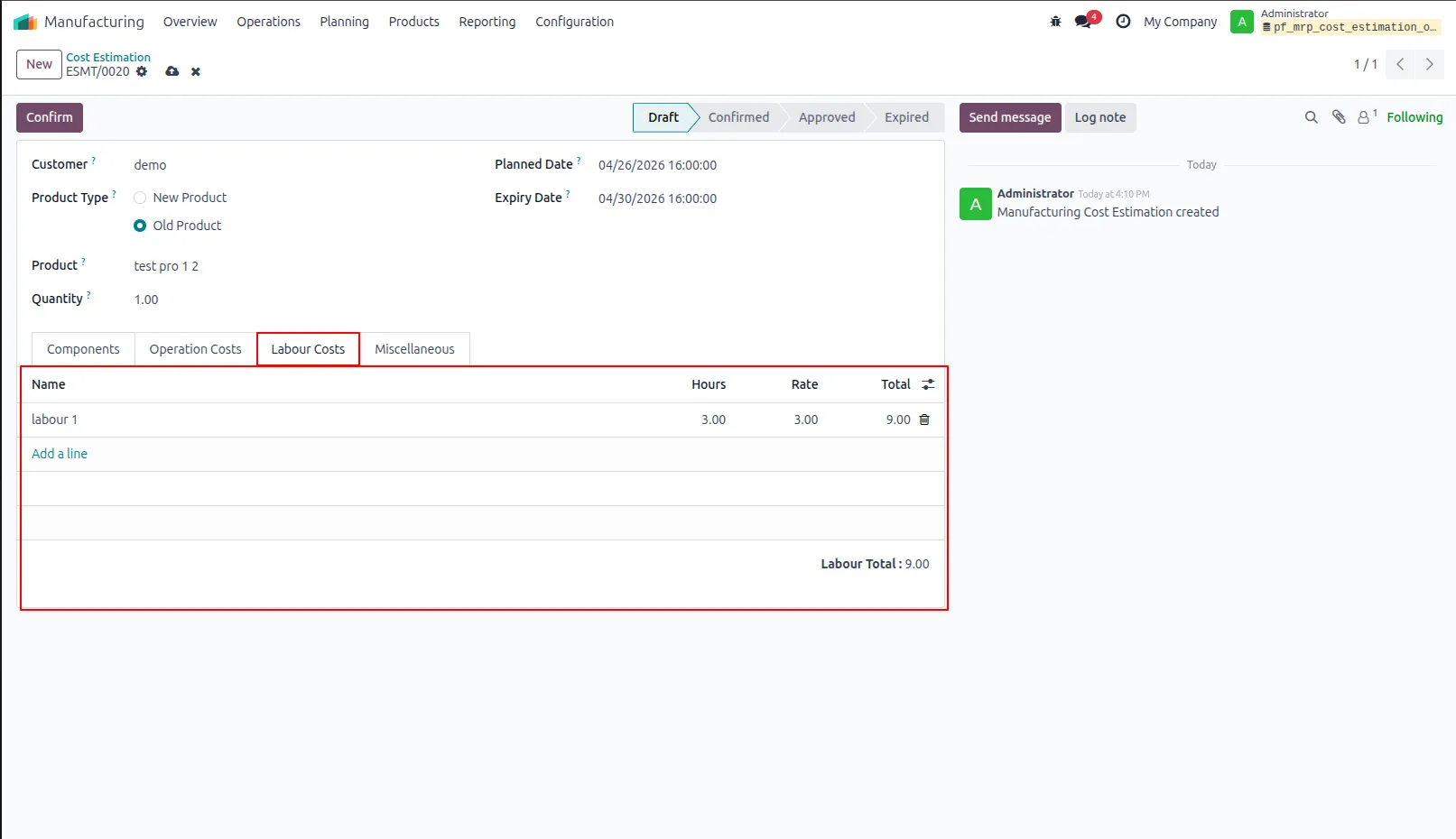
23.Labour Cost Details Displays labour tasks, including assigned hours, hourly rates, and the total labour cost in the record.
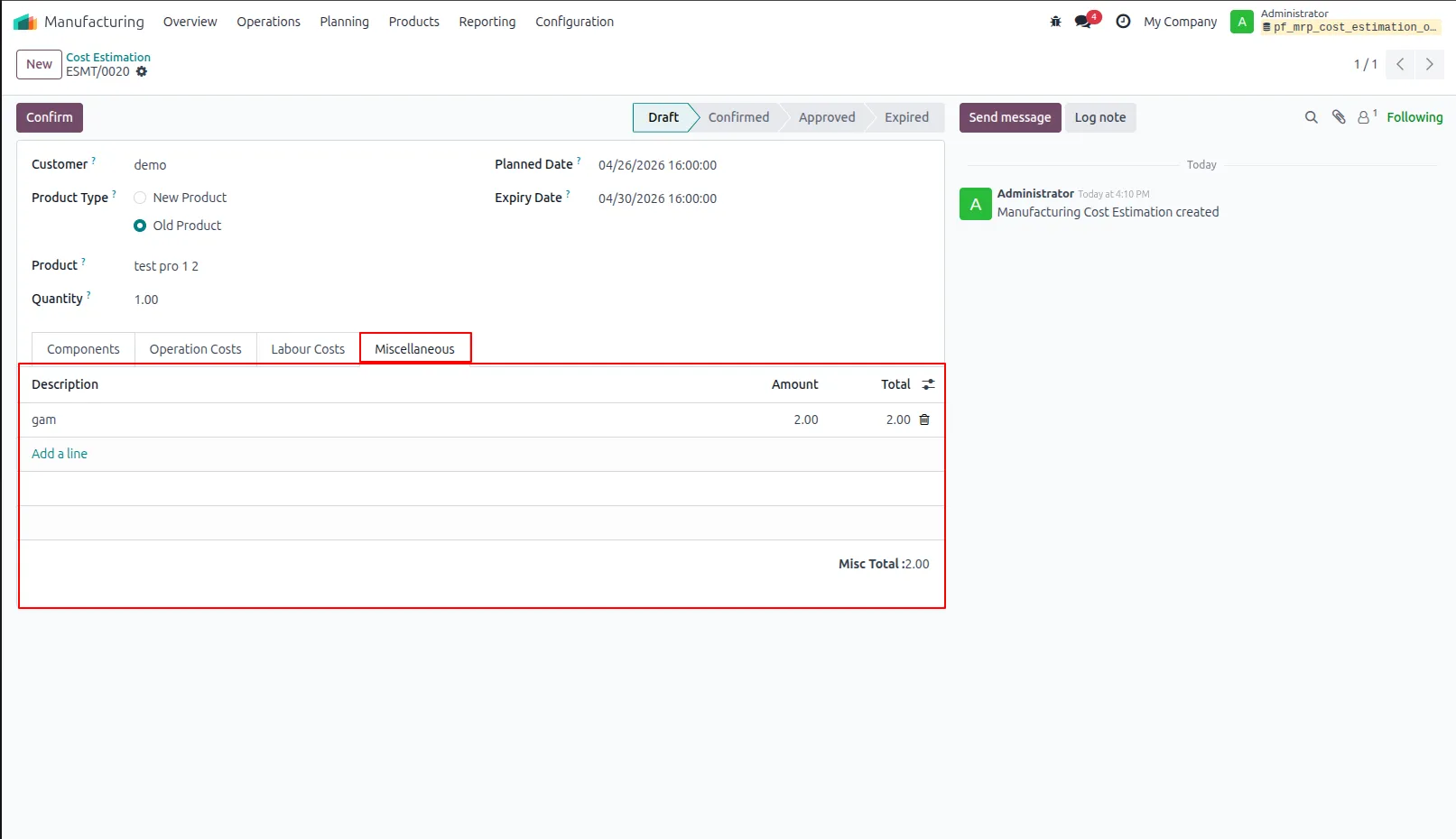
24.Displays additional costs, including descriptions and total amounts, in the record.
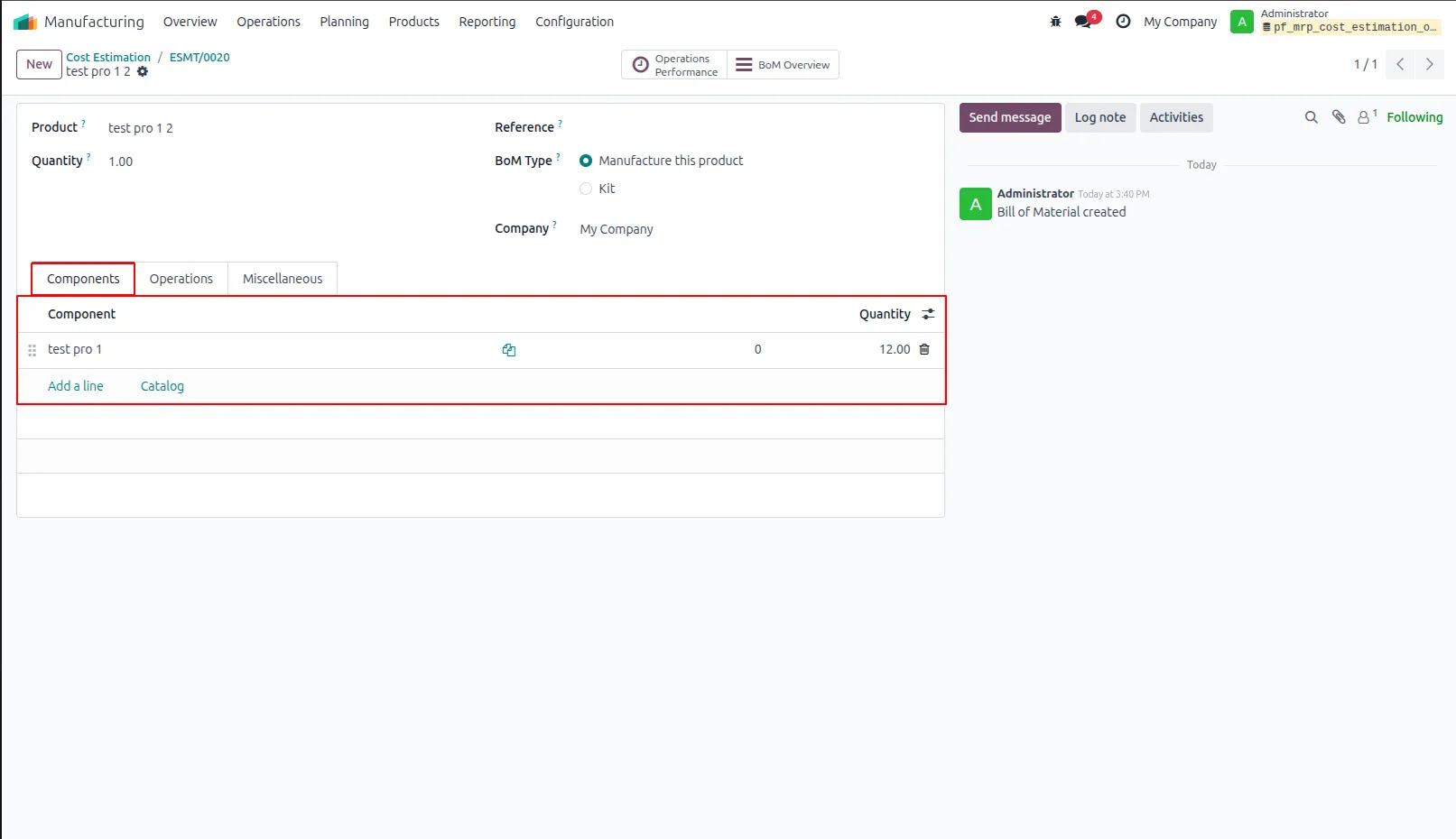
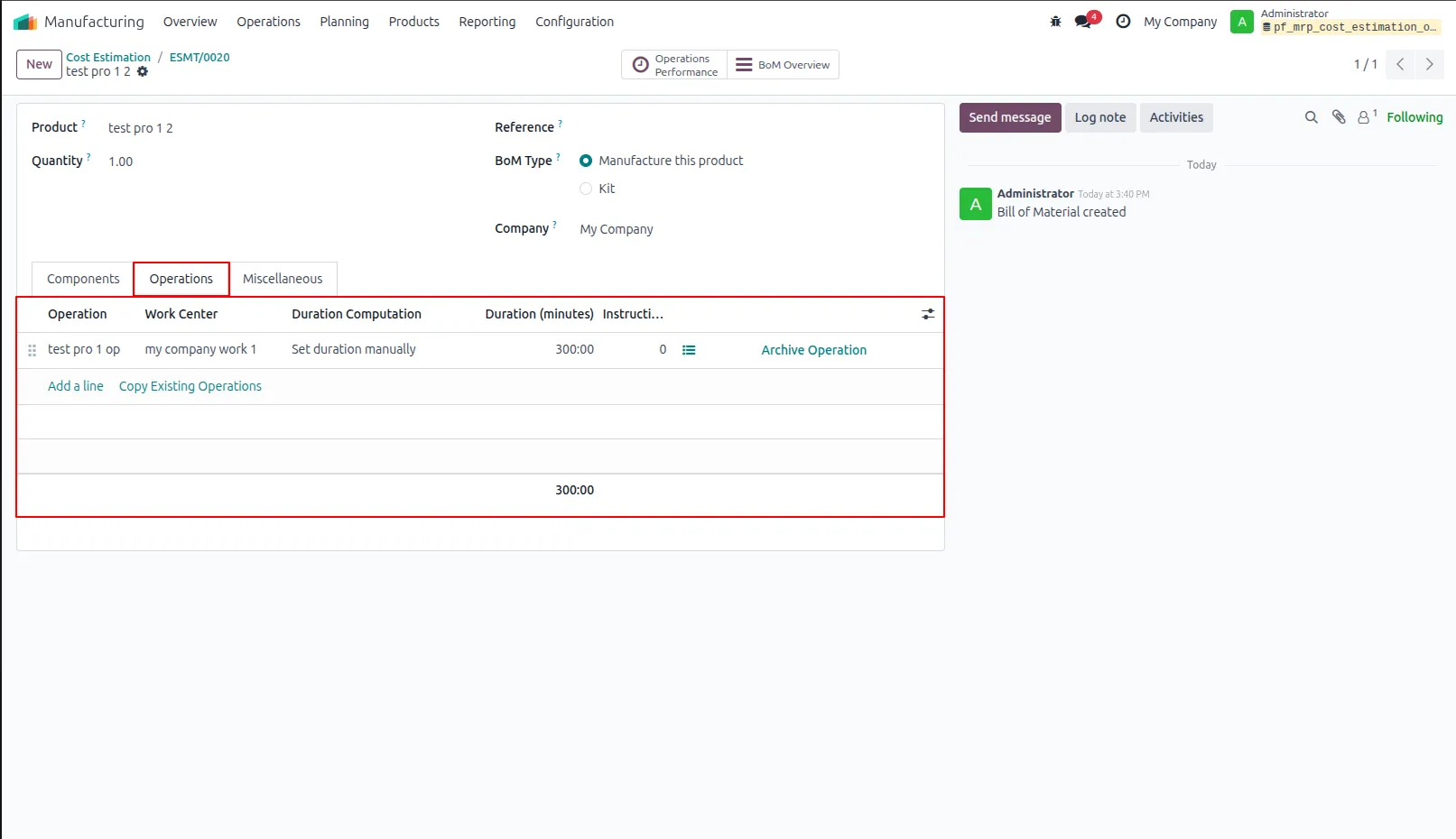
25.Displays the operations defined in the existing Bill of Materials (BoM) required for the manufacturing process.
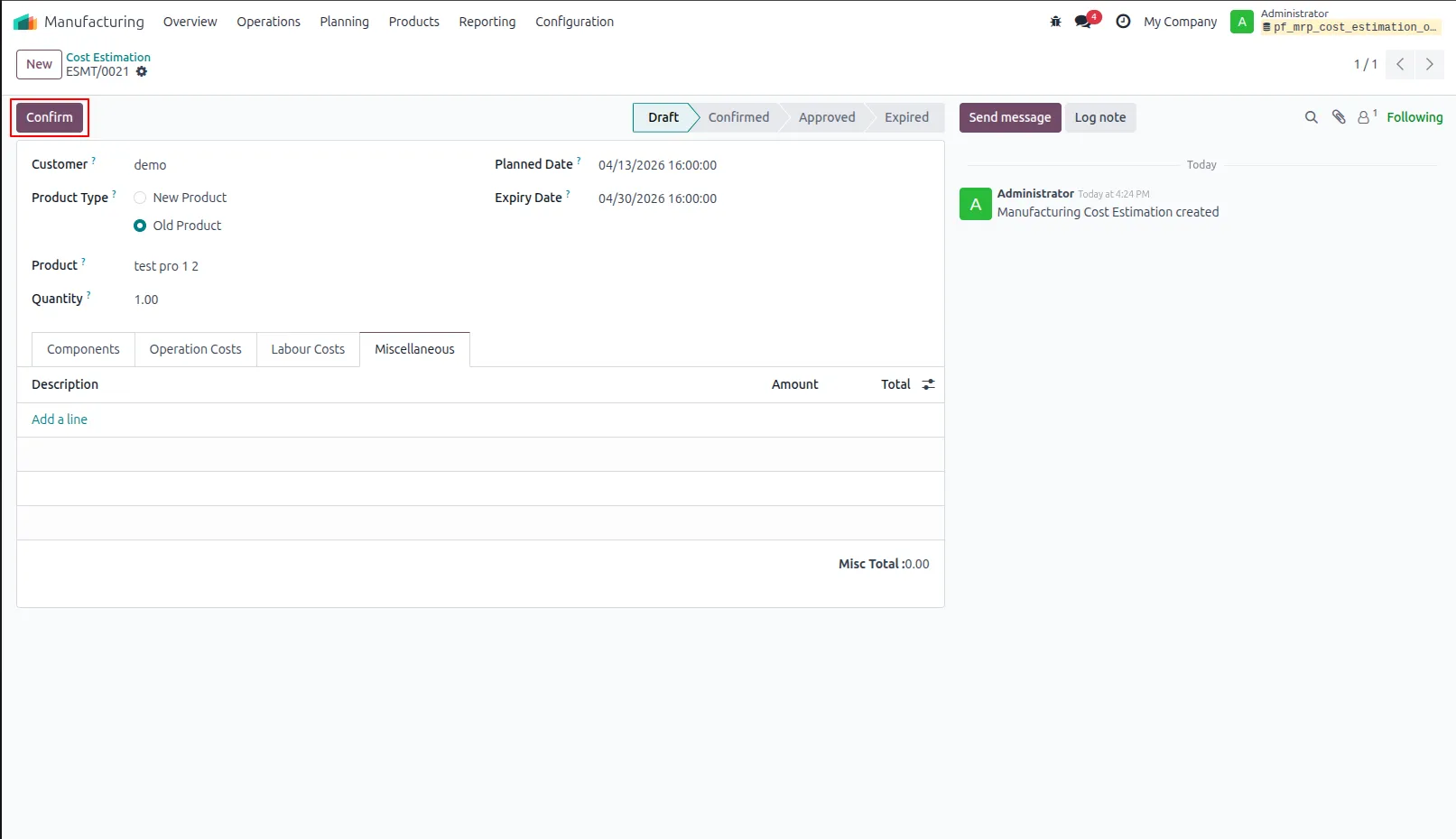
26.Confirm Estimation Click the Confirm button to validate the estimation and proceed to the approval stage.
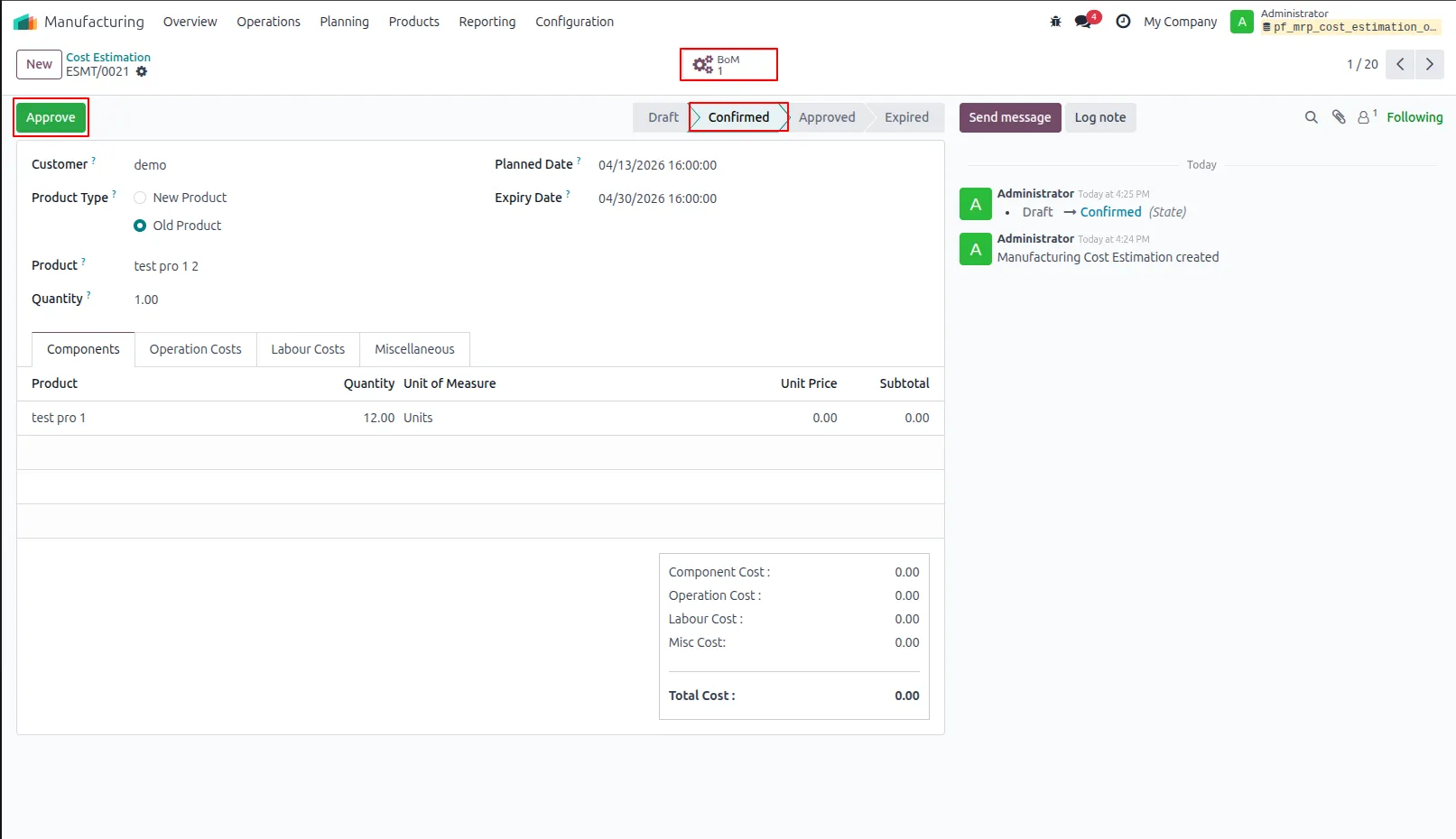
27.Approve Estimation Click the Approve button to finalize the estimation and automatically send a confirmation email to the customer.
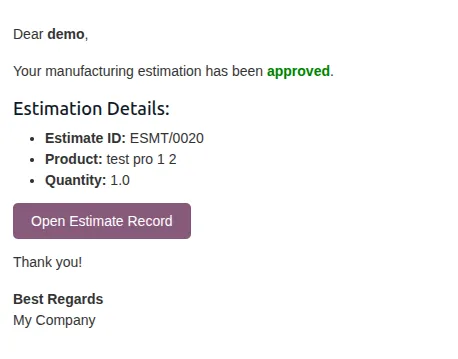
28.Customer Email Automatically sends an email to the customer with the estimation number and product details upon approval.
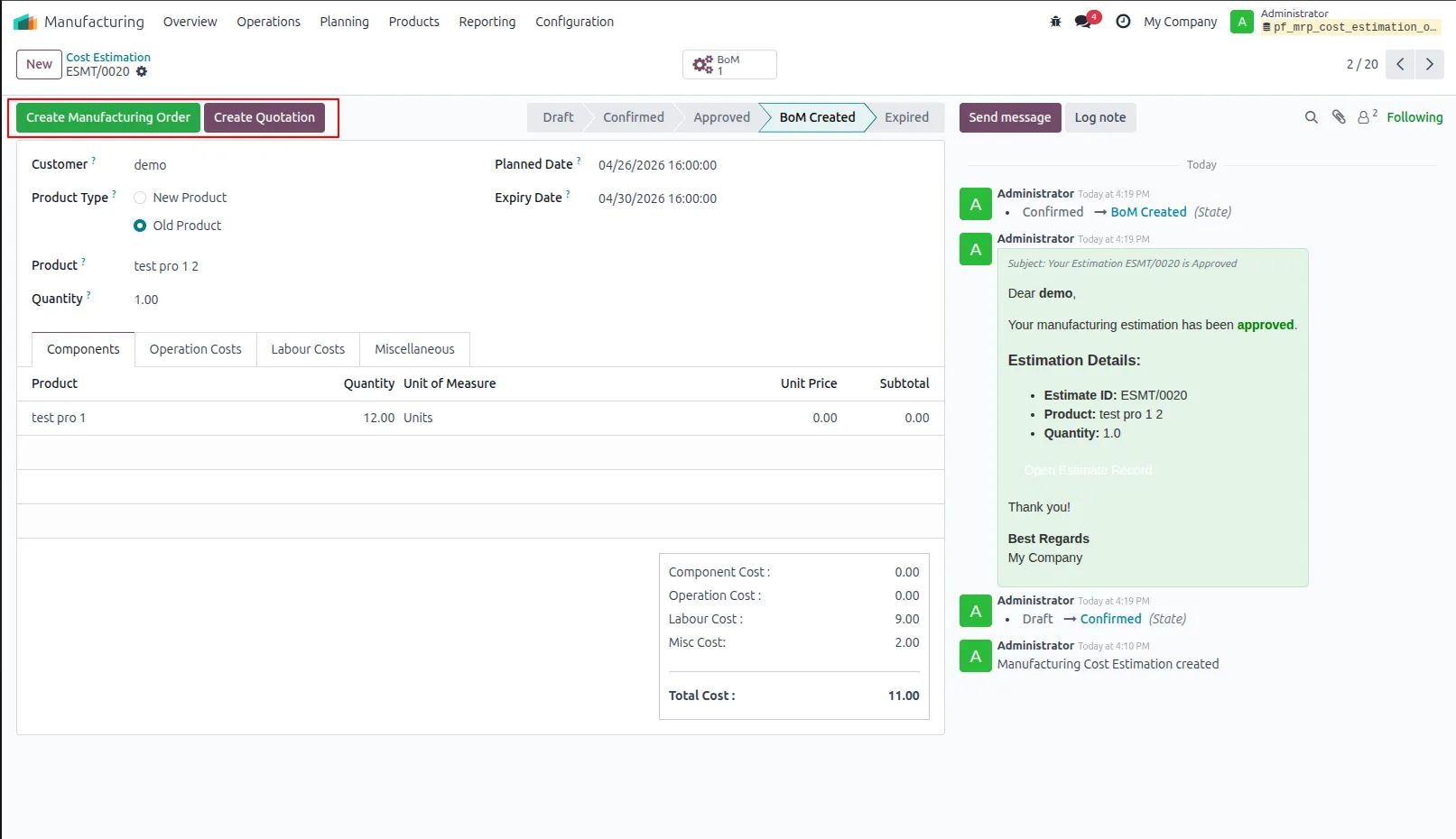
29.After approval, click 'Create MO' to generate a Manufacturing Order or 'Generate Quotation' to create a sales quotation based on the estimation.
30.Manufacturing Order Creation Click 'Create MO' to move the estimation to the MRP stage and view the related Manufacturing Order through the smart button
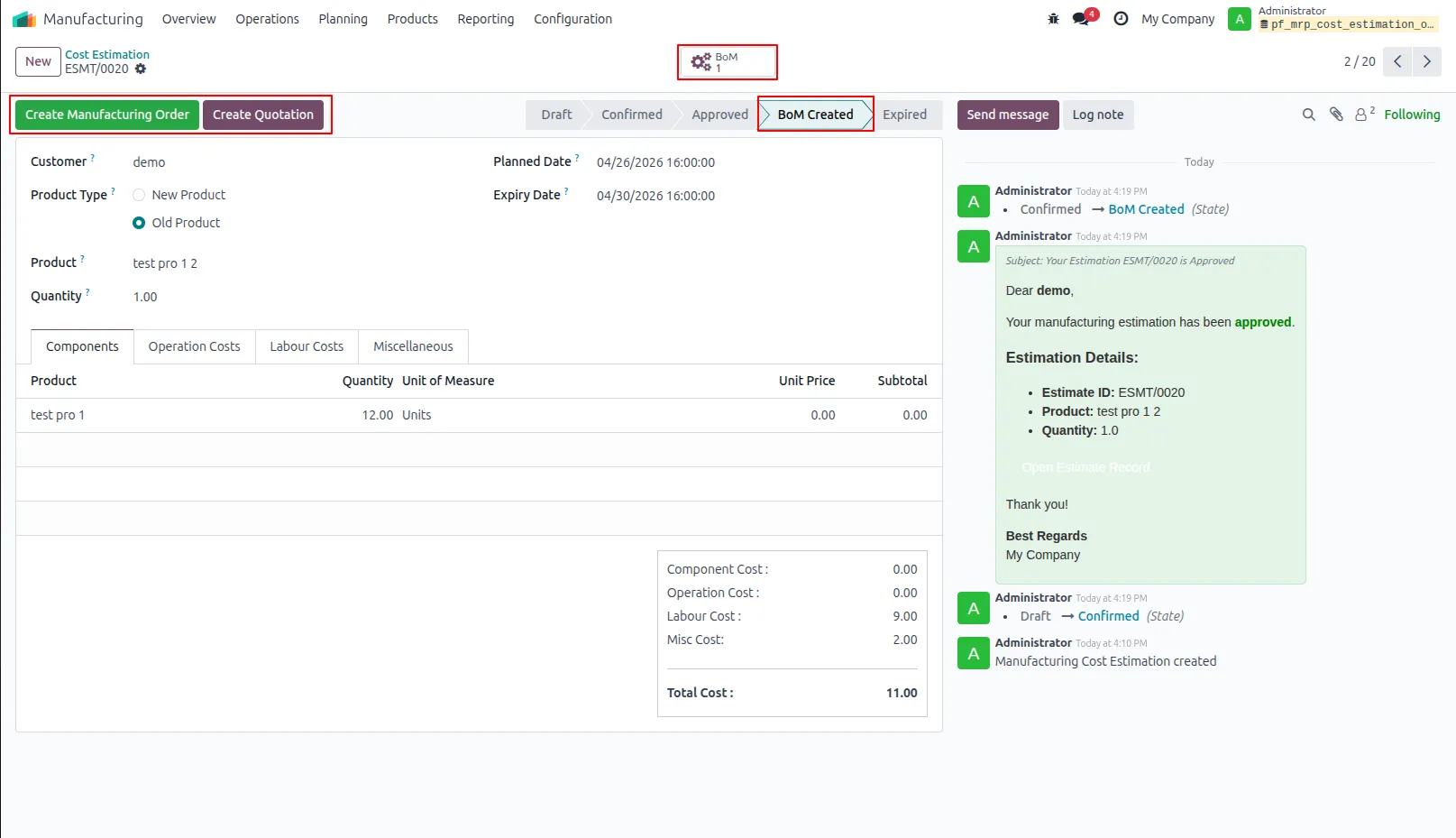
31.Displays product details, quantity, the linked Bill of Materials (BoM), and the required components for production.
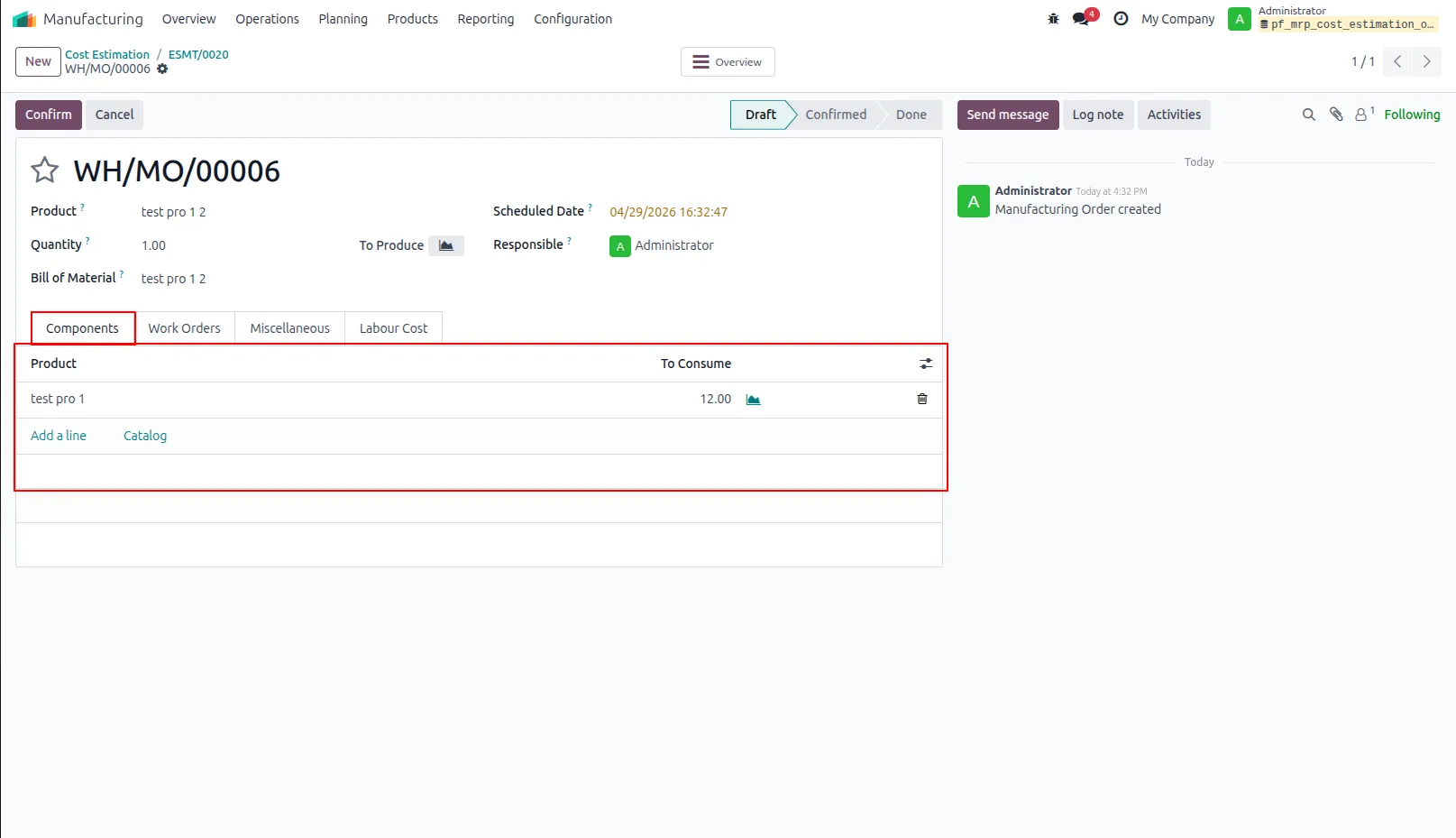
32.Manufacturing Order Includes work orders that display assigned operations, work centers, and durations.
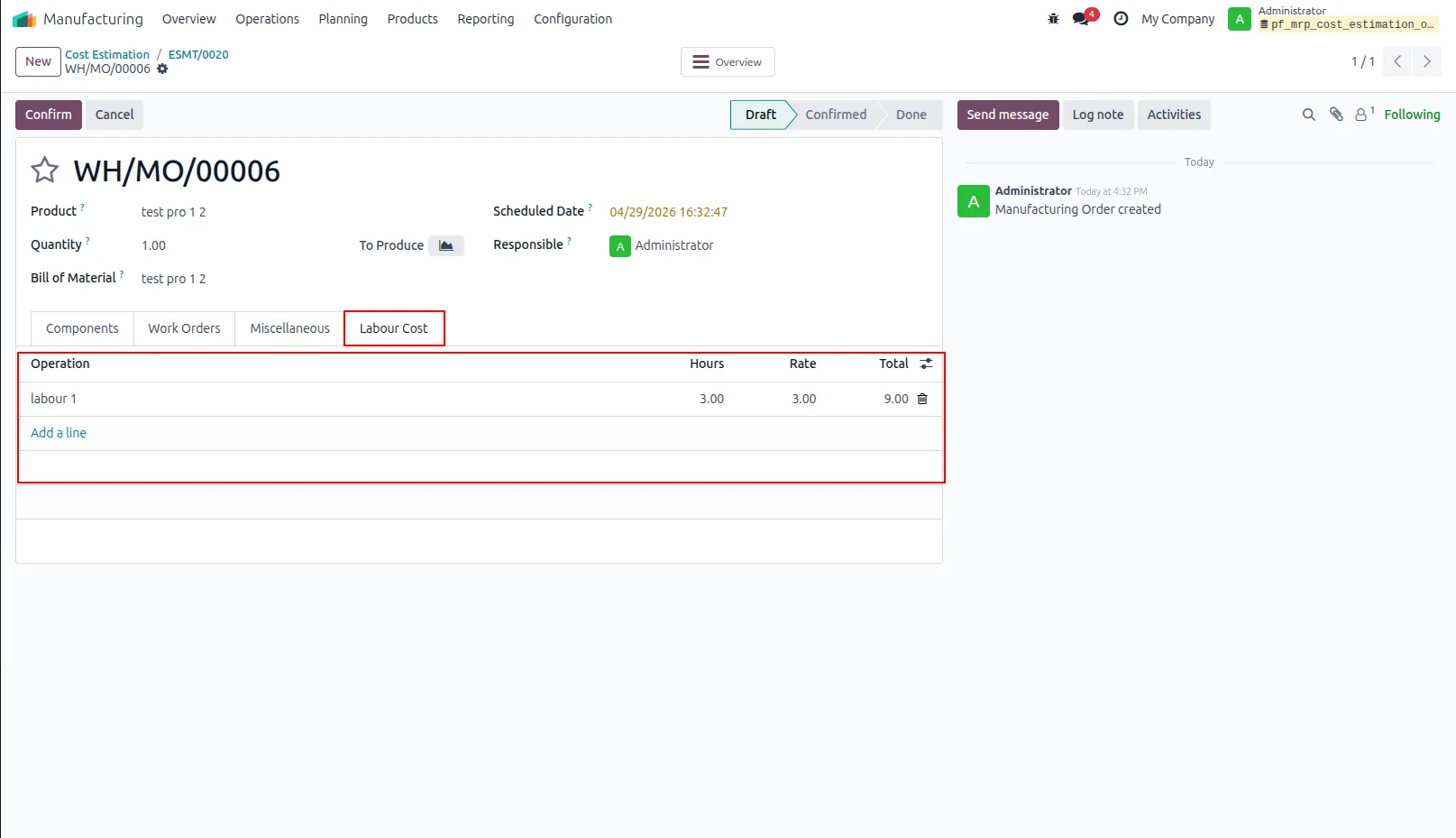
33.SManufacturing Order Displays labour-related tasks in the Manufacturing Order with assigned hours, rates, and total labour cost.
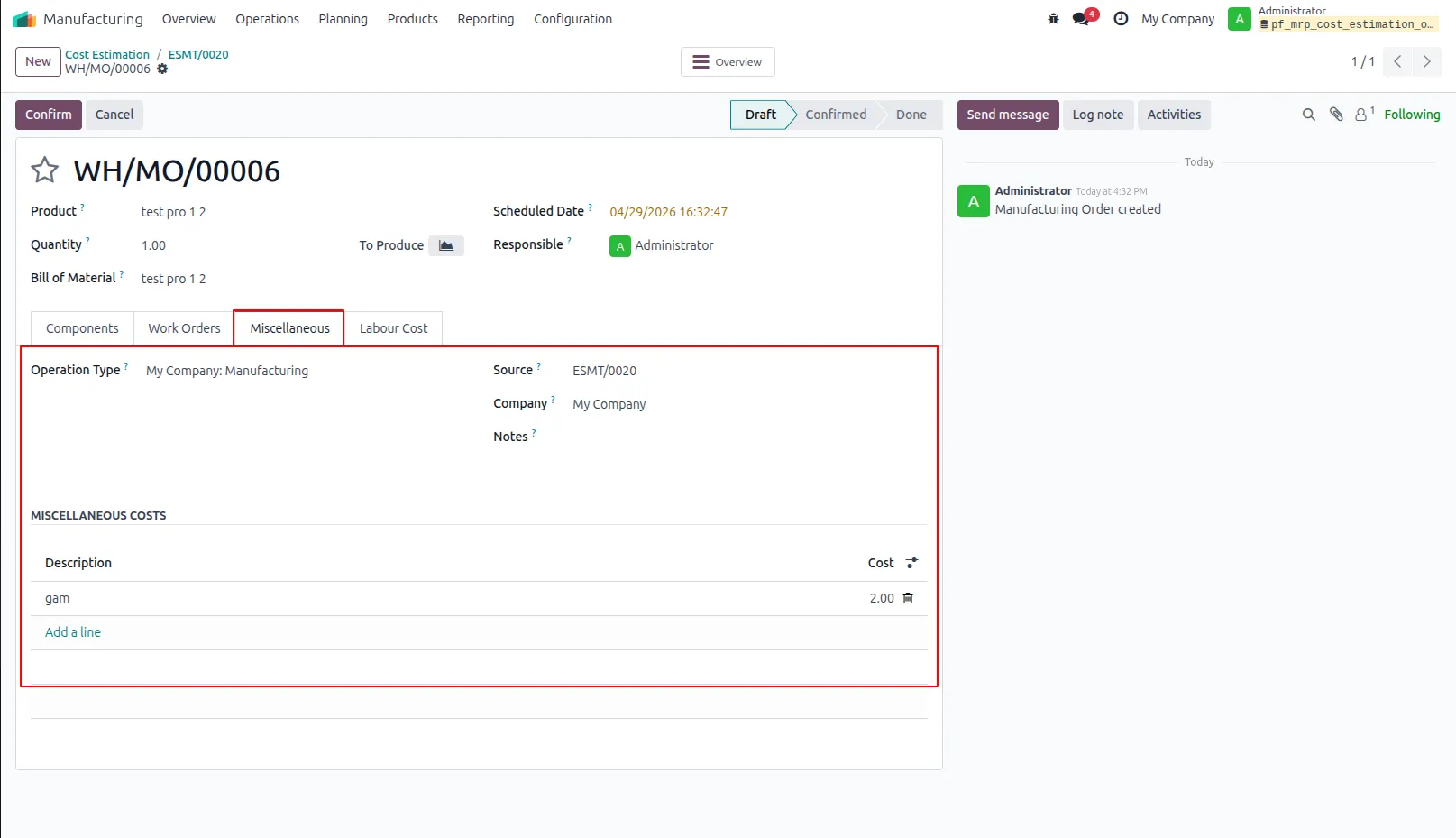
34.Displays miscellaneous costs, including descriptions and total amounts, within the Manufacturing Order.
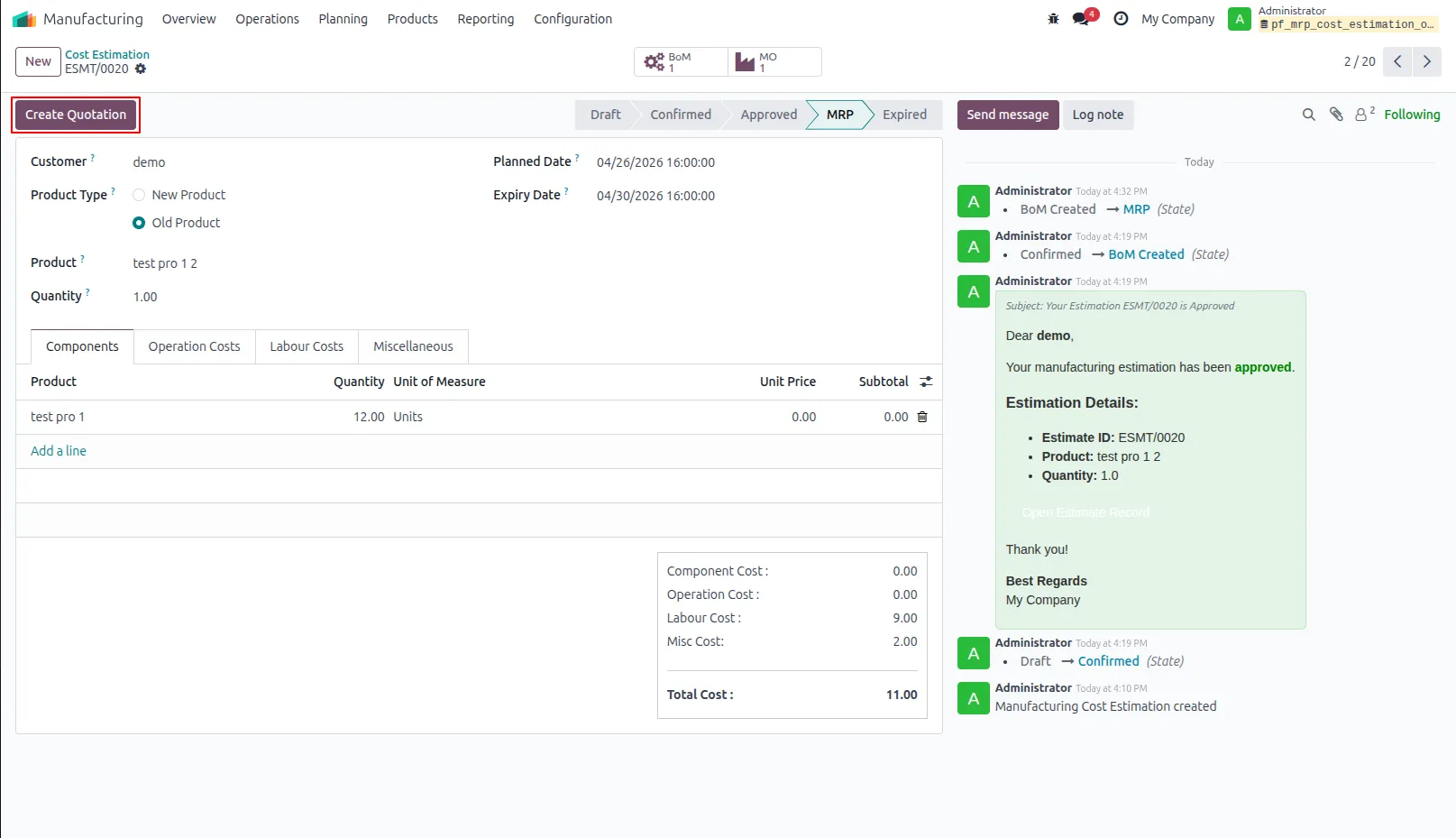
35.Click the 'Generate Quotation' button to create a sales quotation based on the approved estimation.
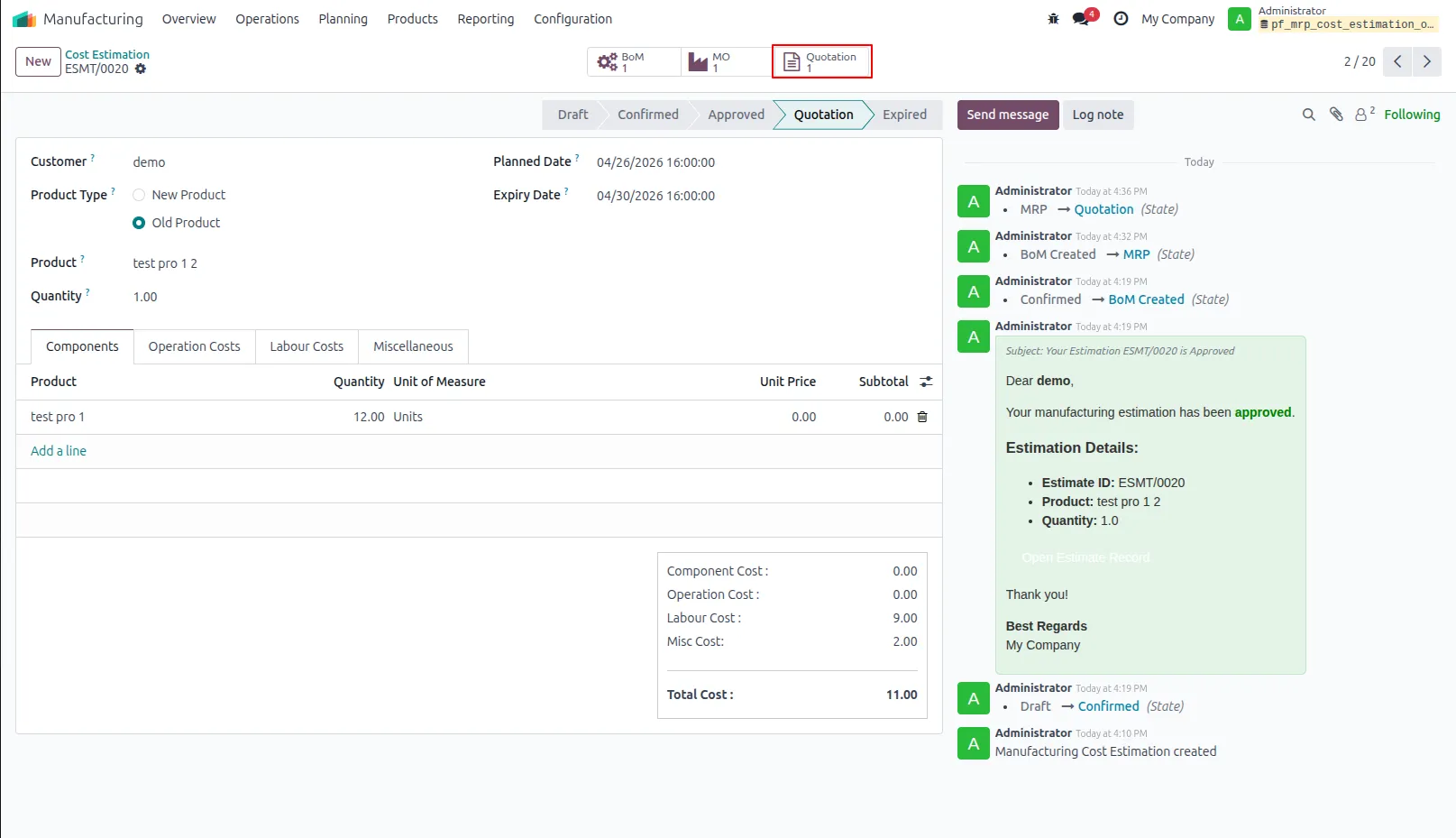
36.The smart button displays the related sales quotation and opens it to show product details and pricing.
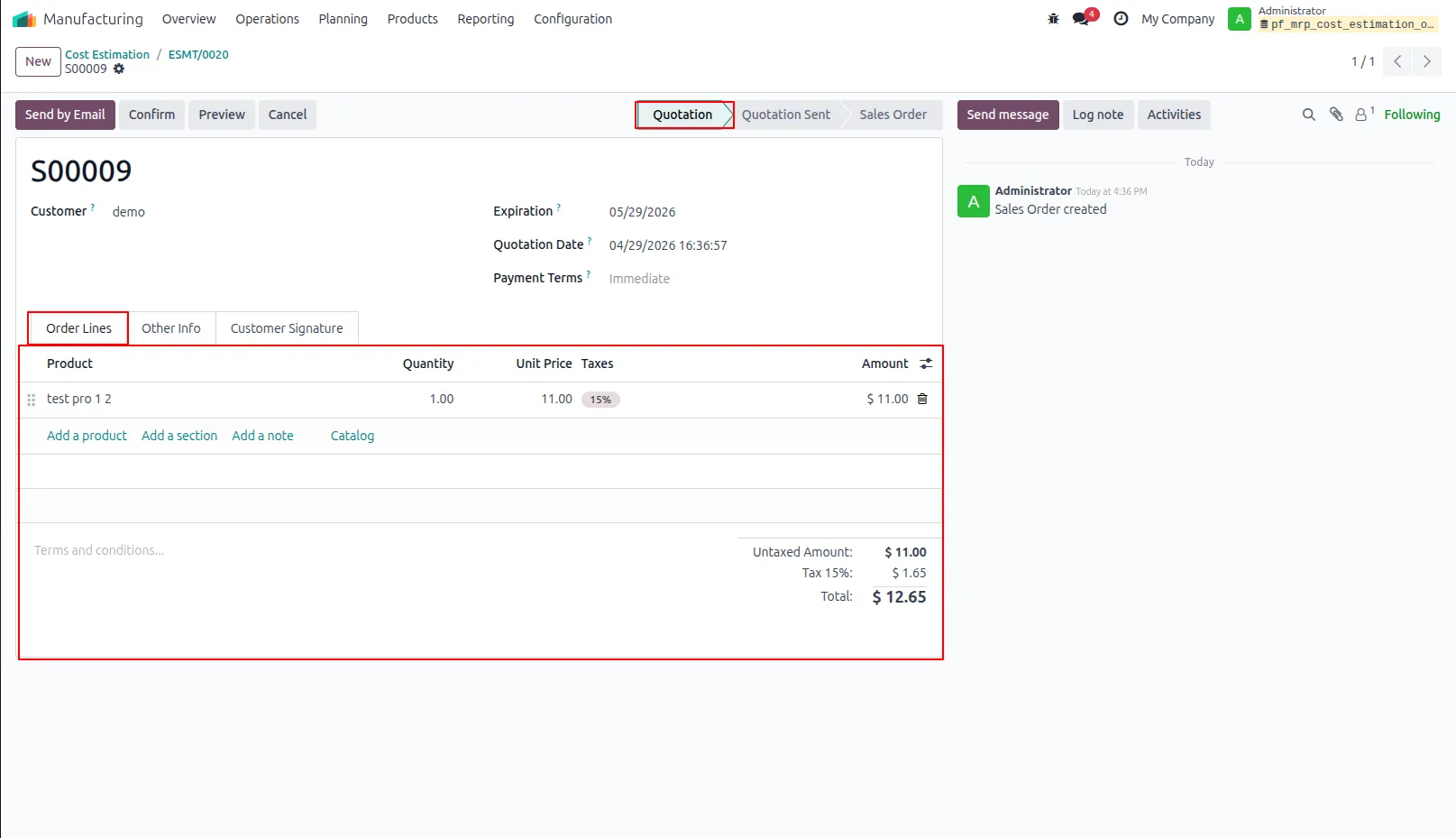
37.Displays the listed products along with their quantities, unit prices, and total amounts.
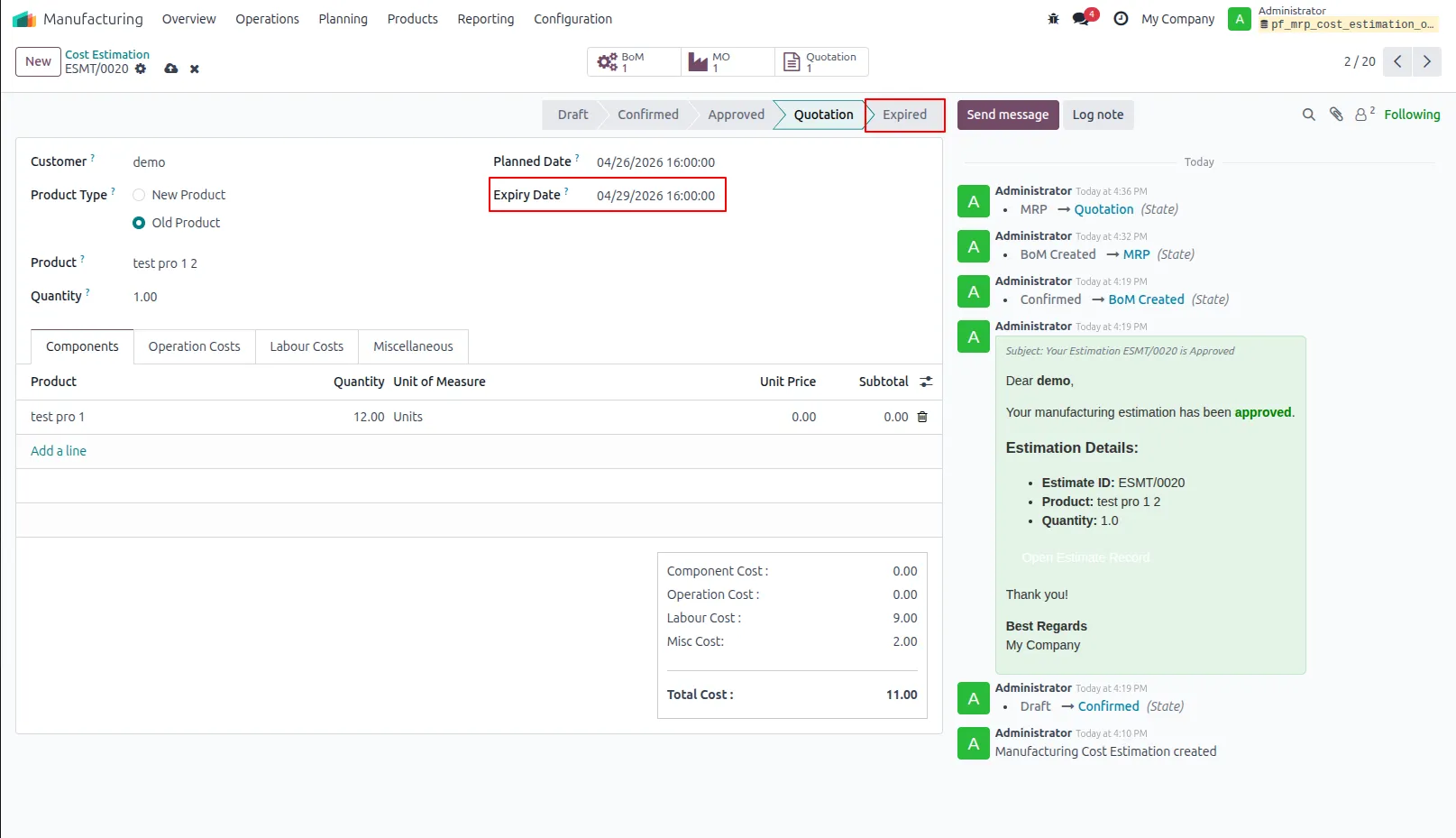
38.Automatically moves the estimation to the 'Expired' stage once the expiry date is reached.
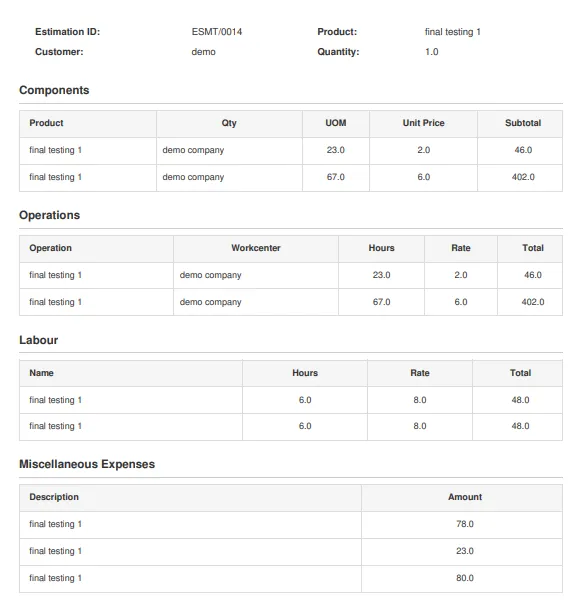
39.You can also download the estimation as a PDF.
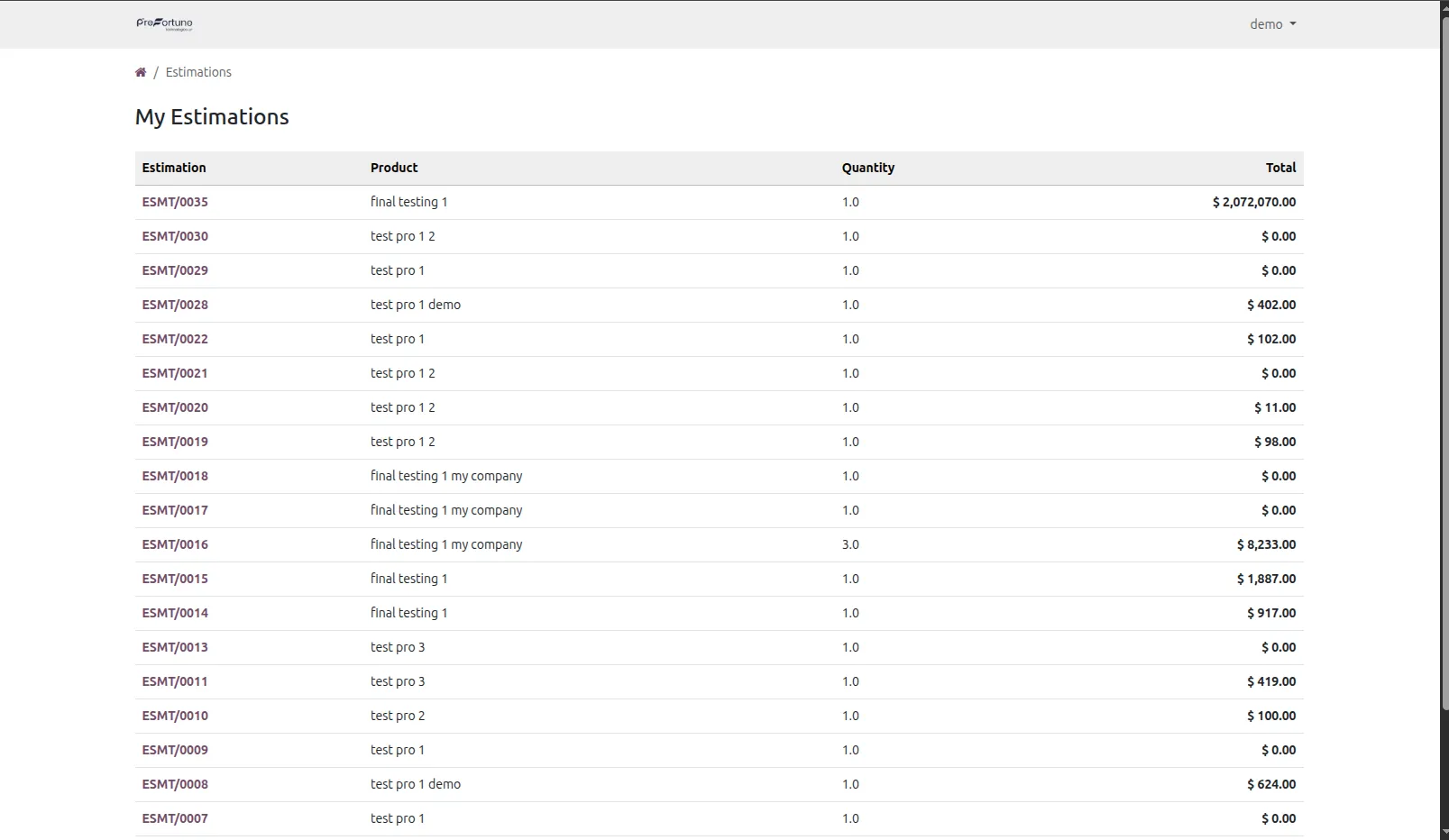
40.This is the estimation page, where you can view all your estimations on the portal.
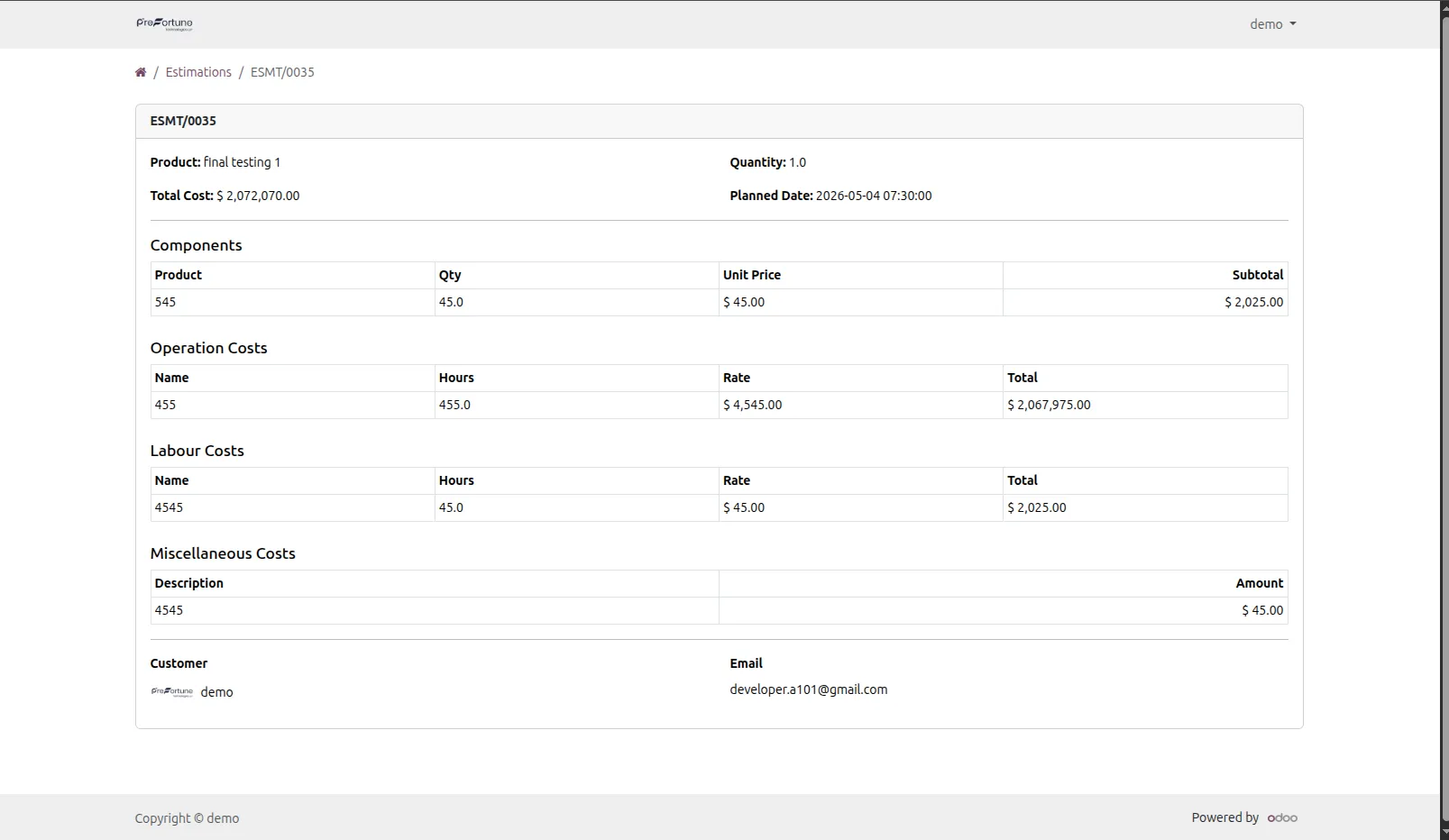
41.This page displays the details of the estimation.
Our solutions focus on your problems
- Odoo Implementation
- Odoo Customization
- ERP Development and Implementation
- Odoo Ipass Cloud
- AI for Odoo
- Odoo Apps
- Aws Marketplace Products
- Business Engines
Our Pricing includes User Manual, 90 Days Support (Monday-Friday 10am to 7pm IST) and One time Setup
• Works & tested on standard installations of Odoo with no third party apps,
• Free support only for odoo installations with no third party apps,
• Paid support available for Odoo installations with third party apps.

Prefortune is a Odoo Official Partner, Odoo Development company. Our philosophy is to use Open Source tools and technologies to provide cost effective and green solutions for our customers.
Prefortune Technologies LLP is working on web development, Mobile development, and Odoo ERP.
If you need any help or want more additional features, you may contact us through:
Alternative Products
These other products might interest you
Specifications
| Version | 19.0, 18.0, 17.0, 16.0, 15.0, 14.0 |